 Cheqq
Cheqq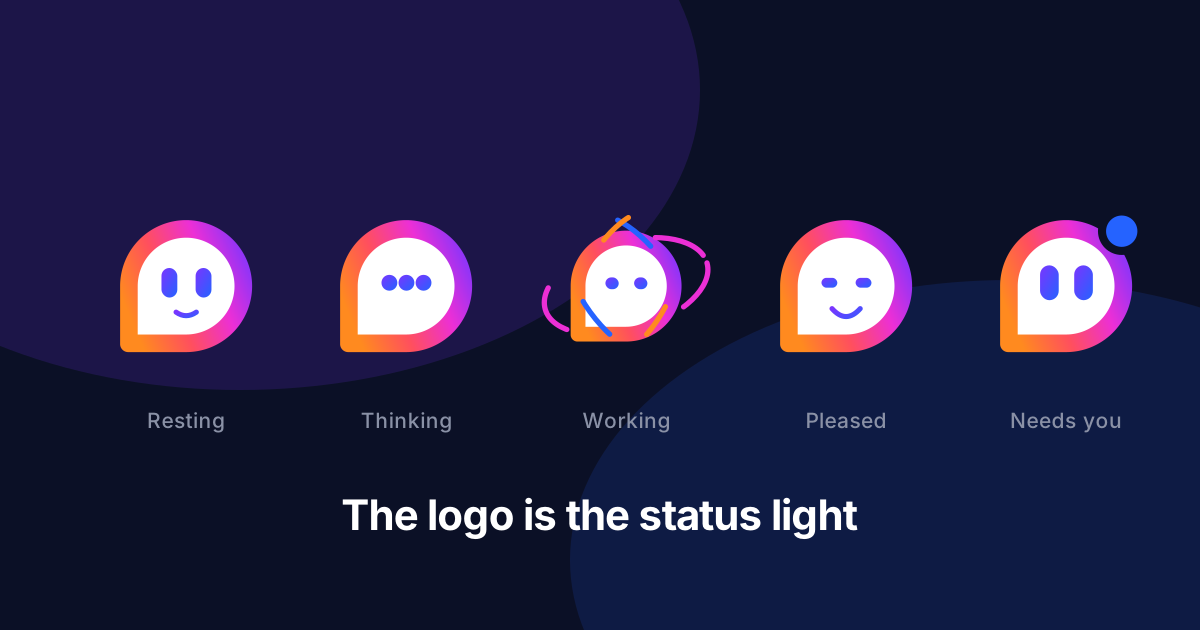
Delegating work to software creates a new problem: you can no longer see it happening. A person doing your invoice chasing will mention it. A workflow doing it leaves you refreshing a page and wondering whether you set it up wrong.
The usual fix is to scatter status around the interface — a spinner here, a badge there, a toast that disappears before you look up. Each one is small and reasonable. Together they are a language you have to learn screen by screen.
So we put it in the one place you already look.
The Cheqq face now has expressions
The mark in your sidebar is no longer a static logo. It breathes and blinks when nothing is happening. When a workflow starts, coloured arcs begin orbiting it. When the run finishes, it squashes, bounces, and grins for a moment before settling back down. When a run fails, it startles and a bead appears at its corner.
In chat, the same face collapses into three bouncing dots while Cheqq composes a reply, and widens its eyes the moment you start typing.
Here is the actual component — not a recording of it. Try the states:
You do not have to learn where the status is on each screen, because it is the same face in the same corner, everywhere.
Strung together, one request looks like this from the moment you start typing to the moment the run lands:
Nothing running
Two decisions worth explaining
Trouble outranks progress. If a run fails while three others are still going, the face shows the failure rather than the activity. "Something broke" is more actionable than "still busy", and the busy state will still be there once you have dealt with it.
Not all waiting is the same waiting. A workflow executing and an image being generated are both "a long job is running", but they are not the same thing to wait on. So design work gets its own state: a brush sweeps across the face and paints a stroke, instead of the orbiting arcs a workflow gets.
Designing
data-state="designing"Text finishing is not the same as work finishing. In chat, the face beside a reply tracks the tools behind that reply, not the words. An answer can be fully written while it is still fetching, writing, or building underneath. The face keeps working until the work is actually done, which is the honest signal even though it looks briefly out of step with the text.
Working
data-state="working"It still works when nothing moves
If you have reduced motion enabled in your operating system, nothing loops or bounces. But the states do not collapse into one blank face. The eyes still narrow while Cheqq is working, still widen when it needs you, and the grin still appears on success. Every state stays distinguishable from pose alone.
Freeze them and see for yourself:
That constraint made the whole thing better. Designing each state to be legible as a still frame forced each one to be a genuinely different expression rather than the same face at a different speed.
Small enough to be free
The whole system is CSS. There is no animation library, no JavaScript running while the face sits idle, and no extra network requests. Each state is one attribute on one element, which means the face can appear anywhere in the product — a 16-pixel nav icon or a 200-pixel welcome screen — without carrying a runtime along with it.
It costs nothing to have it everywhere, so it is everywhere.
Where to look
Open any screen and glance at the sidebar. If your workspace is quiet, the face is too. Start a workflow and watch it pick up the orbit; let the run finish and watch it grin.
There is a full description of every state in Reading the Cheqq logo.