 Cheqq
CheqqYour agent, in your browser.
The sites you use need you logged in. Companion works where you already are — in its own tab group, and it asks first before it buys, pays or deletes anything.
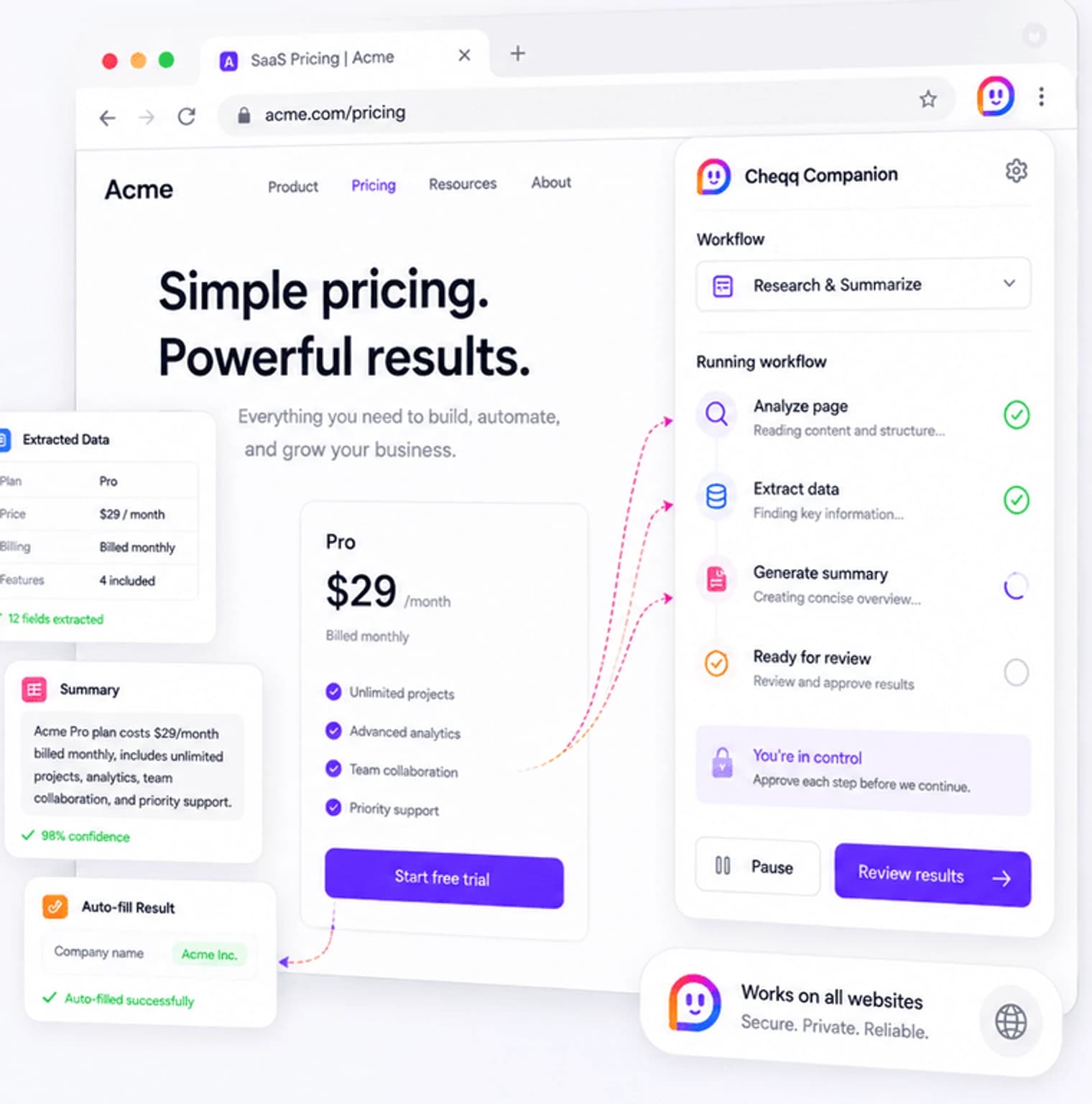
- Nothing to log into
- it works where you already are
- Never touches your tabs
- runs in its own group
- Asks before it buys
- or pays, or deletes
- Take the wheel
- any time, without killing the run
No credentials to hand over.
The sites you use need you logged in. Companion works in the browser where you already are, so there is nothing to re-authenticate and no password to give away — and the pages your agent reads never leave your machine unless a step sends them.
- Sign in to Cheqq in the same browser — no pairing code, no setup
- Each install registers as a device you can rename, mark primary, or unpair
- The agent drives a dedicated tab group, separate from what you are doing
- A browser trigger can start a workflow from the page you are looking at
It asks before it does anything you would regret.
Reading a page is one thing; completing a purchase is another. Actions that look consequential stop and wait for you in the side panel, and you can seize the keyboard at any point without killing the run.
- Approval prompts on actions that buy, pay, delete or submit
- Take control mid-run, then resume or cancel
- The agent works in its own tab group, so your session stays yours
- Every device is listed in settings and can be unpaired instantly
The web, as a tool
Works on every site
No integration required. If you can use the site in your browser, the agent can too.
Side-panel control
Watch what it is doing, approve what it asks, and step in whenever you want to drive.
Feeds your workflows
Capture a page, a selection or a screenshot and hand it straight to an automation.
Scoped to a tab group
The agent never reaches into your normal tabs, and the run is visible the whole time.
Questions about browser extension
Does the extension read everything I browse?
No. It acts within a dedicated tab group the agent opens for a task, driven by what you asked for. Your ordinary browsing is not the agent's working set.
What if it starts doing the wrong thing?
Take control from the side panel at any moment. The run pauses, you drive, and you can resume or cancel. Consequential actions stop and ask before they happen anyway.
Which browsers are supported?
Companion is a Chromium extension, so it works in Chrome and other Chromium-based browsers. It is available on every plan, including Free.
Works with the rest of the workspace
Bring your agent online
Install Companion, sign in, and hand the browser work to someone else. Included on every plan.
Start free