Invoices & Payments
What you're owed, invoiced and chased once you say yes
Free to start · Invites go out in batches
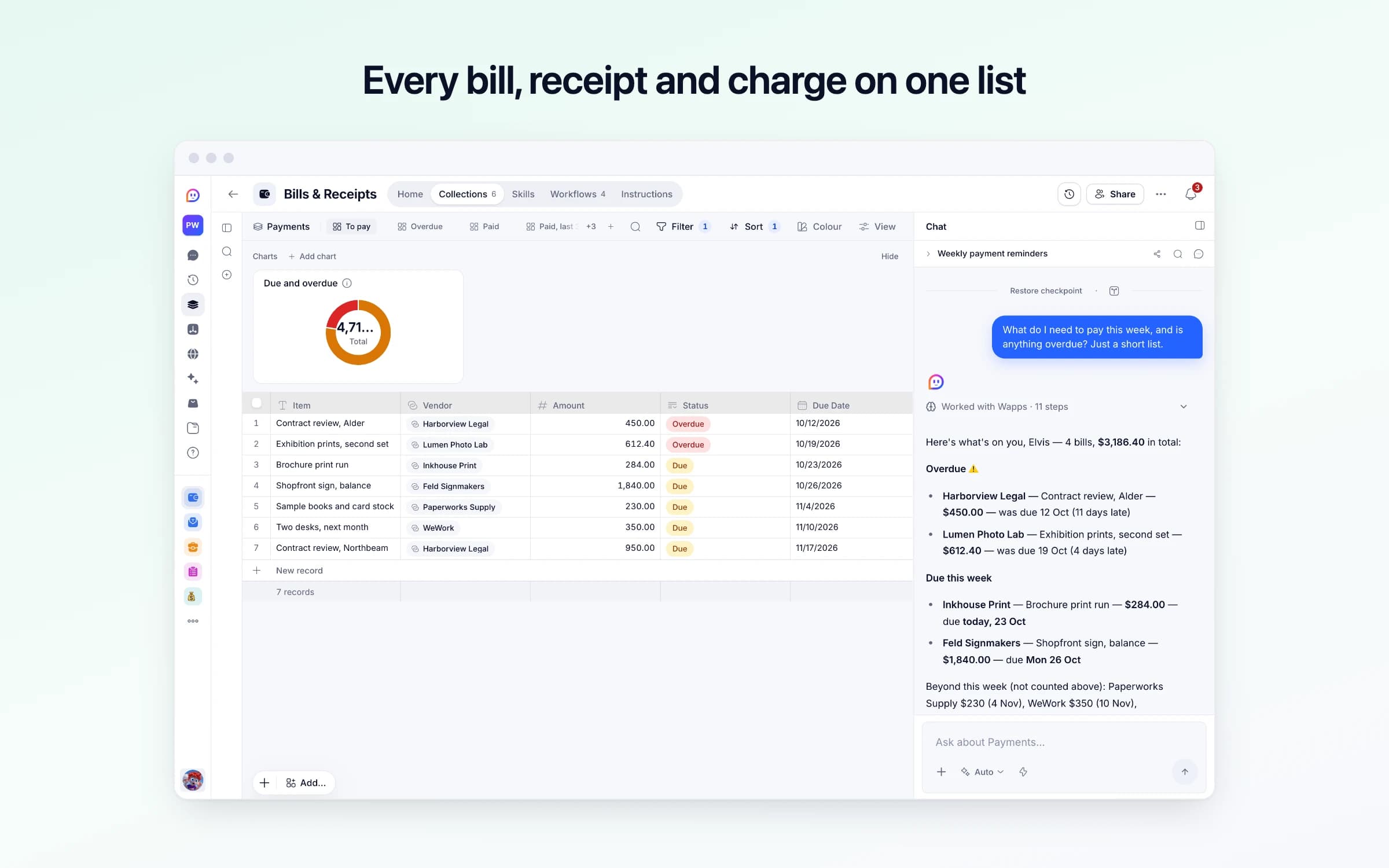
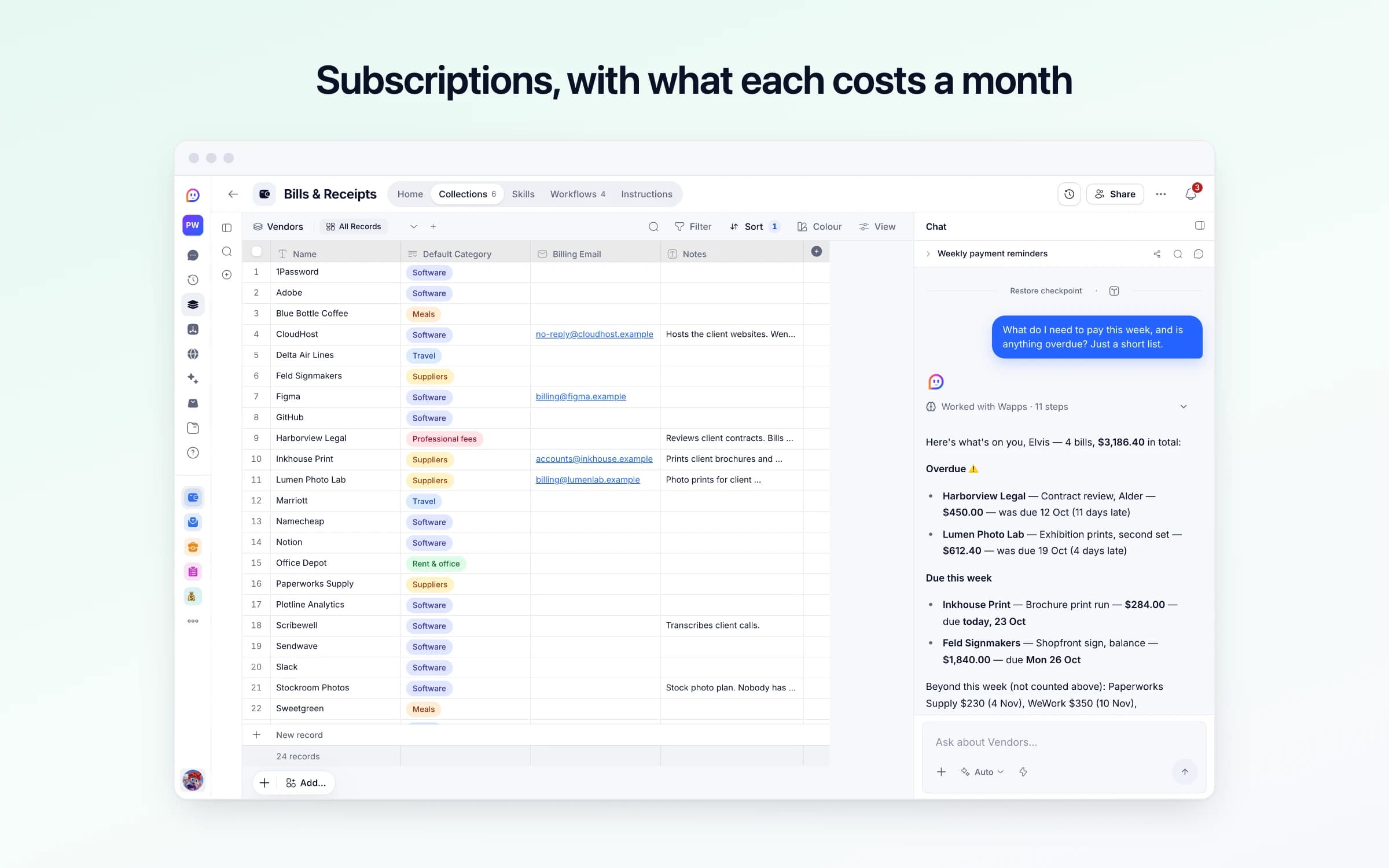
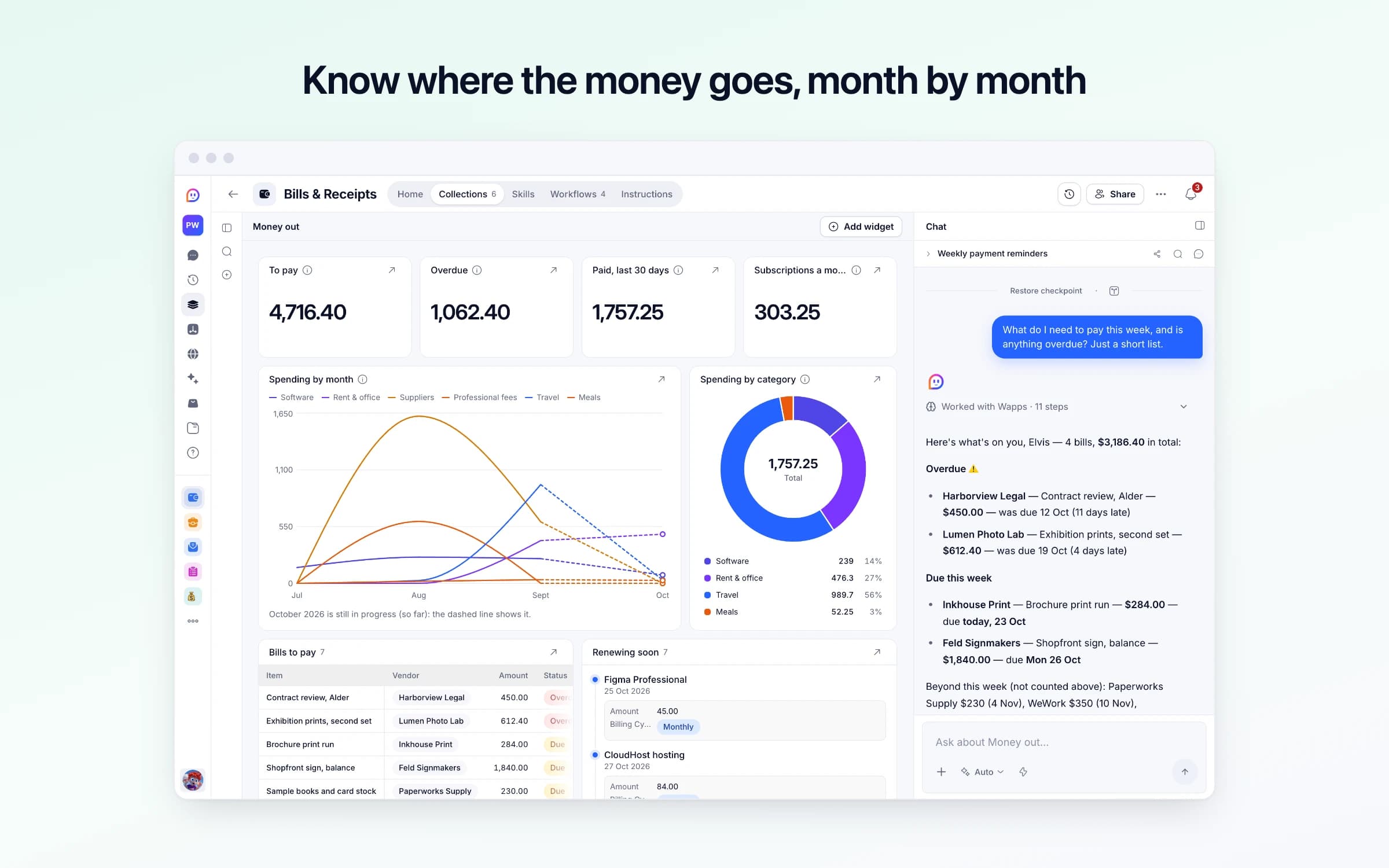
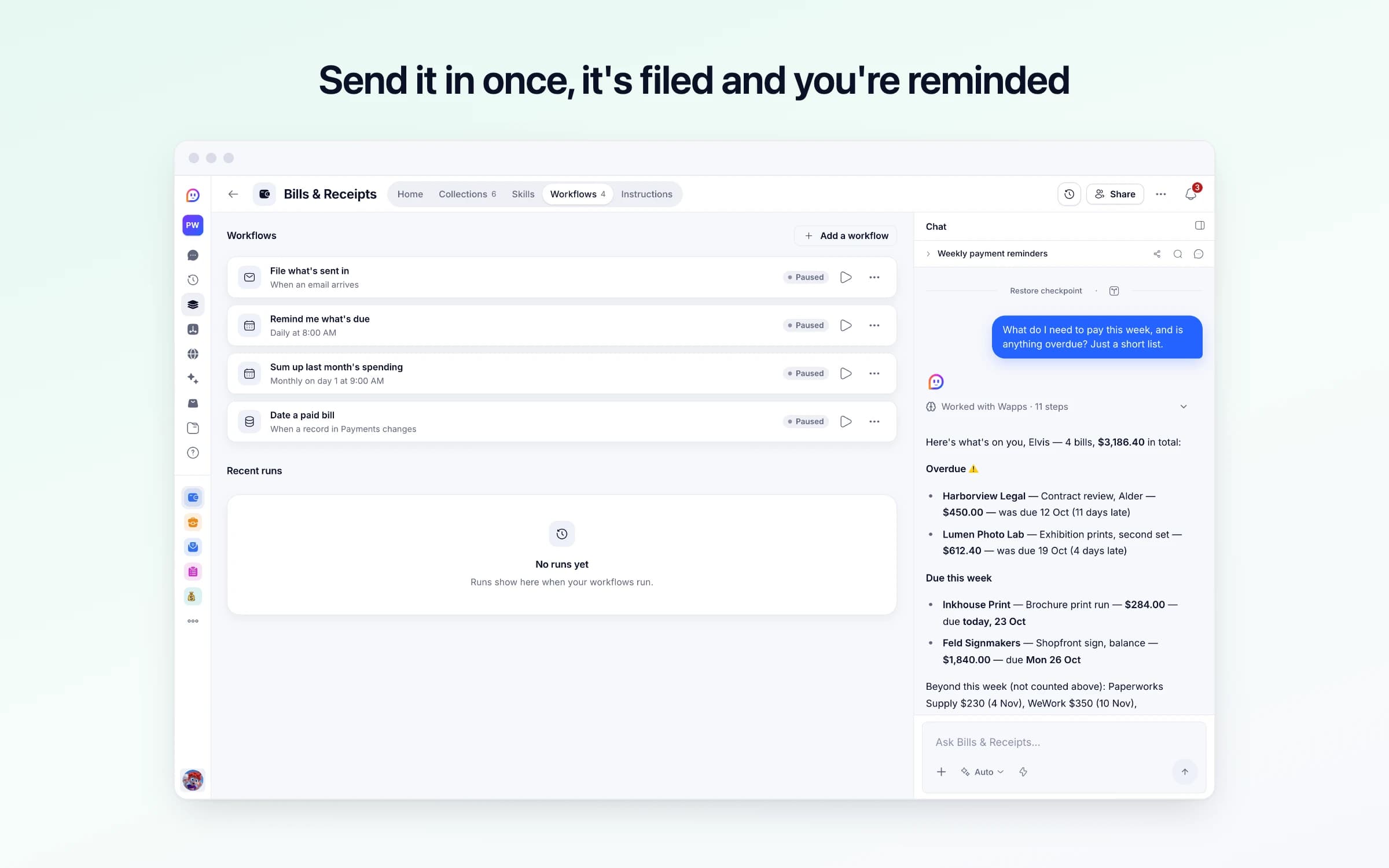
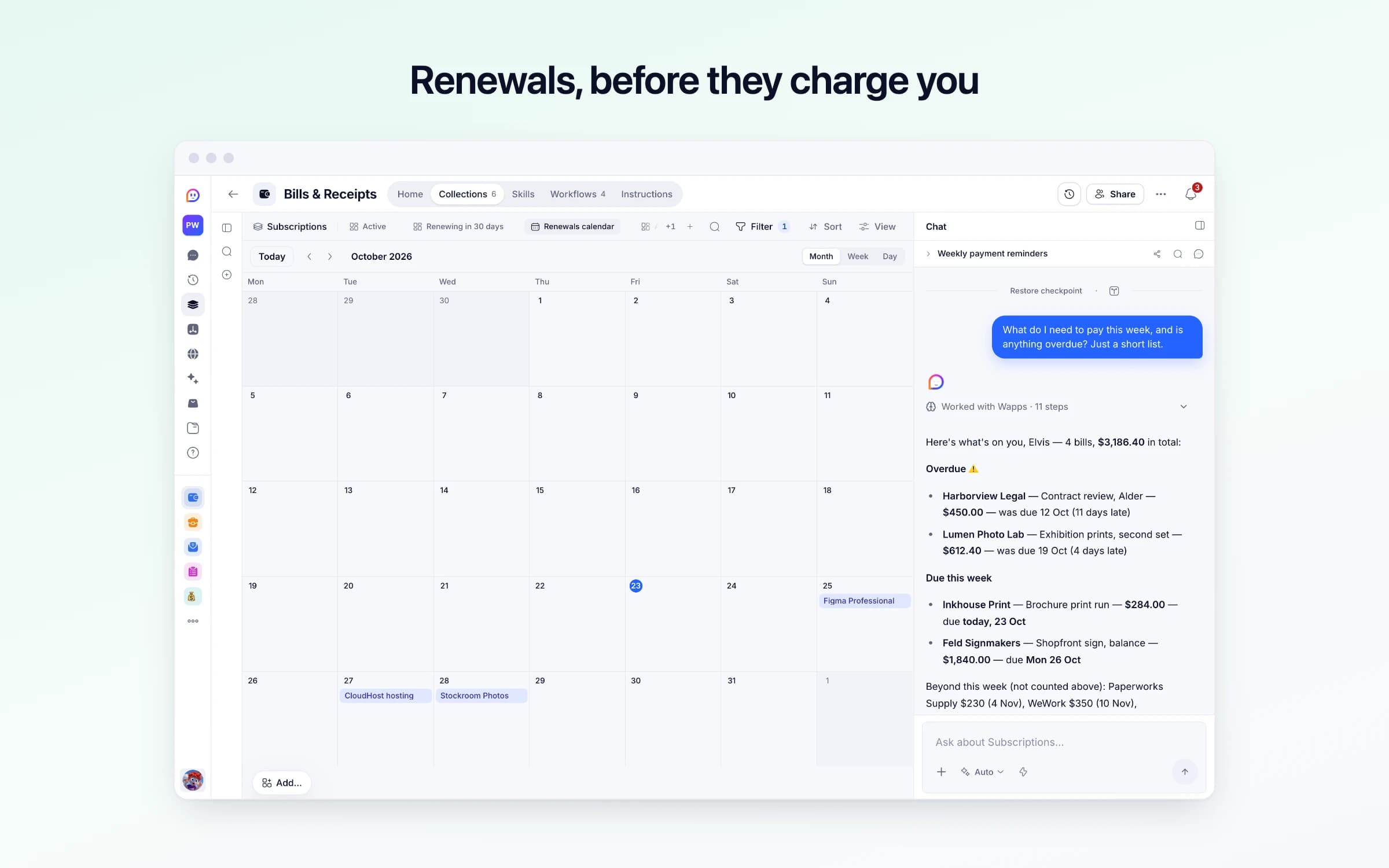
6 lists of records, 4 automations and 1 document. Every automation works from the records you keep here, so a change made once is the one they all see.
Every list as your copy starts it: its fields, and sample records you can clear in one go.
| Item | Vendor | Amount | Kind | Status |
|---|---|---|---|---|
Figma Professional | Figma | $45.00 | Subscription | Paid |
Figma Professional | Figma | $45.00 | Subscription | Paid |
Figma Professional | Figma | $45.00 | Subscription | Paid |
CloudHost hosting | CloudHost | $84.00 | Subscription | Paid |
CloudHost hosting | CloudHost | $84.00 | Subscription | Paid |
CloudHost hosting | CloudHost | $79.00 | Subscription | Paid |
| Service | Vendor | Amount | Billing Cycle | Next Renewal |
|---|---|---|---|---|
Figma Professional | Figma | $45.00 | Monthly | In 2 days |
CloudHost hosting | CloudHost | $84.00 | Monthly | In 4 days |
Stockroom Photos | Stockroom Photos | $29.00 | Monthly | In 5 days |
Scribewell | Scribewell | $12.00 | Monthly | In 11 days |
Notion Plus | Notion | $16.00 | Monthly | In 2 weeks |
Slack Pro | Slack | $32.00 | Monthly | In 3 weeks |
| Name | Default Category | Billing Email | Notes |
|---|---|---|---|
Figma | Software | billing@figma.example | Empty |
CloudHost | Software | no-reply@cloudhost.example | Hosts the client websites. Went up from 79 to 84 a month in the summer. |
Stockroom Photos | Software | Empty | Stock photo plan. Nobody has downloaded a photo since spring. |
Scribewell | Software | Empty | Transcribes client calls. |
Notion | Software | Empty | Empty |
Slack | Software | Empty | Empty |
| Category | Monthly Budget |
|---|---|
Software | $400.00 |
Rent & office | $500.00 |
Suppliers | $1,500.00 |
Travel | $800.00 |
Meals | $150.00 |
| Currency | Remind Days Before | Send From |
|---|---|---|
USD | 7 | Your Cheqq address |
| From | Subject | Reason | Snippet | Received At |
|---|---|---|---|---|
news@designweekly.example | The 12 tools we're watching this quarter | A newsletter: nothing paid or owed | Every quarter we round up the tools worth your attention... | 3 days ago, 6:30 AM |
team@figma.example | New in Figma this month | Product news, not a charge | Auto layout just got a lot more powerful... | 11 days ago, 2:00 PM |
ap@vantagefreight.example | Re: INV-2041, payment scheduled | A client's reply about money they owe you, not a bill | This is queued for our next payment run on the 30th. | 5 days ago, 11:10 AM |
Every automation that starts by itself installs switched off.
File what's sent in
Runs on its ownSend or forward receipts, bills and renewal notices to your bills address. Each is sorted, read and filed: receipts as paid, bills as due, subscriptions kept up to date. Anything else is set aside for you to check.
Remind me what's due
Runs on its ownEach morning, marks bills past their due date Overdue, and tells you once about bills falling due and subscriptions renewing in the days ahead. Quiet when there's nothing new.
Sum up last month's spending
Runs on its ownOn the 1st, totals what you paid last month by category and against your budgets, and sends you the summary. Quiet in a month with nothing paid.
Date a paid bill
Runs on its ownWhen you mark a bill Paid, Cheqq notes today as the day it was paid, unless you gave a date, so it counts in this month's spending.
How Bills & Receipts works
What's in it, what runs for you and when, what it never does, and your first week.
Bills & Receipts keeps every receipt, bill and subscription in one place: what's due, what's paid, what renews next, and where your money goes each month. It arrives with sample data so you can see it working. These steps make it yours.
Learn how it works
What's in it, what runs for you and when, and a routine for your first week.
Tell it about your business
Your business's name, your currency, and where reminders should reach you.
List what you pay for regularly
Your plans and memberships, with what they cost and when they renew. A bank statement finds them fastest.
Send in your first bill or receipt
Copy your bills address from this automation and forward a receipt or bill to it. Give it to suppliers too, so their invoices come straight here.
Check what's due
Your bills in the order they fall due. Mark each Paid once you've paid it.
Set monthly budgets
A cap per category, if you want one, for the monthly summary to measure against.
Turn it on
Filing what's sent in, the morning reminder, and the summary on the 1st. Nothing is paid or canceled for you.
Forward receipts, bills and renewal notices to your bills address, and each is filed: a receipt as paid, a bill as due, a renewal on its plan. Each morning you hear once about what's due and what renews soon, and on the 1st you see last month's spending against your budgets.
Money going out arrives in three places: receipts in the inbox, a supplier's invoice in someone's downloads folder, and software plans renewing on a card nobody checks. Once a month someone types it all into a spreadsheet, guessing at the ones they can't remember.
Bills get paid when the supplier writes again, and a yearly plan renews at full price the week after you meant to cancel it. Nobody can say what's due this week, or whether software went over budget, until the month has already closed.
Receipts, bills and renewal notices go to your bills address, forwarded by hand or by a filter in your inbox, and suppliers can send their invoices there directly. Each email is sorted first: a receipt is filed as paid, a bill as due with its due date, and a renewal notice brings its plan up to date. Anything else is set aside with the reason, and when you forwarded it yourself, a one-line reply says what was filed.
Payments is one list of everything going out, and To pay shows your bills in the order they fall due. Each morning at 8, a bill past its due date turns Overdue, and you hear once about bills due and plans renewing in the next seven days, in Cheqq and by email. A morning with nothing new stays quiet. Mark a bill Paid and today's date is noted for you.
Subscriptions keeps each plan with what it costs, how often it charges, when it renews next and what that comes to a month. On the 1st, last month's spending is added up by category against any monthly budgets you set, with the vendors you paid most. The Money out dashboard keeps the picture in between.
Send it all to one address
Forward receipts, bills and renewal notices, or give the address to suppliers. Each email is sorted: a receipt is filed as paid, a bill as due, and a renewal updates its plan. Photos can go straight into the chat.
Hear once about what's due
Each morning at 8, late bills turn Overdue and you get one reminder about bills due and plans renewing in the next seven days. Nothing new means no message.
See where the money went
On the 1st, last month's spending is added up by category against your budgets. Getting started on its Home sets up your plans and budgets with you.
The monthly expenses spreadsheet
Everything going out is filed as it arrives, instead of typed in at the end of the month.
Separate apps for receipts, bills and subscriptions
If you need receipts filed, bills tracked to their due date and renewals flagged, this does all three from one address, without another subscription.
The renewal you meant to cancel
Plans renewing soon come up in the morning reminder, while cancelling is still a choice rather than a refund request.
Once it's yours, describe a change the way you'd ask a colleague, and Cheqq makes it.
By email, mostly. The template comes with its own bills address: forward receipts and bills to it, set a filter in your inbox to do it as they arrive, and give it to suppliers as the address for their invoices. You can also drop a photo or PDF into the chat. Getting started on its Home walks you through it, from your settings to your first forwarded bill.
Getting started asks for them. Paste or attach a recent bank or card statement and Cheqq picks out the charges that repeat and asks which to keep, or list them in the chat. After that, renewal notices you forward keep each plan up to date.
No. You pay your bills and cancel your plans; it keeps track and reminds you. It never guesses an amount or a date either: anything it can't read is left empty or set aside for you.
No. Anyone can send mail to your bills address, so a stranger's email can add a payment for you to check, but only mail that really came from your own email, or from the vendor's billing address on file, can change a record you already have.
Not yet from email. A PDF attached to a forwarded email is read for its details, but the file itself isn't kept on the payment, so keep the original email. A photo or PDF you send in the chat is kept on the payment.
The one you set in its settings. For now, amounts show as plain numbers, without a currency symbol.
Nothing, unless you want it to: they keep working as they are. Bills & Receipts does the work of all three from one address, so if you're starting today, start here.
2 of its 69 automation steps use AI, and draw AI credits each time they run: how many depends on the model you pick for the step. The other steps are fixed and draw none.
What you're owed, invoiced and chased once you say yes
Revenue in one place, and MRR explained every month
You get your own copy: your own records and automations. Change any part of it. Or we'll set it up with you.
Free to start · Invites go out in batches