Leads Manager
Every inbound lead scored, answered and kept on file
Free to start · Invites go out in batches
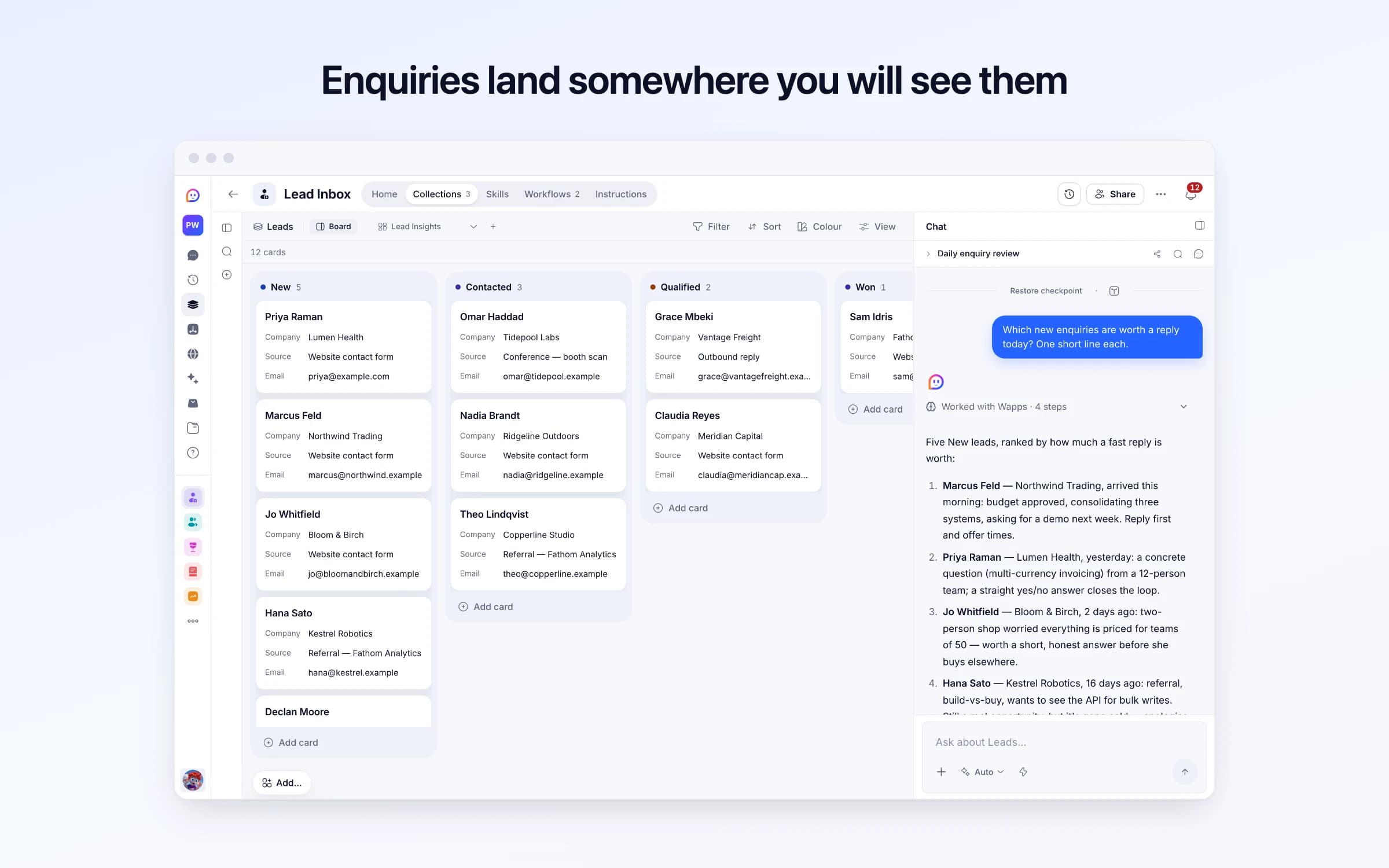
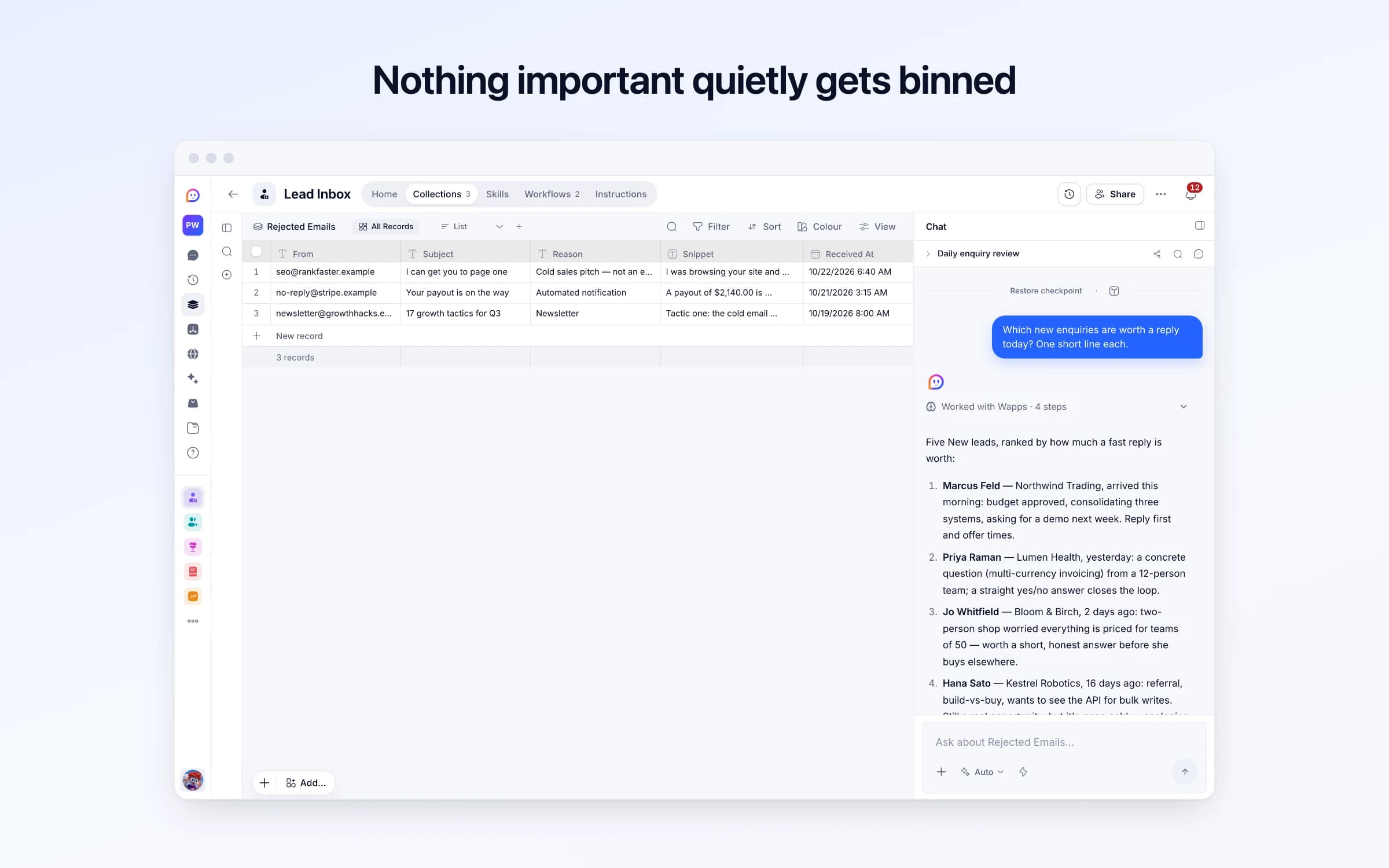
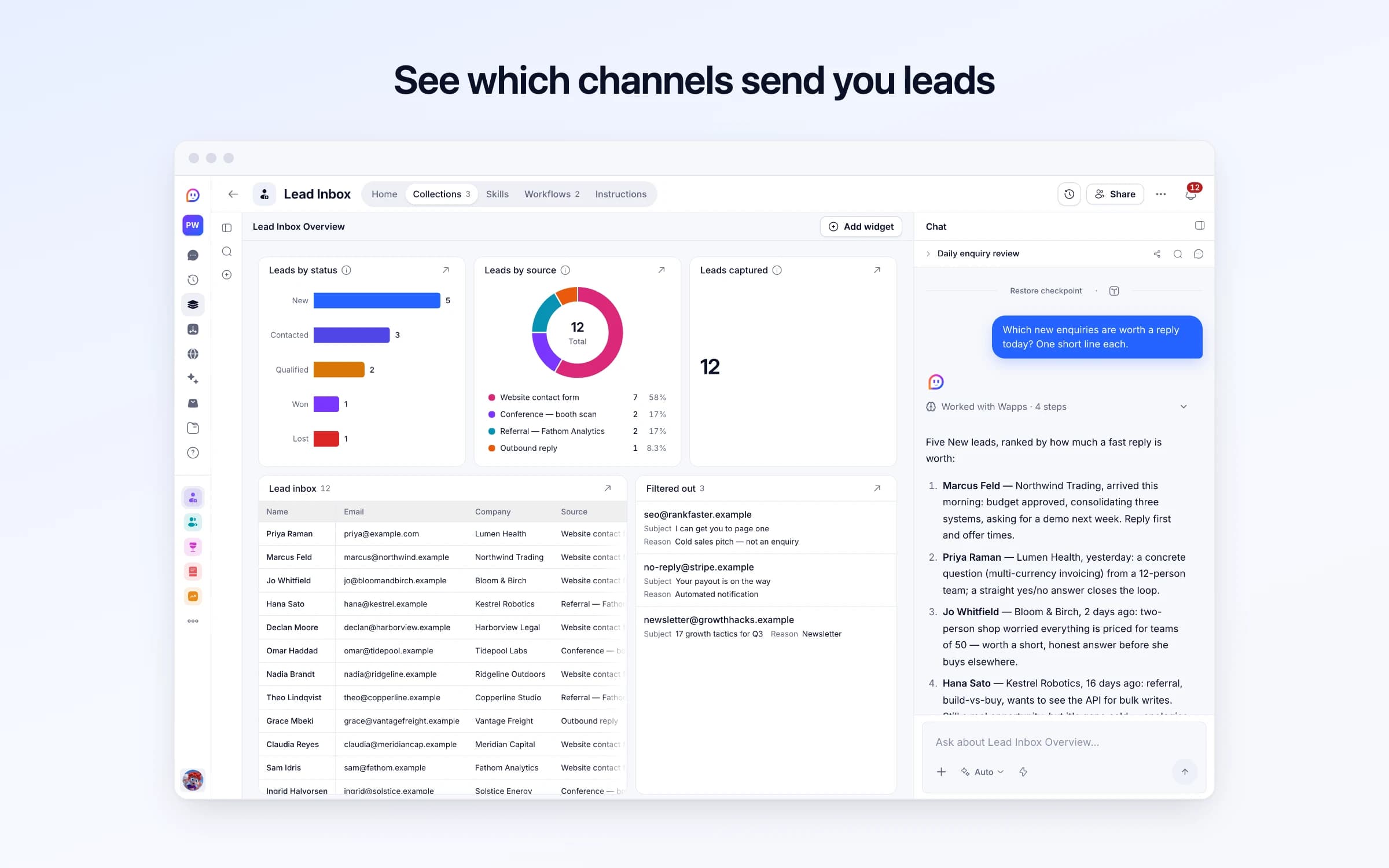
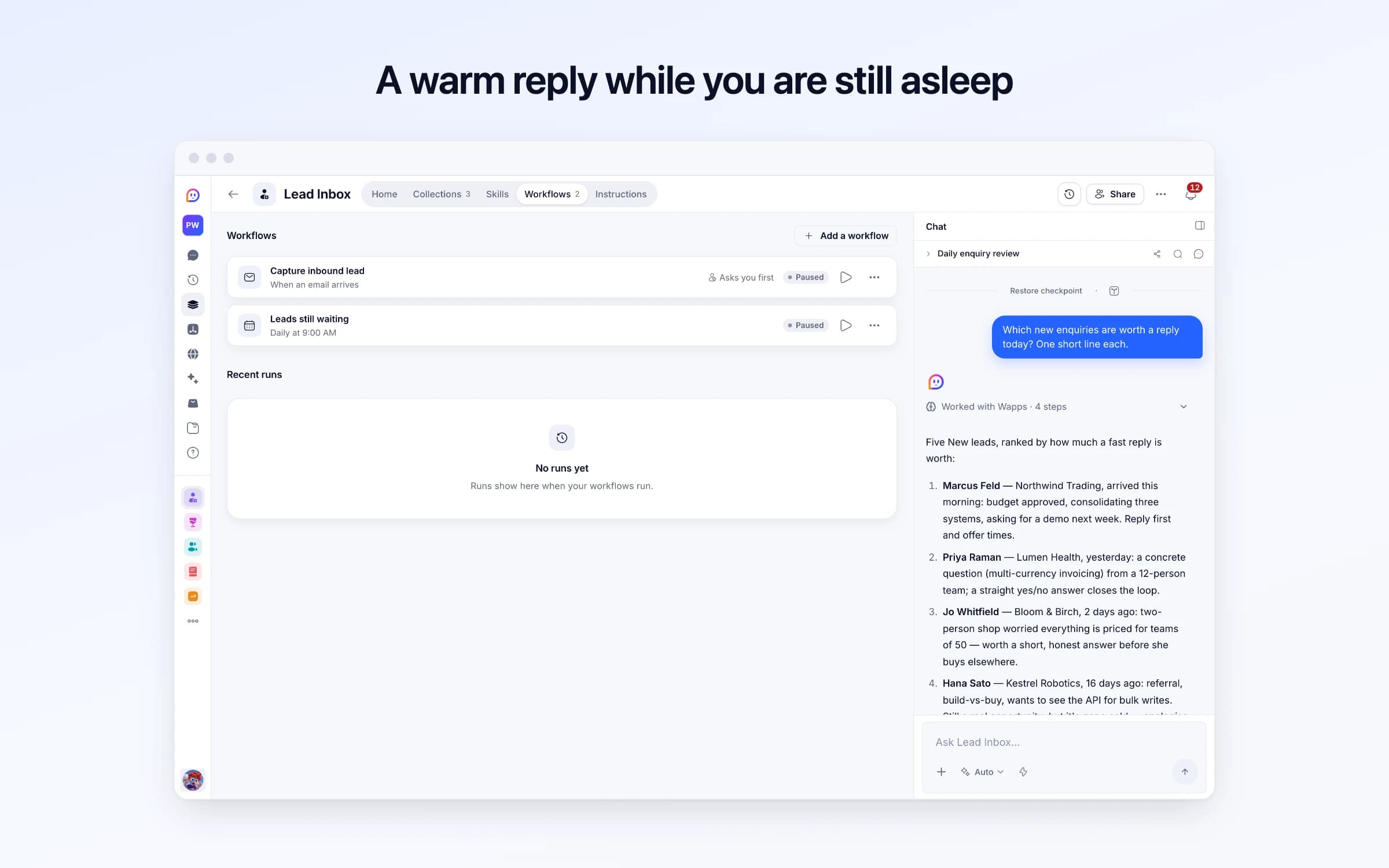
3 lists of records, 2 automations and 1 document. Every automation works from the records you keep here, so a change made once is the one they all see.
Every list as your copy starts it: its fields, and sample records you can clear in one go.
| Name | Status | Company | Source | |
|---|---|---|---|---|
Priya Raman | New | Lumen Health | Website contact form | priya@example.com |
Marcus Feld | New | Northwind Trading | Website contact form | marcus@northwind.example |
Jo Whitfield | New | Bloom & Birch | Website contact form | jo@bloomandbirch.example |
Hana Sato | New | Kestrel Robotics | Referral — Fathom Analytics | hana@kestrel.example |
Declan Moore | New | Harborview Legal | Website contact form | declan@harborview.example |
Omar Haddad | Contacted | Tidepool Labs | Conference — booth scan | omar@tidepool.example |
| From | Subject | Reason | Snippet | Received At |
|---|---|---|---|---|
seo@rankfaster.example | I can get you to page one | Cold sales pitch — not an enquiry | I was browsing your site and noticed several technical SEO issues holding you back... | Yesterday, 6:40 AM |
no-reply@stripe.example | Your payout is on the way | Automated notification | A payout of $2,140.00 is expected to arrive in 2 days. | 2 days ago, 3:15 AM |
newsletter@growthhacks.example | 17 growth tactics for Q3 | Newsletter | Tactic one: the cold email template that got us 40 demos... | 4 days ago, 8:00 AM |
| Check Replies |
|---|
Yes |
Every automation that starts by itself installs switched off. The ones marked Asks you first wait for your yes before anything goes out, until you let them run on their own.
Capture inbound lead
Asks you firstWhen an email arrives, checks it's a real enquiry, adds the person to Leads as New and drafts a short, warm acknowledgement, which goes once you approve it unless you turned checking off. Anything else goes to Rejected Emails. Someone already in Leads isn't added twice: you're told they wrote again.
Leads still waiting
Runs on its ownEach morning, lists the leads still at New more than 14 days after they arrived, oldest first. Says nothing when there are none.
How Lead Inbox works
What's in Lead Inbox, what runs for you, what it never does, and your first week.
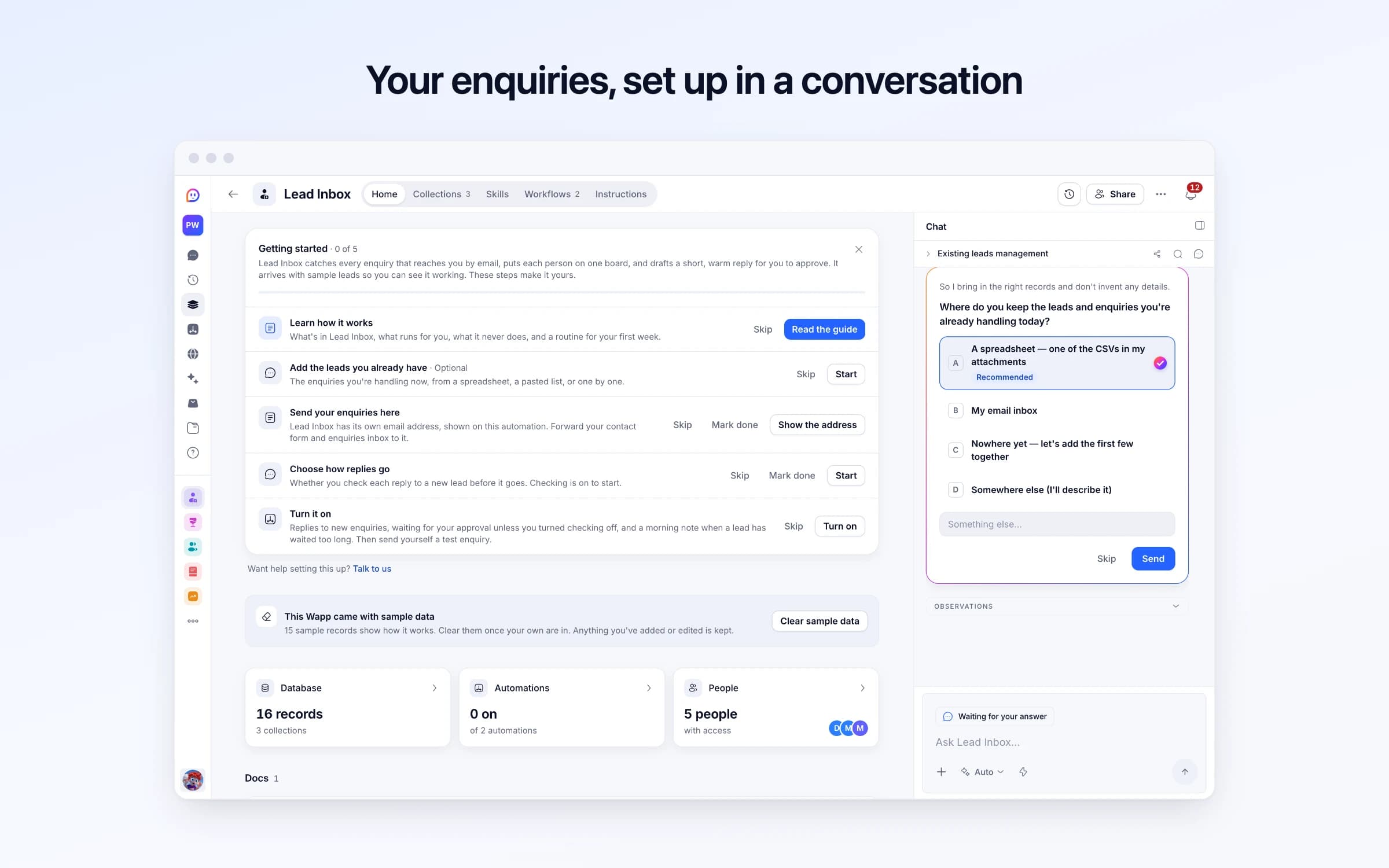
Lead Inbox catches every enquiry that reaches you by email, puts each person on one board, and drafts a short, warm reply for you to approve. It arrives with sample leads so you can see it working. These steps make it yours.
Learn how it works
What's in Lead Inbox, what runs for you, what it never does, and a routine for your first week.
Add the leads you already have
The enquiries you're handling now, from a spreadsheet, a pasted list, or one by one.
Send your enquiries here
Lead Inbox has its own email address, shown on this automation. Forward your contact form and enquiries inbox to it.
Choose how replies go
Whether you check each reply to a new lead before it goes. Checking is on to start.
Turn it on
Replies to new enquiries, waiting for your approval unless you turned checking off, and a morning note when a lead has waited too long. Then send yourself a test enquiry.
Enquiries sent to your Lead Inbox address land on one board as New leads, and a short acknowledgement is drafted in the same thread, waiting for your yes. Anything that isn't an enquiry is set aside with the reason, and at 9 each morning you're told who has been waiting more than 14 days.
Enquiries arrive wherever someone happened to send them: the contact form's notification, the info@ inbox, a reply to an old newsletter. Whoever sees one first answers it, or assumes somebody else already has.
Nobody can say how many came in this month, or from where. The person who asked about pricing three weeks ago is still waiting under forty newer emails, and the first anyone hears of it is when they sign with someone else.
Your Lead Inbox address goes wherever people write to you: the contact page, your email signature, your social profiles. Each email is read for the sender, subject and message, and a genuine enquiry becomes a lead with the person's name, email, company when they give one, and a short summary of what they want.
A reply is drafted in the same thread, addressing them by name, restating what they asked and saying what happens next. It's written as your assistant rather than in your name, never promises a price, a date or a timeline, and goes once you approve it, unless you untick Check replies in Lead Inbox settings. An email that only claims to come from someone never gets an automatic reply: you're told to answer it yourself. Newsletters, cold pitches and automated notices go to Rejected Emails instead, with the sender, the subject and why each was kept out. When someone already on the board writes again, it's added to their lead and you're told, without a second reply.
You move each lead from New to Contacted, Qualified, Won or Lost as the conversation goes, and nothing moves on its own. At 9 every morning, Leads still waiting names anyone still New 14 days after they arrived, and a morning with nobody waiting stays quiet. The overview shows leads by status and by source, next to what the filter kept out.
A lead comes in
Every email sent to your Lead Inbox address is read. A genuine enquiry lands on the board as a New lead with their name, what they asked and their company if they gave one; the rest is set aside with the reason.
A reply waits for your yes
A short reply is drafted in the same thread, addressed to them by name and restating what they asked, with no price or date promised. It goes once you approve it, and only when Cheqq can confirm the email came from them; otherwise you're asked to answer it yourself.
You work the board
Move each lead from New to Contacted, Qualified, Won or Lost as the conversation goes. Anything still New after 14 days is flagged at 9 each morning.
The shared info@ inbox
Every enquiry sits on one board with its status, so it's clear who has been answered and who is still waiting.
A leads tab in the spreadsheet
Each lead is added as it arrives, with what they asked for summarised, instead of copied across when someone remembers.
A full CRM before you need one
Five stages on one board is enough to answer everyone. When you want scoring, companies and history, Leads Manager adds them.
Once it's yours, describe a change the way you'd ask a colleague, and Cheqq makes it.
By email. The template comes with its own Cheqq address, and every email that reaches it is read: the sender, the subject and the message. Put it on your contact page, in your signature or anywhere people write to you, and add leads by hand for the ones that arrive another way. Getting started on its Home walks you through bringing in the leads you already have and pointing your enquiries here.
The person who wrote in, in the same thread, once you approve it. It only goes to an address Cheqq can confirm the email came from. An enquiry you forward, or one a contact form passes on with the person only in its reply-to, gets no automatic reply: the lead is still added, and you're asked to answer them from your own inbox.
A real person asking about what you sell, or getting in touch about business. Newsletters, cold pitches, automated notices and spam don't count, and each one set aside is kept in Rejected Emails with the reason, so a wrong call is easy to spot and add by hand.
No, it reminds you instead. It drafts one acknowledgement per enquiry, for your approval, and never writes to anyone after that; each morning it tells you who has sat as New for more than 14 days. For scoring and drafted next emails there's Leads Manager, and Sales Pipeline drafts one follow-up to a quiet enquiry, for your approval. If you run a studio or agency, the Agency template takes enquiries through to projects and invoices.
No. It reads the email itself, so the summary comes from what they wrote. Attachments aren't opened, so anything that only lives in one needs adding to the lead by hand.
Yes. Everyone you invite sees the same board and can move leads along it, and every approved acknowledgement goes out from the one Lead Inbox address rather than from someone's personal inbox.
Yes. Download them as CSV or JSON at any time, or ask Cheqq a question of them, like which sources brought the most leads this quarter.
2 of its 24 automation steps use AI, and draw AI credits each time they run: how many depends on the model you pick for the step. The other steps are fixed and draw none.
Every inbound lead scored, answered and kept on file
Keeping in touch with the people who matter, on purpose
Answering the Reddit threads where buyers ask what to use
You get your own copy: your own records and automations. Change any part of it. Or we'll set it up with you.
Free to start · Invites go out in batches