Lead Inbox
Every enquiry on one board, with a reply ready as it arrives
Free to start · Invites go out in batches
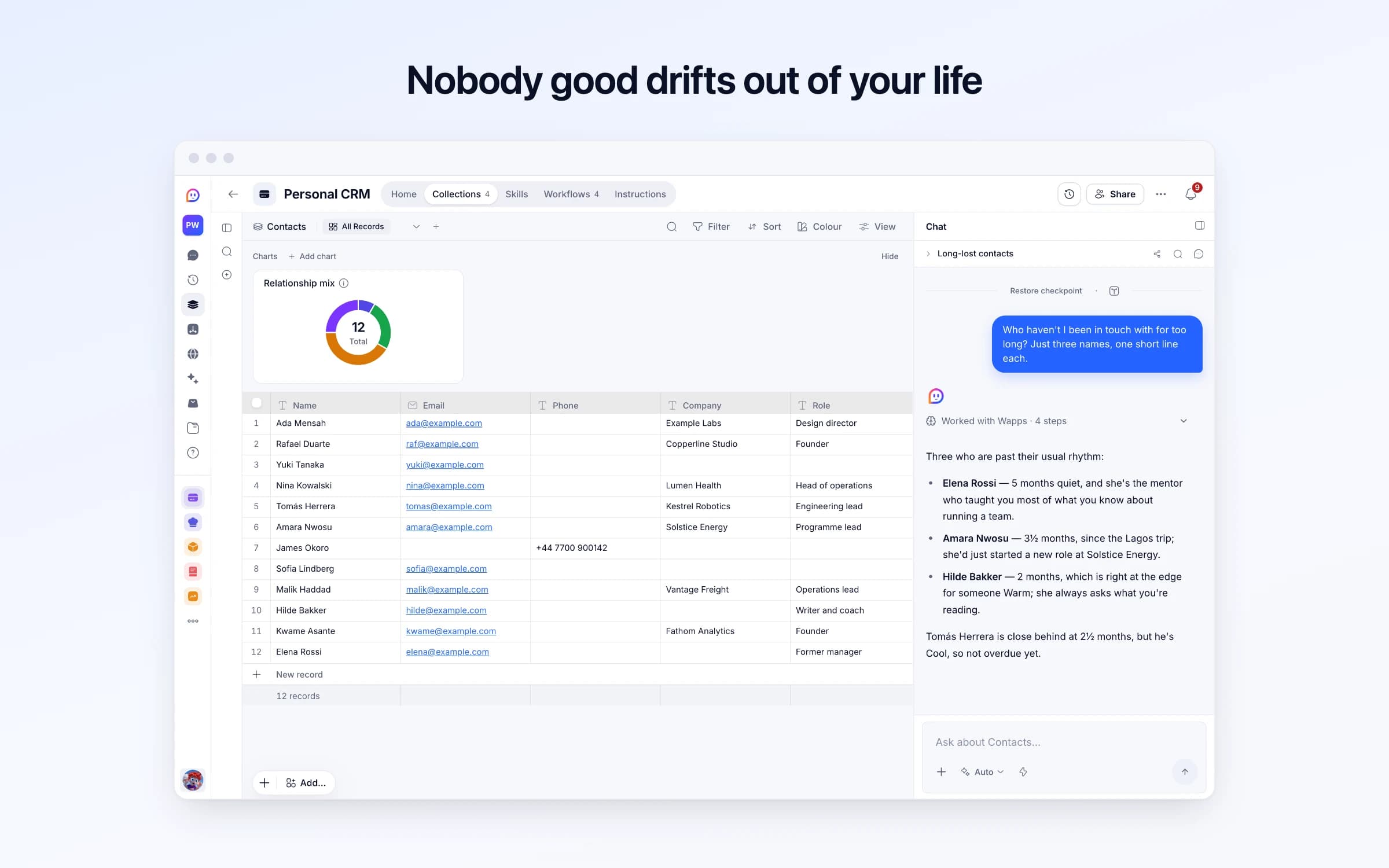
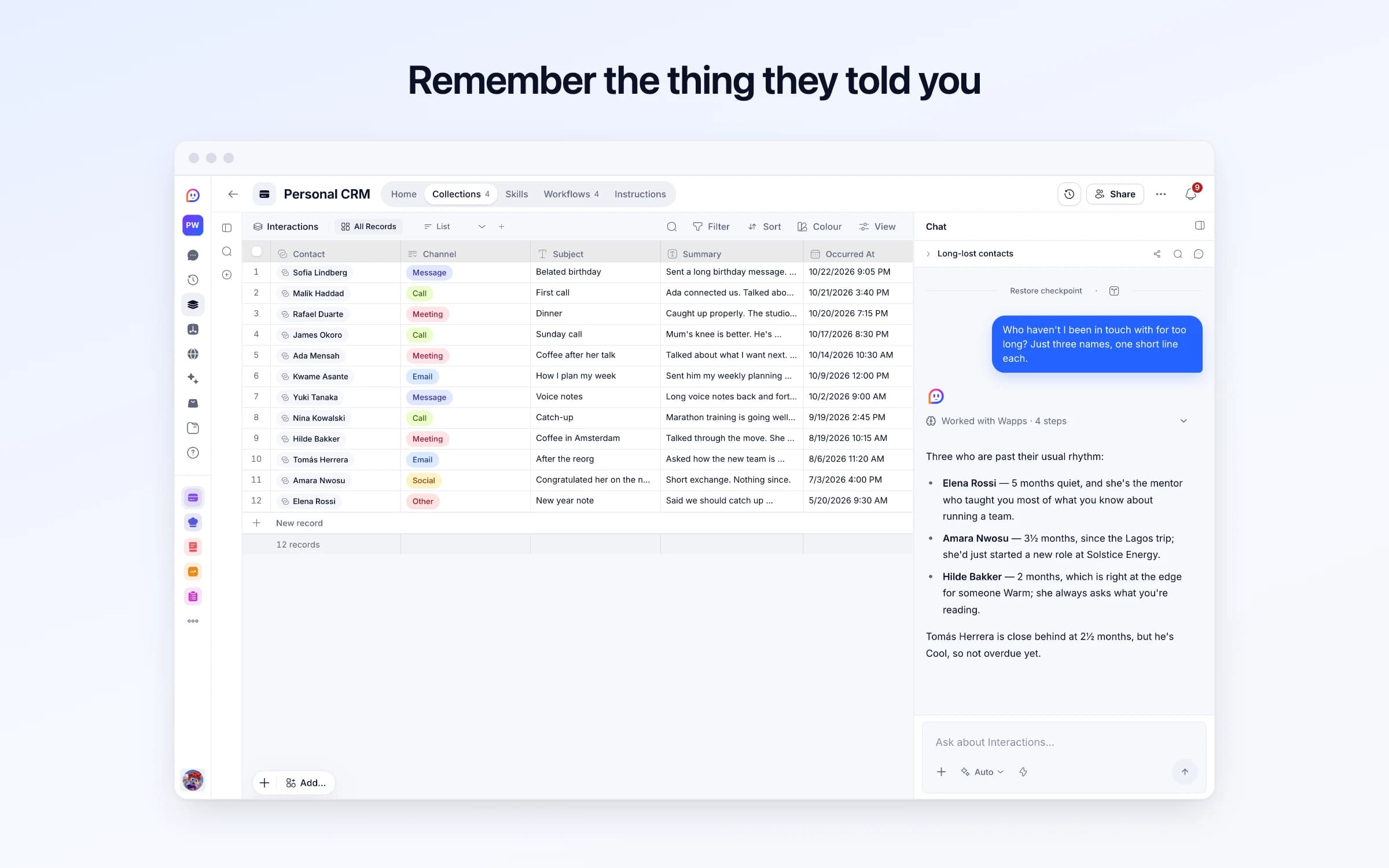
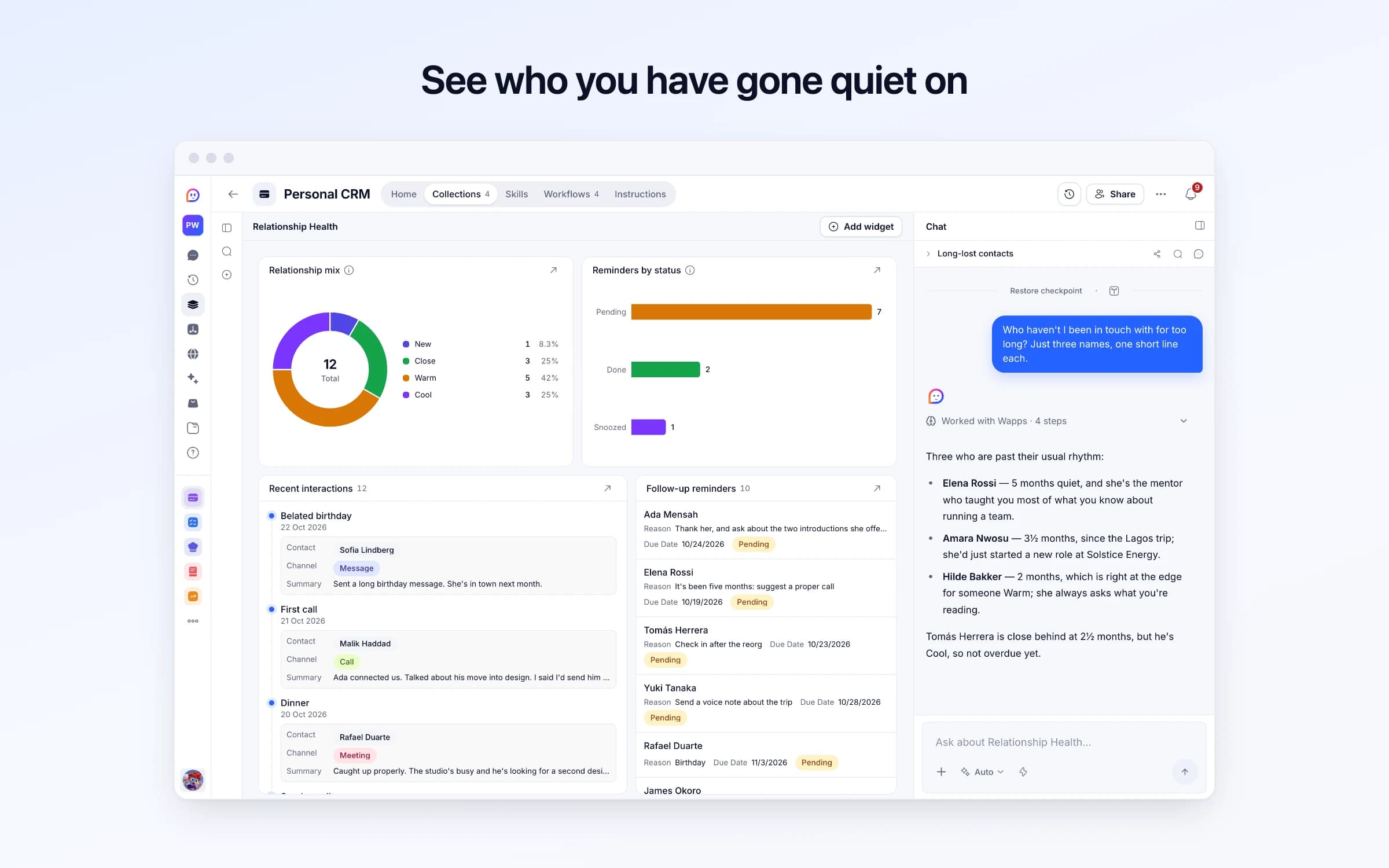
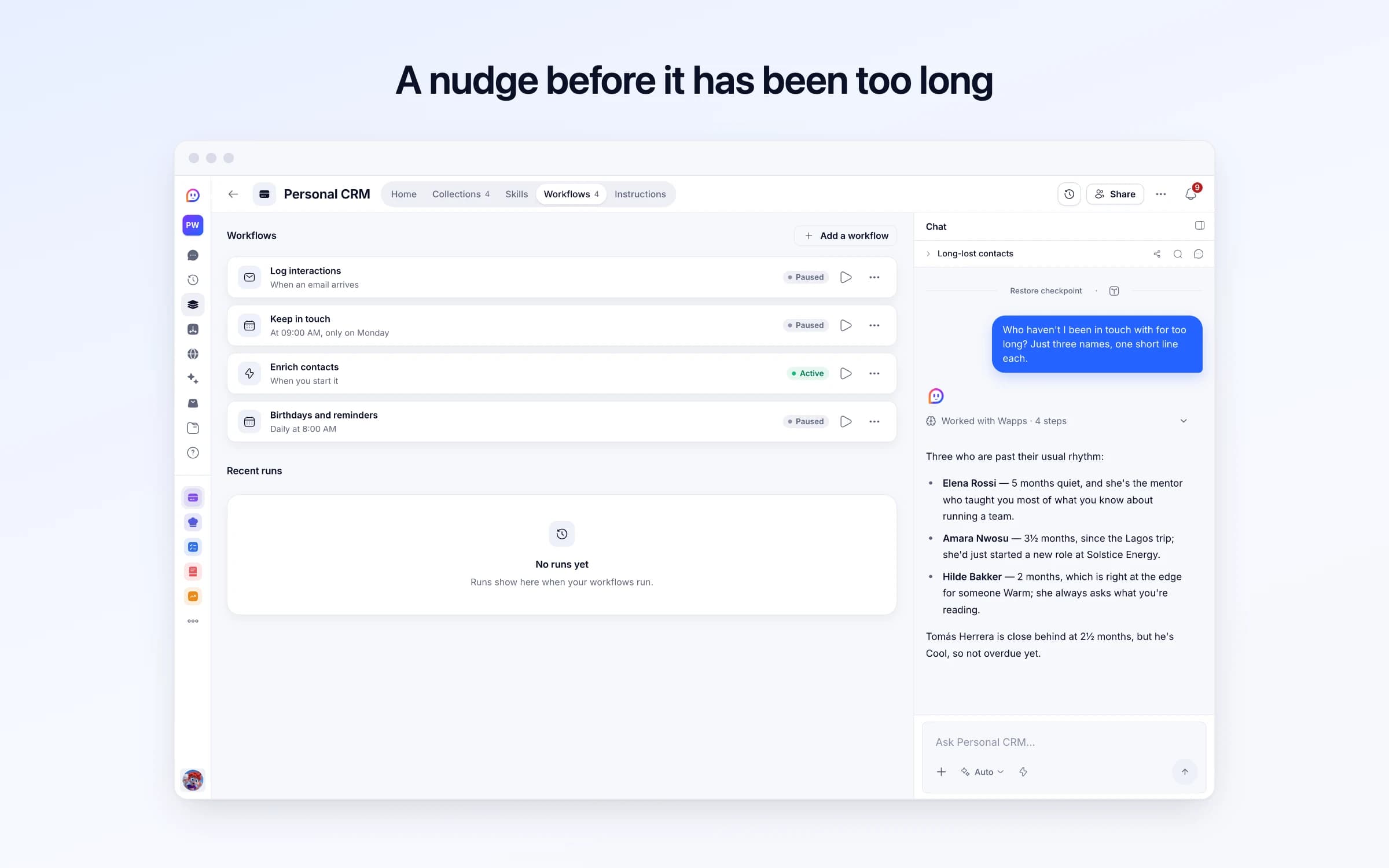
4 lists of records, 4 automations and 1 document. Every automation works from the records you keep here, so a change made once is the one they all see.
Every list as your copy starts it: its fields, and sample records you can clear in one go.
| Name | Company | Role | Relationship | |
|---|---|---|---|---|
Ada Mensah | ada@example.com | Example Labs | Design director | Warm |
Rafael Duarte | raf@example.com | Copperline Studio | Founder | Close |
Yuki Tanaka | yuki@example.com | Empty | Empty | Warm |
Nina Kowalski | nina@example.com | Lumen Health | Head of operations | Warm |
Tomás Herrera | tomas@example.com | Kestrel Robotics | Engineering lead | Cool |
Amara Nwosu | amara@example.com | Solstice Energy | Programme lead | Cool |
| Contact | Channel | Subject | Summary | Occurred At |
|---|---|---|---|---|
Sofia Lindberg | Message | Belated birthday | Sent a long birthday message. She's in town next month. | Yesterday, 9:05 PM |
Malik Haddad | Call | First call | Ada connected us. Talked about his move into design. I said I'd send him two books. | 2 days ago, 3:40 PM |
Rafael Duarte | Meeting | Dinner | Caught up properly. The studio's busy and he's looking for a second designer. | 3 days ago, 7:15 PM |
James Okoro | Call | Sunday call | Mum's knee is better. He's planning a visit in the summer. | 6 days ago, 8:30 PM |
Ada Mensah | Meeting | Coffee after her talk | Talked about what I want next. She offered to introduce me to two people she rates. | 9 days ago, 10:30 AM |
Kwame Asante | Email | How I plan my week | Sent him my weekly planning notes. He's going to try them. | 2 weeks ago, 12:00 PM |
| Contact | Reason | Due Date | Status |
|---|---|---|---|
Ada Mensah | Thank her, and ask about the two introductions she offered | Tomorrow | Pending |
Elena Rossi | It's been five months: suggest a proper call | 4 days ago | Pending |
Tomás Herrera | Check in after the reorg | Today | Pending |
Yuki Tanaka | Send a voice note about the trip | In 5 days | Pending |
Rafael Duarte | Birthday | In 11 days | Pending |
James Okoro | Birthday | In 4 weeks | Pending |
Every automation that starts by itself installs switched off.
Log interactions
Runs on its ownForward an email conversation from your own address, or copy this address in, and it's logged against the person you were talking with, with when you last spoke brought up to date. Someone new is added to Contacts. Mail from anyone else is never logged: you're told instead.
Keep in touch
Runs on its ownEach Monday, adds a reminder for anyone you haven't spoken to in a while for how close you are: about a month for Close, two for Warm, four for Cool, and two weeks after adding someone New. Says nothing when everyone's in touch.
Enrich contacts
Runs on its ownWhen you run it, fills in a missing company or role from a contact's work email and your logged conversations, only where they make it clear. It never changes anything else.
Birthdays and reminders
Runs on its ownEach morning at 8, tells you whose birthday it is, whose is a week away, and which reminders are due or overdue. A snoozed reminder comes back on its date. Says nothing on a day with none.
How Personal CRM works
What's in Personal CRM, what runs for you, what it never does, and your first week.
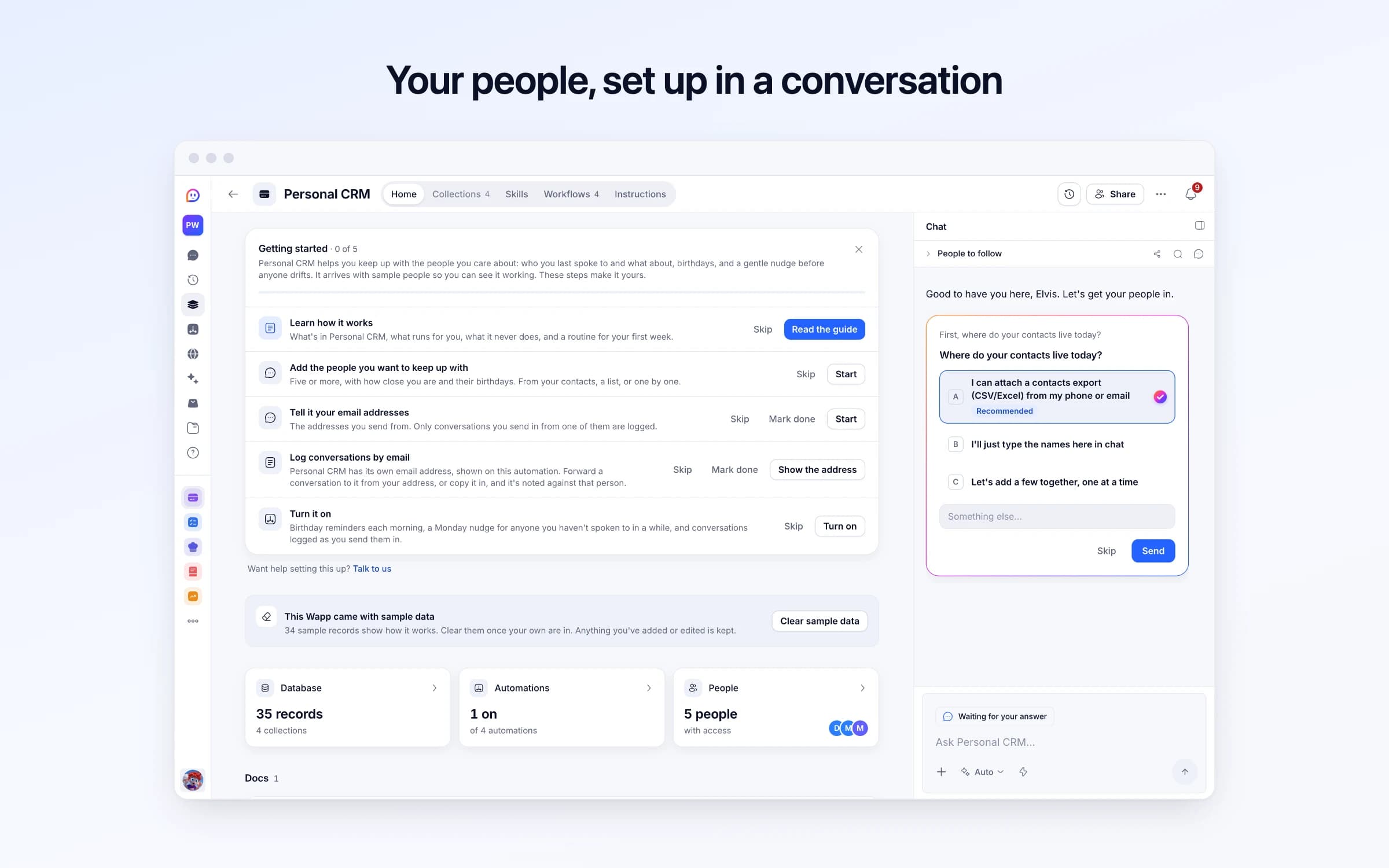
Personal CRM helps you keep up with the people you care about: who you last spoke to and what about, birthdays, and a gentle nudge before anyone drifts. It arrives with sample people so you can see it working. These steps make it yours.
Learn how it works
What's in Personal CRM, what runs for you, what it never does, and a routine for your first week.
Add the people you want to keep up with
Five or more, with how close you are and their birthdays. From your contacts, a list, or one by one.
Tell it your email addresses
The addresses you send from. Only conversations you send in from one of them are logged.
Log conversations by email
Personal CRM has its own email address, shown on this automation. Forward a conversation to it from your address, or copy it in, and it's noted against that person.
Turn it on
Birthday reminders each morning, a Monday nudge for anyone you haven't spoken to in a while, and conversations logged as you send them in.
Forward a conversation to your Personal CRM address and it's logged against the person, with a short summary and the date you last spoke. Every Monday, anyone you've gone quiet on gets a keep-in-touch reminder, and on mornings when there's a birthday or a reminder due, you're told at 8.
The people who matter are spread across a phone's contacts, three inboxes and a LinkedIn you rarely open. What you know about them lives in your head: who introduced you, what they're working on, what you promised to send.
Months pass without anyone deciding they should. The investor who asked for quarterly updates last heard from you in June, the mentor you meant to ring after their reorg is still waiting, and a close friend's birthday is noticed a week late on someone else's feed.
When an email thread is worth remembering, forward it to your Personal CRM address from one of the addresses you listed in Your details; mail from anywhere else is never logged. The other person is found by email or name, or added as a new contact with their company taken from their email address when it's obvious. The conversation is logged with a short subject and a one-to-two sentence summary, their last-contacted date moves to today, and newsletters and automated alerts are ignored.
Each contact has a relationship level that sets how often you should be in touch: roughly a month for Close, two for Warm, four for Cool, and two weeks for someone New. Every Monday at 9, Keep in touch adds a reminder for anyone past theirs, with when you last spoke and what about. When everyone's in touch, it says nothing.
At 8 each morning, Birthdays and reminders tells you whose birthday it is, whose is a week away, and which reminders fall today, and a morning with none stays quiet. A call or a coffee goes in with a sentence to Cheqq, and the Relationship Health dashboard shows your mix of relationships, recent conversations and open reminders.
Add the people who matter
Contacts come in from the email threads you forward to your Personal CRM address from your own addresses, or you add them as you meet them.
Forwarded conversations log themselves
Each forwarded thread is logged against the person with a short summary, and their last-contacted date moves. Calls and meetings go in with a sentence to Cheqq.
It tells you who has gone quiet
Every Monday at 9, Keep in touch adds a reminder for anyone past their rhythm (about a month for close, two for warm, four for cool), with when you last spoke and what about.
Contacts plus a notes app
Who someone is, how you met and what you last discussed sit on one record, with every logged conversation under it.
Personal CRM apps like Dex or Monica
If what you need is conversations logged and a nudge to reach out, not a synced inbox or social imports, this does it without another subscription.
Recurring calendar reminders
Reminders come from how long it has actually been, so the friend you saw on Saturday isn't on Monday's list.
Once it's yours, describe a change the way you'd ask a colleague, and Cheqq makes it.
By forwarding. It comes with its own Cheqq address: forward an email thread to it, or copy the address in, from one of the addresses you list in Your details, and the conversation is logged against the other person. Mail from any other address is never logged, so nobody else can write into your contacts. It doesn't read your inbox, so only what you forward is logged, and calls or meetings go in by telling Cheqq or adding them yourself. Getting started on its Home walks you through adding your people and logging your first conversation.
Yes. Import a CSV of names, emails, companies and birthdays, then set each person's relationship level so the weekly reminders know how often to nudge you.
From each person's relationship level and when you last spoke. Close is about every 30 days, Warm 60, Cool 120, and someone New should hear from you within 14 days of being added. Change any of those by asking.
No. It never contacts anyone. It reminds you, with a reason to get in touch, and the reaching out stays yours.
No. It works from what you forward and what you tell it, so a meeting or a LinkedIn message is logged when you add it or mention it to Cheqq. Each contact can keep a profile link to check before you get in touch.
Run Enrich Contacts whenever you like. It fills in a missing company or role from what's on hand, such as an email domain or a role mentioned in a conversation you logged, and leaves anything it can't support empty rather than guessing.
Yes. Download contacts, conversations or reminders as CSV or JSON at any time.
3 of its 50 automation steps use AI, and draw AI credits each time they run: how many depends on the model you pick for the step. The other steps are fixed and draw none.
Every enquiry on one board, with a reply ready as it arrives
Every inbound lead scored, answered and kept on file
Answering the Reddit threads where buyers ask what to use
You get your own copy: your own records and automations. Change any part of it. Or we'll set it up with you.
Free to start · Invites go out in batches