Lead Inbox
Every enquiry on one board, with a reply ready as it arrives
Free to start · Invites go out in batches
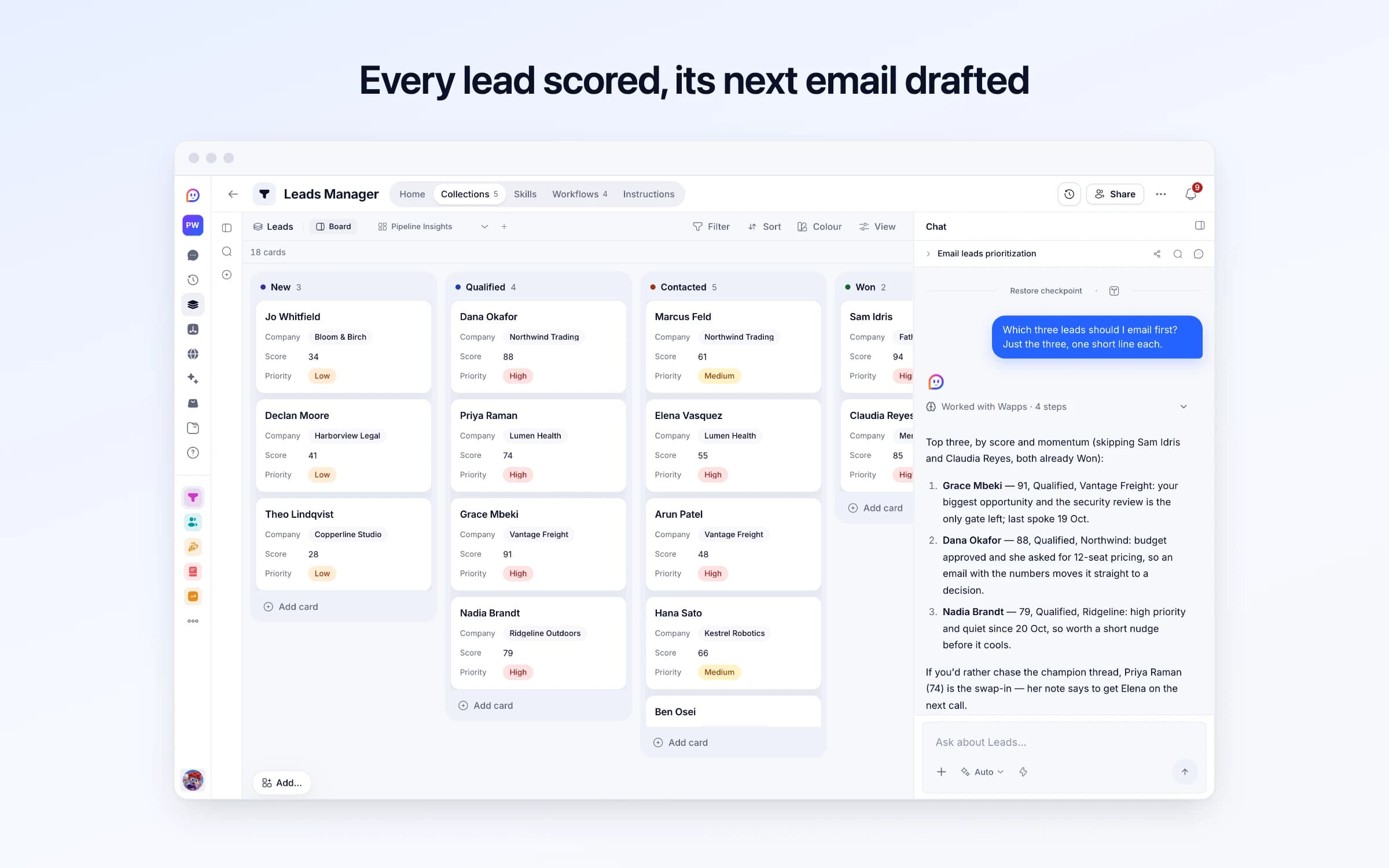
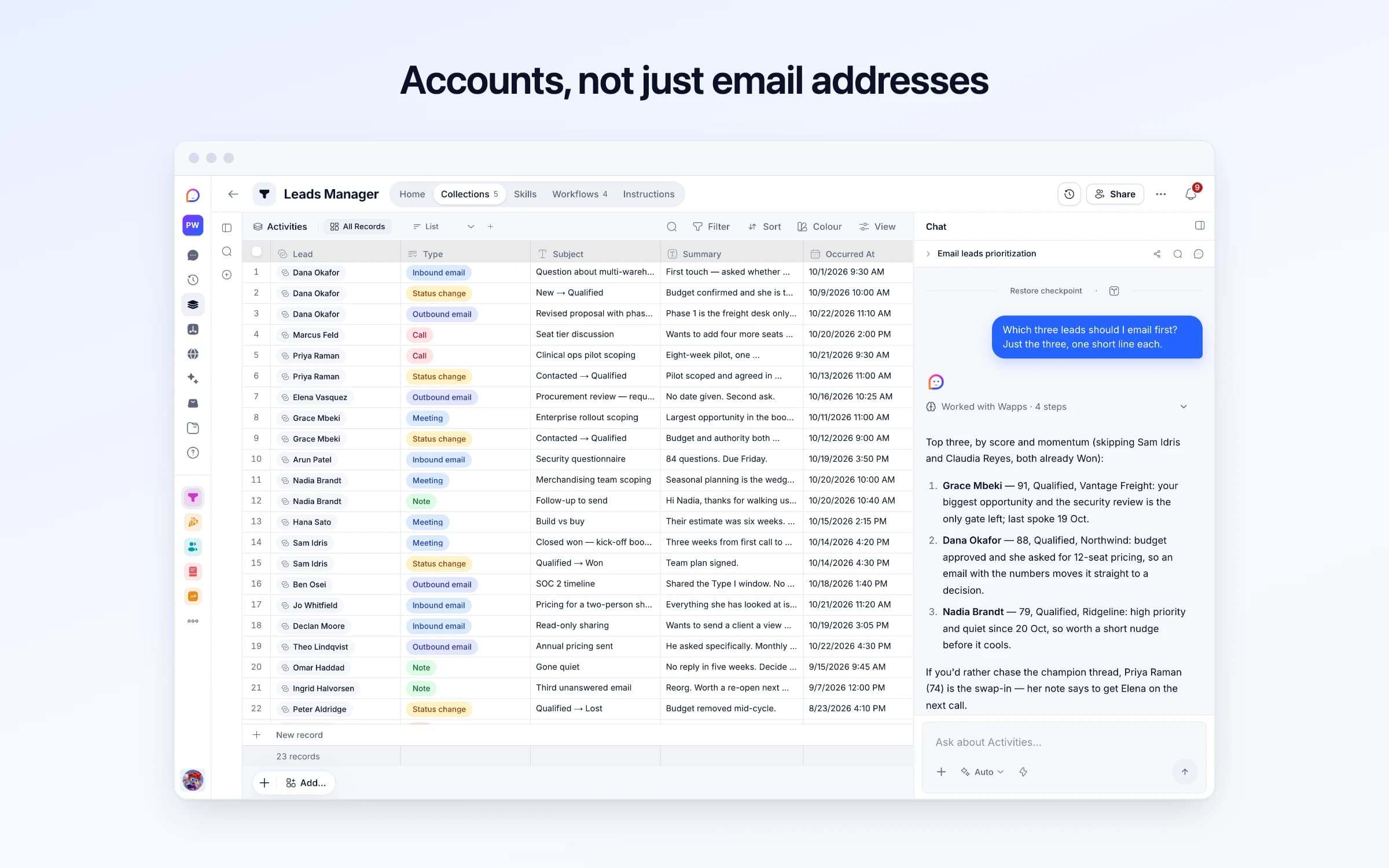
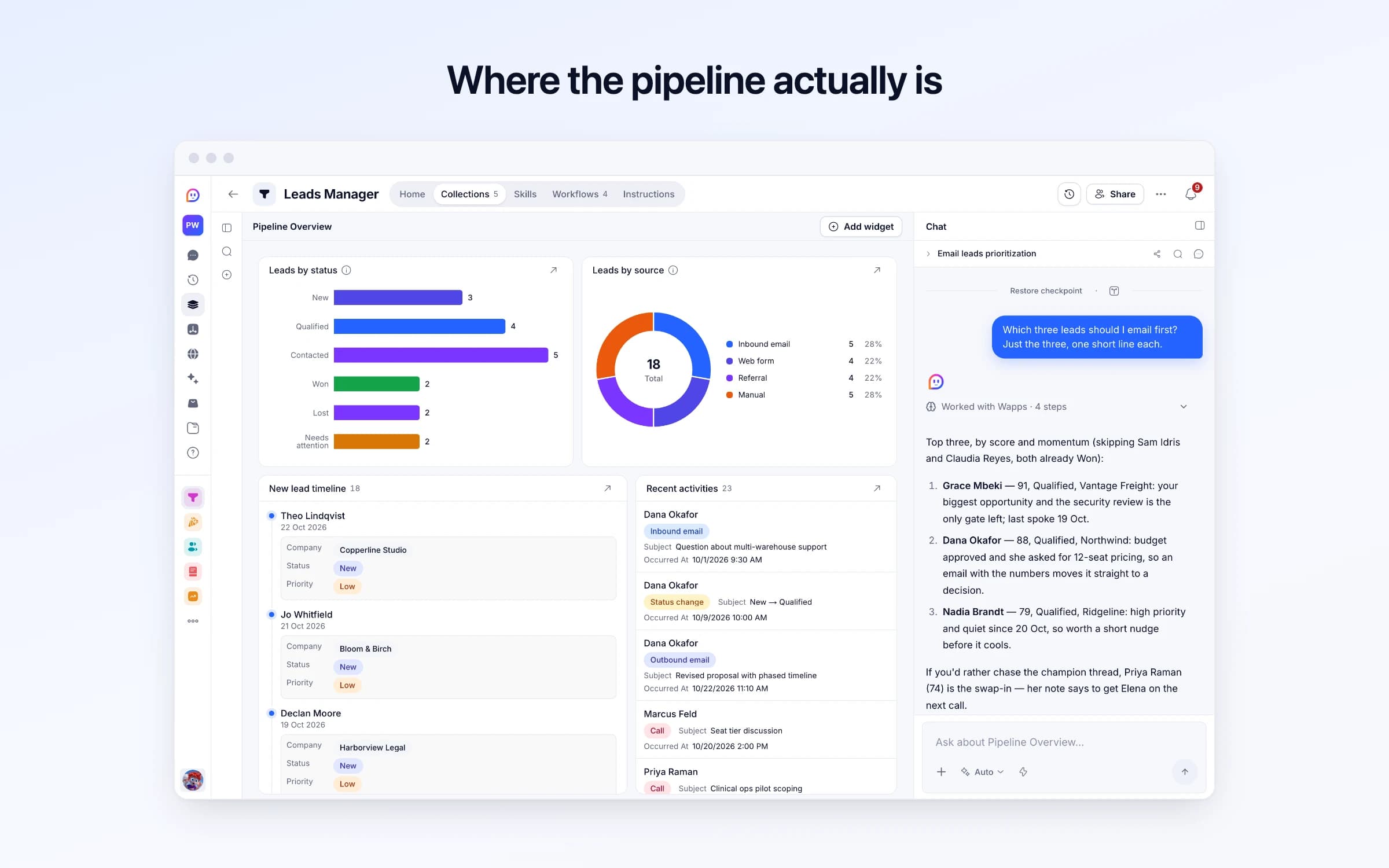
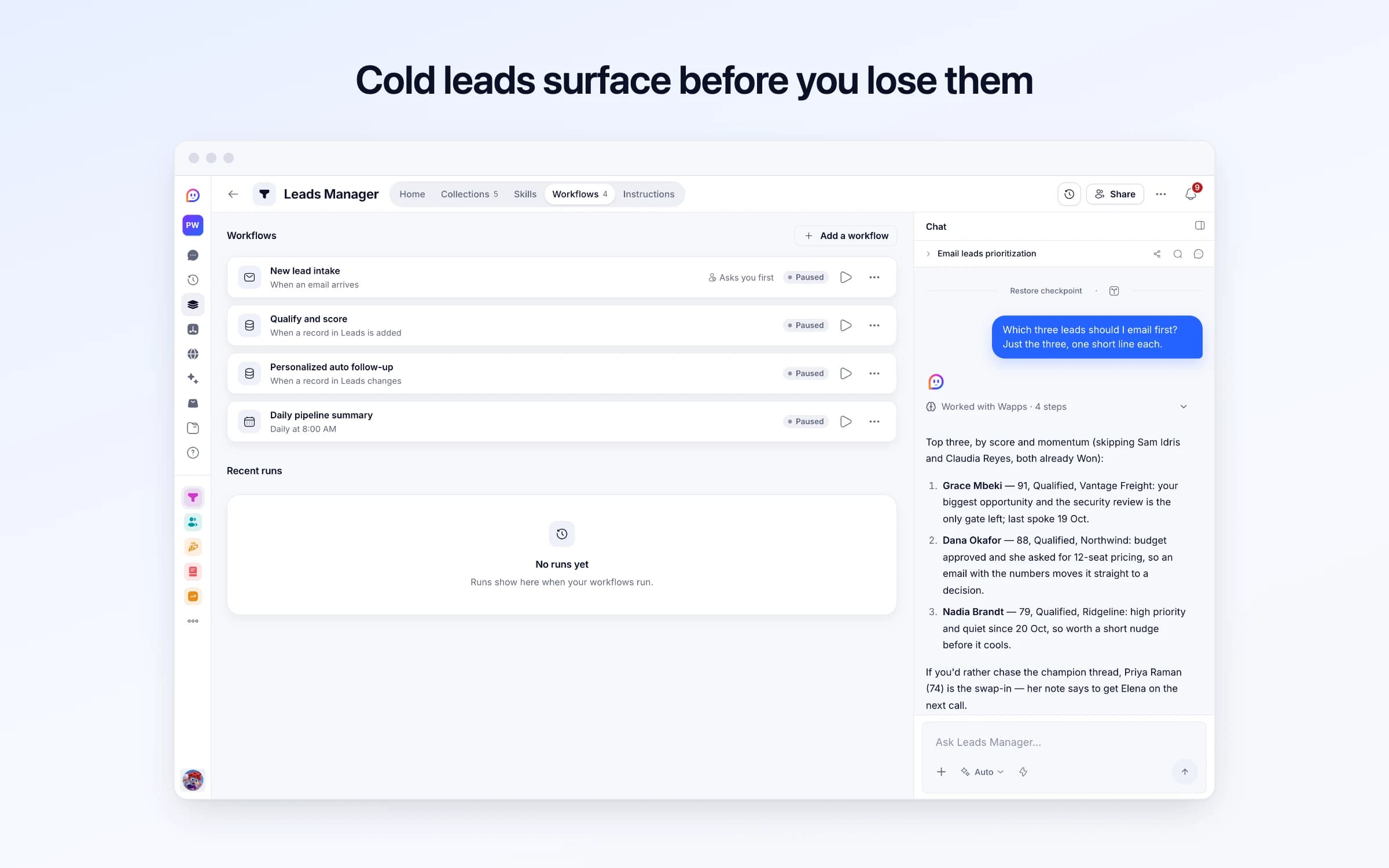
5 lists of records, 4 automations and 1 document. Every automation works from the records you keep here, so a change made once is the one they all see.
Every list as your copy starts it: its fields, and sample records you can clear in one go.
| From | Subject | Reason | Snippet | Received At |
|---|---|---|---|---|
outreach@leadgenpro.example | 500 verified B2B contacts in your niche | Spam: a cold pitch selling contact lists | We've built a list of decision-makers in logistics who match your ICP... | Yesterday, 7:30 AM |
no-reply@calendar.example | Accepted: Enterprise rollout scoping | Auto-reply: a calendar acceptance | Grace Mbeki has accepted your invitation. | 12 days ago, 10:45 AM |
billing@paperstack.example | Your receipt for October | Receipt | Thanks for your payment of $49.00. Your plan renews on 1 November. | 3 days ago, 6:02 AM |
| Name | Domain | Website | Industry | Size |
|---|---|---|---|---|
Northwind Trading | northwind.example | https://northwind.example | Logistics | Mid (51–500) |
Lumen Health | lumenhealth.example | https://lumenhealth.example | Healthcare | Large (500+) |
Vantage Freight | vantagefreight.example | https://vantagefreight.example | Logistics | Large (500+) |
Ridgeline Outdoors | ridgeline.example | https://ridgeline.example | Retail | Mid (51–500) |
Kestrel Robotics | kestrel.example | https://kestrel.example | Manufacturing | Mid (51–500) |
Fathom Analytics | fathom.example | https://fathom.example | Software | Small (2–50) |
| Name | Status | Company | Score | Priority |
|---|---|---|---|---|
Dana Okafor | Qualified | Northwind Trading | 88 | High |
Marcus Feld | Contacted | Northwind Trading | 61 | Medium |
Priya Raman | Qualified | Lumen Health | 74 | High |
Elena Vasquez | Contacted | Lumen Health | 55 | High |
Grace Mbeki | Qualified | Vantage Freight | 91 | High |
Arun Patel | Contacted | Vantage Freight | 48 | High |
| Lead | Type | Subject | Summary | Occurred At |
|---|---|---|---|---|
Dana Okafor | Inbound email | Question about multi-warehouse support | First touch — asked whether stock can be tracked per warehouse and what 12 seats would cost. | 3 weeks ago, 9:30 AM |
Dana Okafor | Status change | New → Qualified | Budget confirmed and she is the signatory. | 2 weeks ago, 10:00 AM |
Dana Okafor | Outbound email | Revised proposal with phased timeline | Phase 1 is the freight desk only; phase 2 in Q1. | Yesterday, 11:10 AM |
Marcus Feld | Call | Seat tier discussion | Wants to add four more seats once phase 1 lands. | 3 days ago, 2:00 PM |
Priya Raman | Call | Clinical ops pilot scoping | Eight-week pilot, one department. She cannot sign. | 2 days ago, 9:30 AM |
Priya Raman | Status change | Contacted → Qualified | Pilot scoped and agreed in principle. | 10 days ago, 11:00 AM |
| Check Replies |
|---|
Yes |
Every automation that starts by itself installs switched off. The ones marked Asks you first wait for your yes before anything goes out, until you let them run on their own.
New lead intake
Asks you firstWhen an email arrives, checks it's a real enquiry, then adds the company, the lead and the email to your history, and drafts a reply in the thread to say it arrived, which goes once you approve it unless you turned checking off. A message from someone already in Leads is logged against them and you're told. Anything else goes to Ignored Emails.
Qualify and score
Runs on its ownWhen a lead is added with something to go on and no score yet, scores it 0 to 100 on fit and intent, sets its priority, moves it to Qualified from 50, and notes why.
Personalized auto follow-up
Runs on its ownWhen a lead moves to Qualified, drafts a short follow-up from what they asked and what's happened since, logs it against them and tells you. You send it yourself. Each lead gets one draft.
Daily pipeline summary
Runs on its ownEach morning at 8, how many open leads are where, the new ones since yesterday, the high-priority ones to act on, and any with no contact for 7 days. Says nothing when nothing needs you.
How Leads Manager works
What's in Leads Manager, what runs for you, what it never does, and your first week.
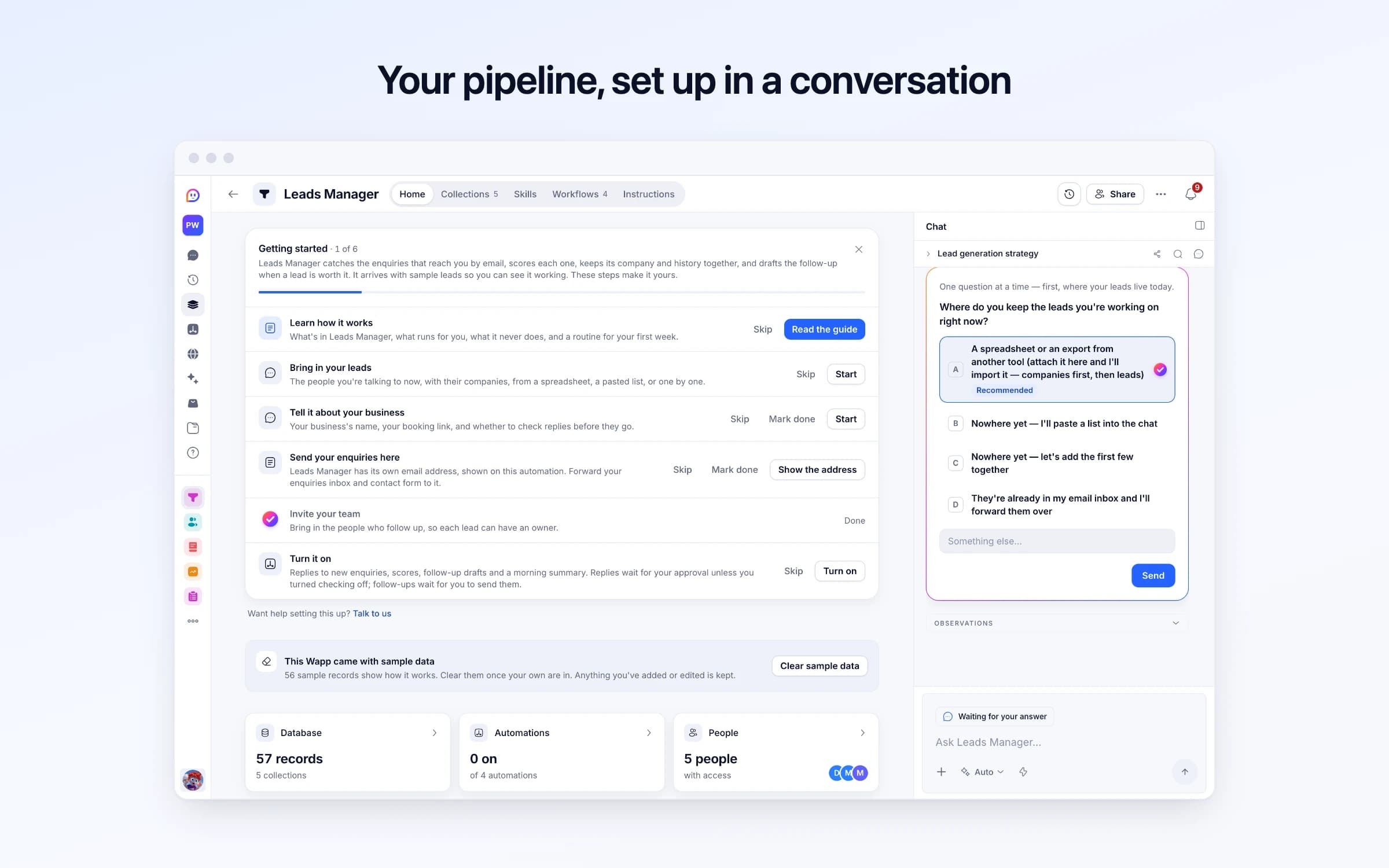
Leads Manager catches the enquiries that reach you by email, scores each one, keeps its company and history together, and drafts the follow-up when a lead is worth it. It arrives with sample leads so you can see it working. These steps make it yours.
Learn how it works
What's in Leads Manager, what runs for you, what it never does, and a routine for your first week.
Bring in your leads
The people you're talking to now, with their companies, from a spreadsheet, a pasted list, or one by one.
Tell it about your business
Your business's name, your booking link, and whether to check replies before they go.
Send your enquiries here
Leads Manager has its own email address, shown on this automation. Forward your enquiries inbox and contact form to it.
Invite your team
Bring in the people who follow up, so each lead can have an owner.
Turn it on
Replies to new enquiries, scores, follow-up drafts and a morning summary. Replies wait for your approval unless you turned checking off; follow-ups wait for you to send them.
Leads who email your Leads Manager address become a person, a company and a logged conversation, with a short reply drafted in the same thread for your approval. Each is qualified and scored 0 to 100 on fit and intent, qualified ones get a follow-up drafted for you to send, and at 8 each morning you get the pipeline in brief.
Leads come in through the website, referrals and replies to old threads, and each gets whatever attention the inbox allows that day. The operations director with a budget waits behind a student asking for a discount, because that's the order they arrived in.
The CRM, if there is one, is a spreadsheet updated on Fridays. Nobody can say whether the two people who wrote from the same firm are one deal or two, what was promised on the last call, or when anyone last wrote back.
Leads write to your Leads Manager address from your contact page or signature, and each email is read for the sender, subject and message. A genuine lead becomes a person linked to their company, matched on email address and domain so a second enquiry from the same firm lands in the same place, and the email is logged as the first entry in their history. When someone already on file writes again, the email joins their history and you're told, with no second automatic reply. Everything else goes to Ignored Emails with the reason.
Each new lead is scored 0 to 100 on fit, whether the role and company look like a buyer, and intent, how ready to buy the message sounds. Seventy or more is High priority, under forty is Low, and fifty or more moves the lead to Qualified. The reasoning is added to the lead's notes, so you can see why and disagree.
A short reply is drafted in the same thread, naming your business and offering your booking link when they asked for a call, both taken from Leads settings. It goes once you approve it, unless you untick Check replies, and only to an address Cheqq can confirm the email came from; anything else is yours to answer. If they asked for a call you're notified, with any times they suggested. When a lead reaches Qualified, a short follow-up is drafted from what they asked and what's happened since, saved to their history as Follow-up to send, and you're told it's ready to make yours and send. At 8 every morning, a summary counts leads by stage, names the High-priority ones to act on, and flags anyone with no contact for seven days; when nothing needs you, it stays quiet.
Capture
Leads who email your Leads Manager address become a person linked to their company, with their details filled in and the email logged in their history.
Qualify
Each one is scored 0 to 100 on fit and intent, with the reasoning written on the lead, so the promising ones rise instead of queueing behind whoever emailed most recently.
Reply, then draft
A short reply naming your business, with your booking link when they want a call, waits in the same thread for your approval. When a lead qualifies, a follow-up is drafted from its history and saved as Follow-up to send, for you to make yours and send.
The leads spreadsheet
People, companies and every email are linked as they arrive, instead of reconciled once a week.
HubSpot or Zoho for inbound
If what you need is inbound leads captured, scored and answered, not email campaigns or a marketing suite, this does it without another subscription.
Guessing who to call first
Leads are ranked by a score with its reasoning written down, not by who emailed most recently.
Once it's yours, describe a change the way you'd ask a colleague, and Cheqq makes it.
By email. It comes with its own Cheqq address: give it out on your contact page or in your signature, and every email that reaches it is read for the sender, subject and message. Add leads from calls or events by hand, or by telling Cheqq about them. Getting started on its Home walks you through bringing in your leads, pointing your enquiries here and inviting your team.
Yes. The lead is taken from the email you forwarded and the company is read from their address. Because Cheqq can't confirm a forwarded email came from them, no reply is drafted: you're told to answer them yourself.
No. It drafts one reply to a new enquiry, in the same thread, which goes once you approve it, and drafts the rest: when a lead qualifies, a follow-up is saved on its history as Follow-up to send, for you to review and send yourself. It never sends cold outreach.
Each new lead gets a score from 0 to 100 on fit and intent, with a sentence or two of reasoning in its notes. The score sets the priority: High from 70, Medium from 40, Low below that. Describe your best customers to Cheqq, and new leads are scored with that in mind.
Scoring, companies and history. Lead Inbox is one board that captures and acknowledges enquiries; Leads Manager adds companies, a record of every touch, scores with reasons, drafted follow-ups and a daily summary. An agency that wants leads to flow on into projects and invoices can start from the Agency template instead.
Yes. Everyone you invite sees the same leads, companies and history, and each lead has an owner for the person responsible.
Yes. Download leads, companies or activities as CSV or JSON, or ask Cheqq for a summary, like this quarter's Won leads by source.
4 of its 55 automation steps use AI, and draw AI credits each time they run: how many depends on the model you pick for the step. The other steps are fixed and draw none.
Every enquiry on one board, with a reply ready as it arrives
Keeping in touch with the people who matter, on purpose
Answering the Reddit threads where buyers ask what to use
You get your own copy: your own records and automations. Change any part of it. Or we'll set it up with you.
Free to start · Invites go out in batches