Order Tracker
Everything you've ordered on one board, Ordered to Delivered
Free to start
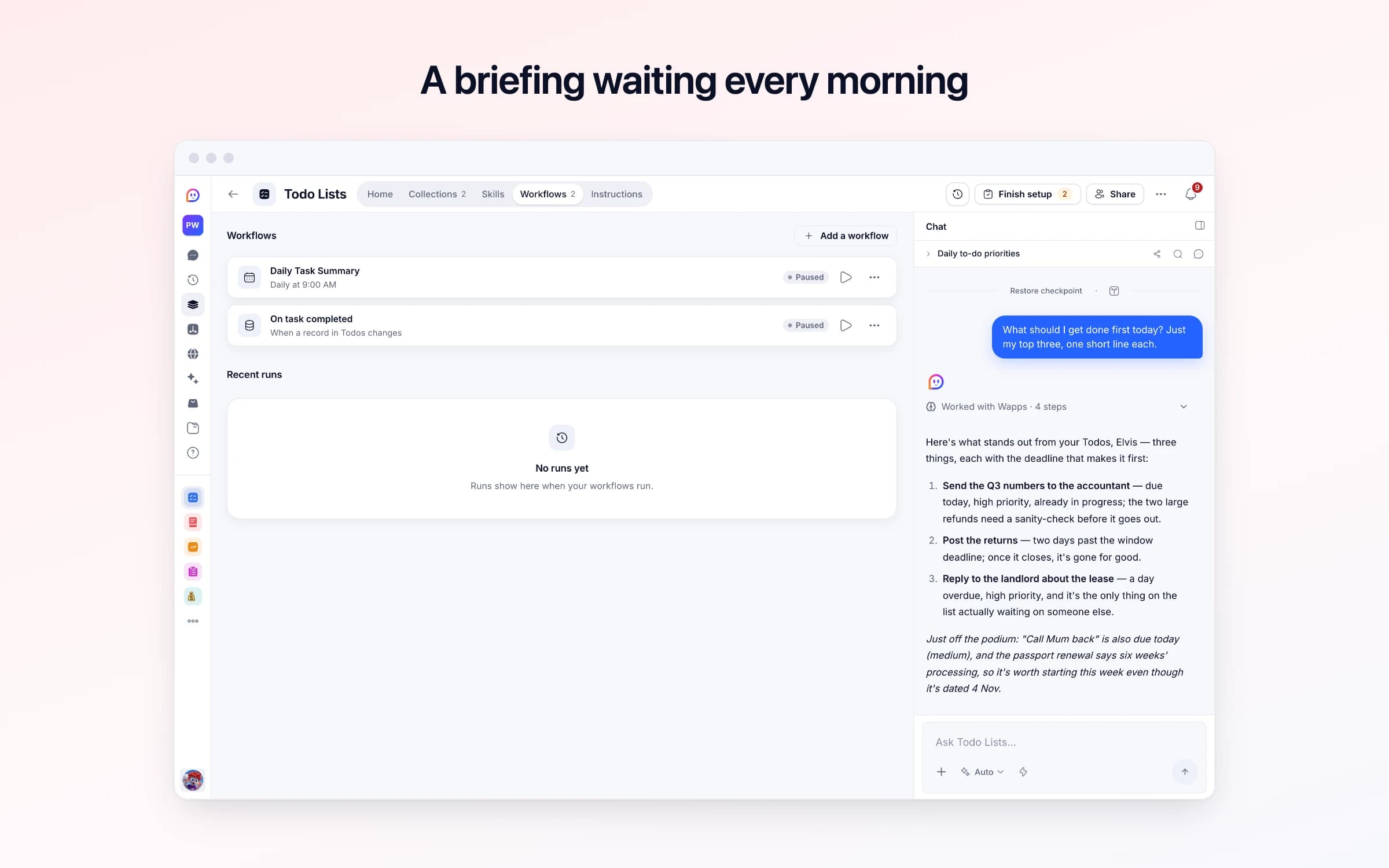
The routine part, done whether or not you're at your desk.
Daily at 9:00 AM
Daily Task Summary
Runs on its ownEach morning, when tasks are due or overdue, a note listing them, high priority first. Quiet when nothing is due.
When a record in Todos changes
On task completed
Runs on its ownWhen a task is marked as done, send a congratulatory notification.
Talk to it the way you'd ask a colleague. It answers from what it has on record, and makes a change when you ask for one.
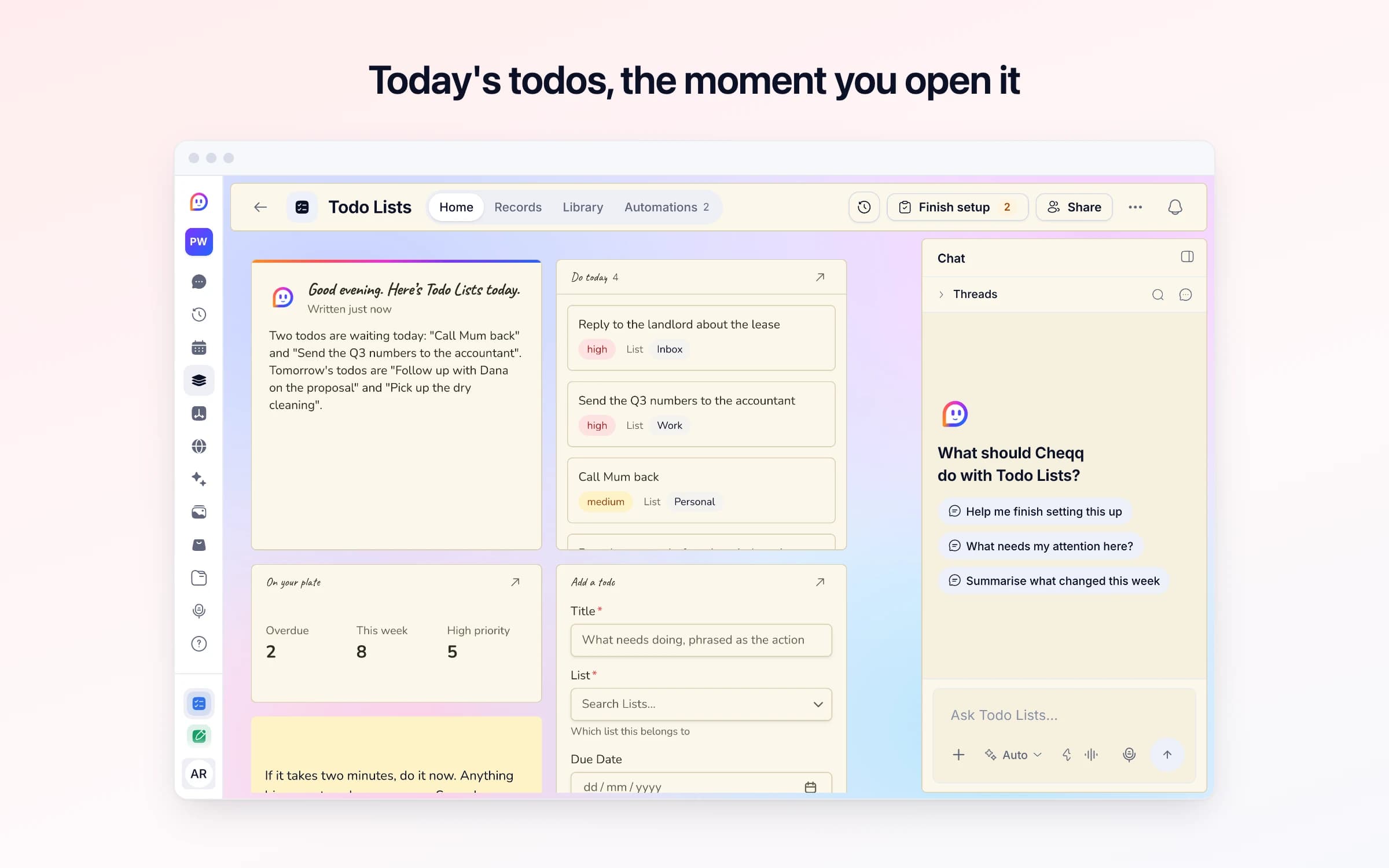
Type a to-do into one of your lists, or ask Cheqq to add it, and it sits there with its due date, priority and tags. At 9 each morning you get a short note of what's due or overdue, high priority first, and nothing on a morning when nothing is.
To-dos live in four places: a notes app, the back of an envelope, a starred email and your head. The ones with a deadline someone else knows about get done. The rest wait until they turn urgent.
Each morning starts by rebuilding the list from memory, and the errand you meant to do on Tuesday comes back to you on Friday, after the returns window has closed.
Type a to-do into a list, or ask Cheqq: “add renewing the passport to Personal, due the 12th, high priority”. Anything without a list goes to Inbox until it has a home. A due date is set only when there's a real one, so the dates on the list mean something.
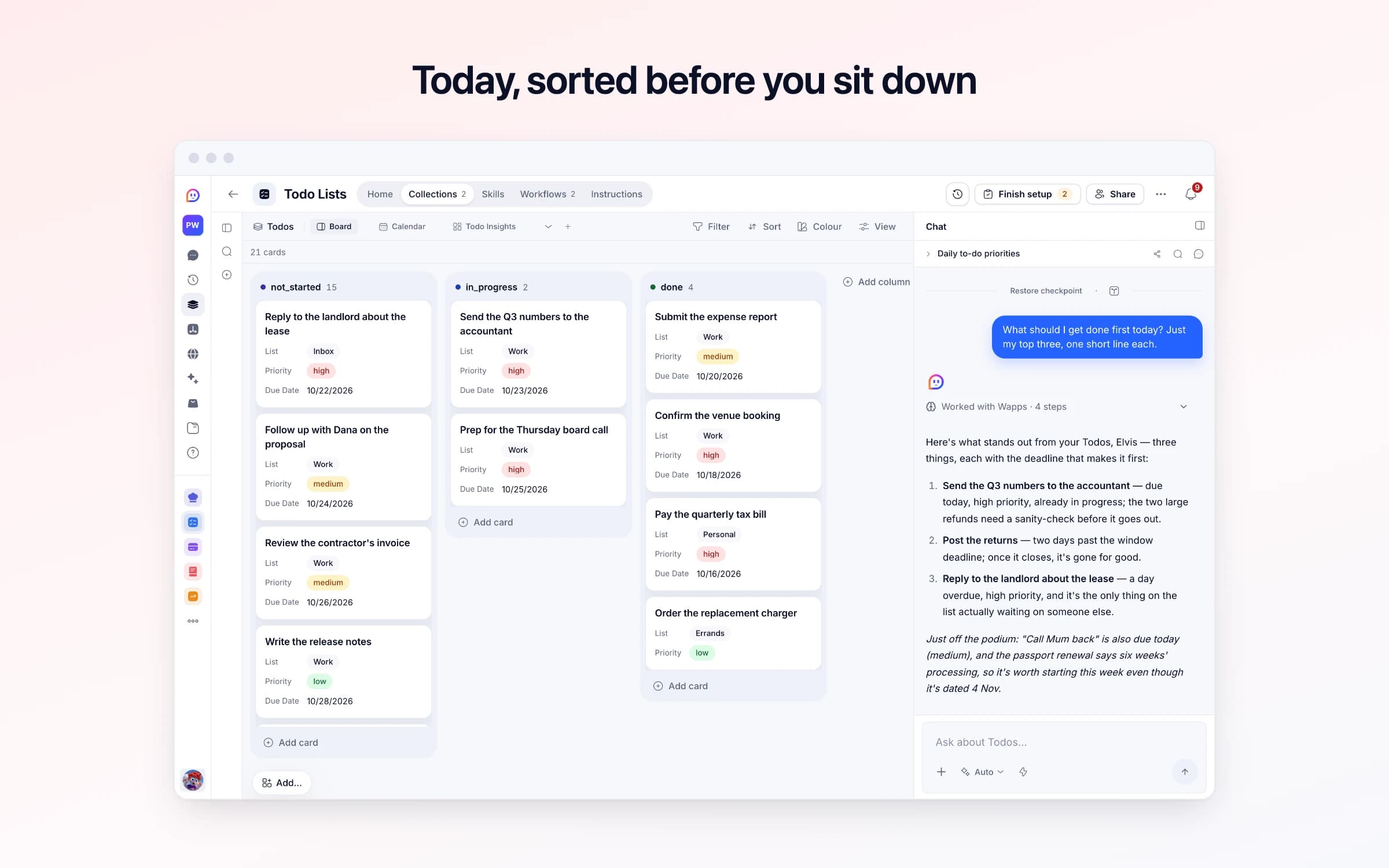
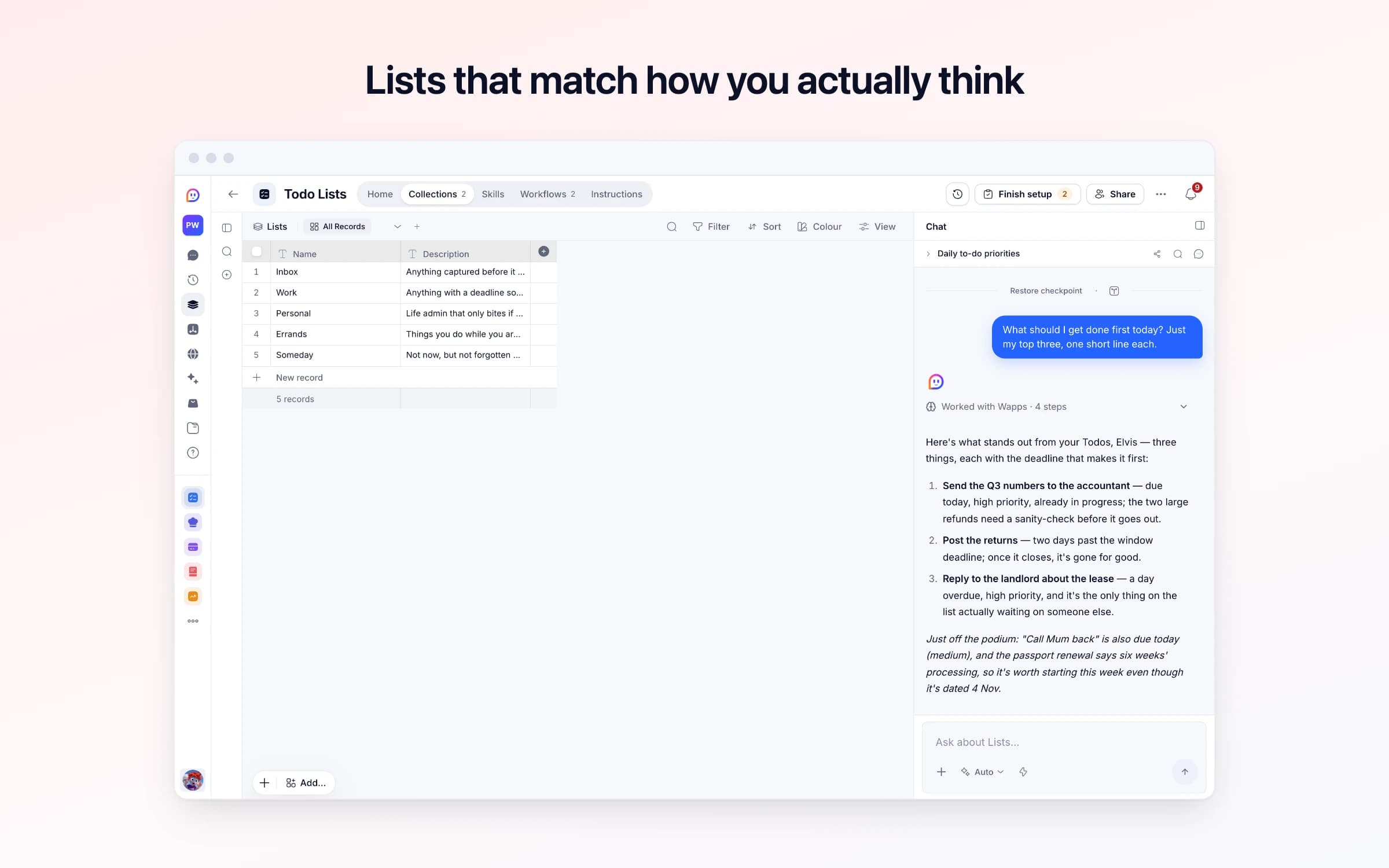
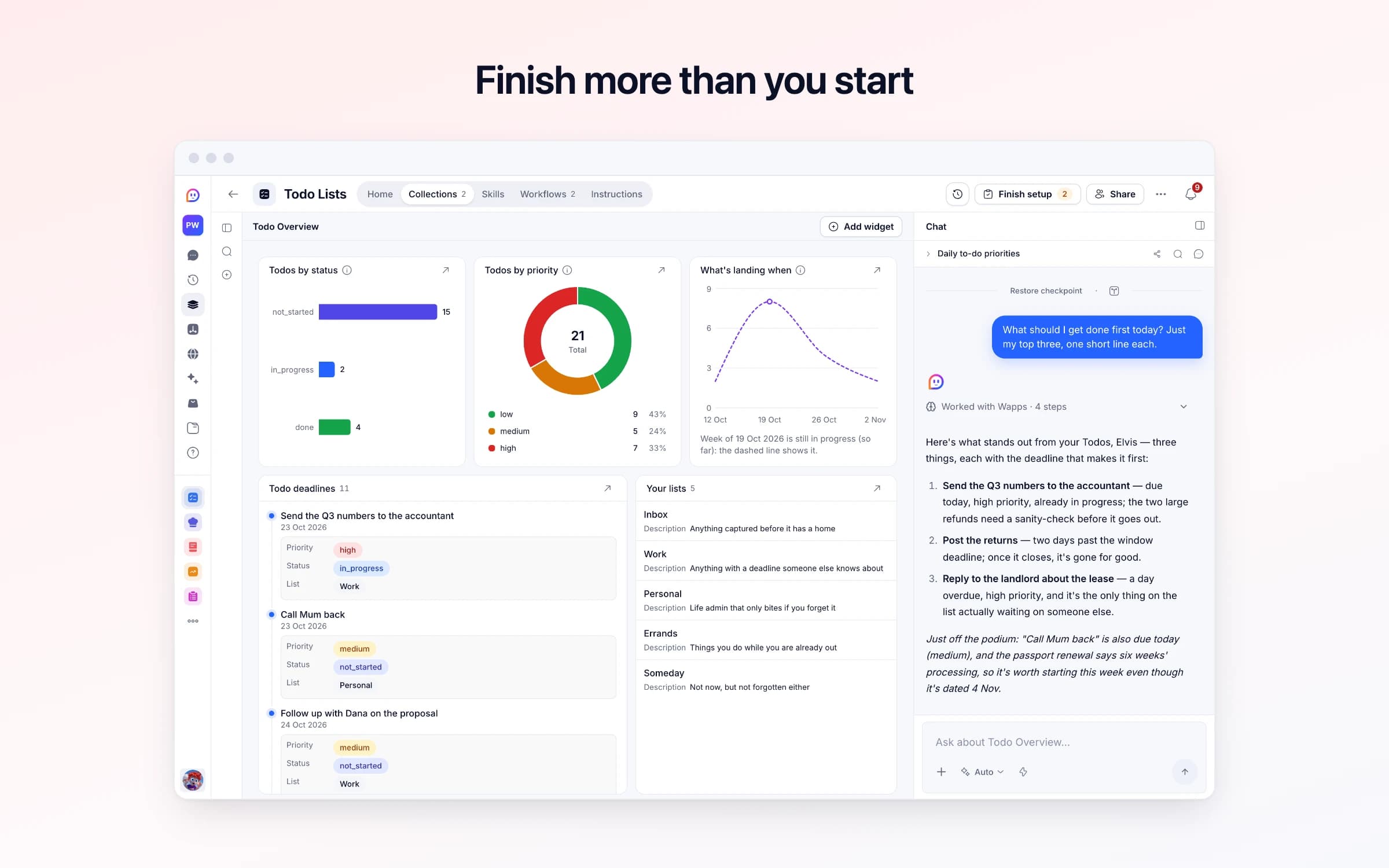
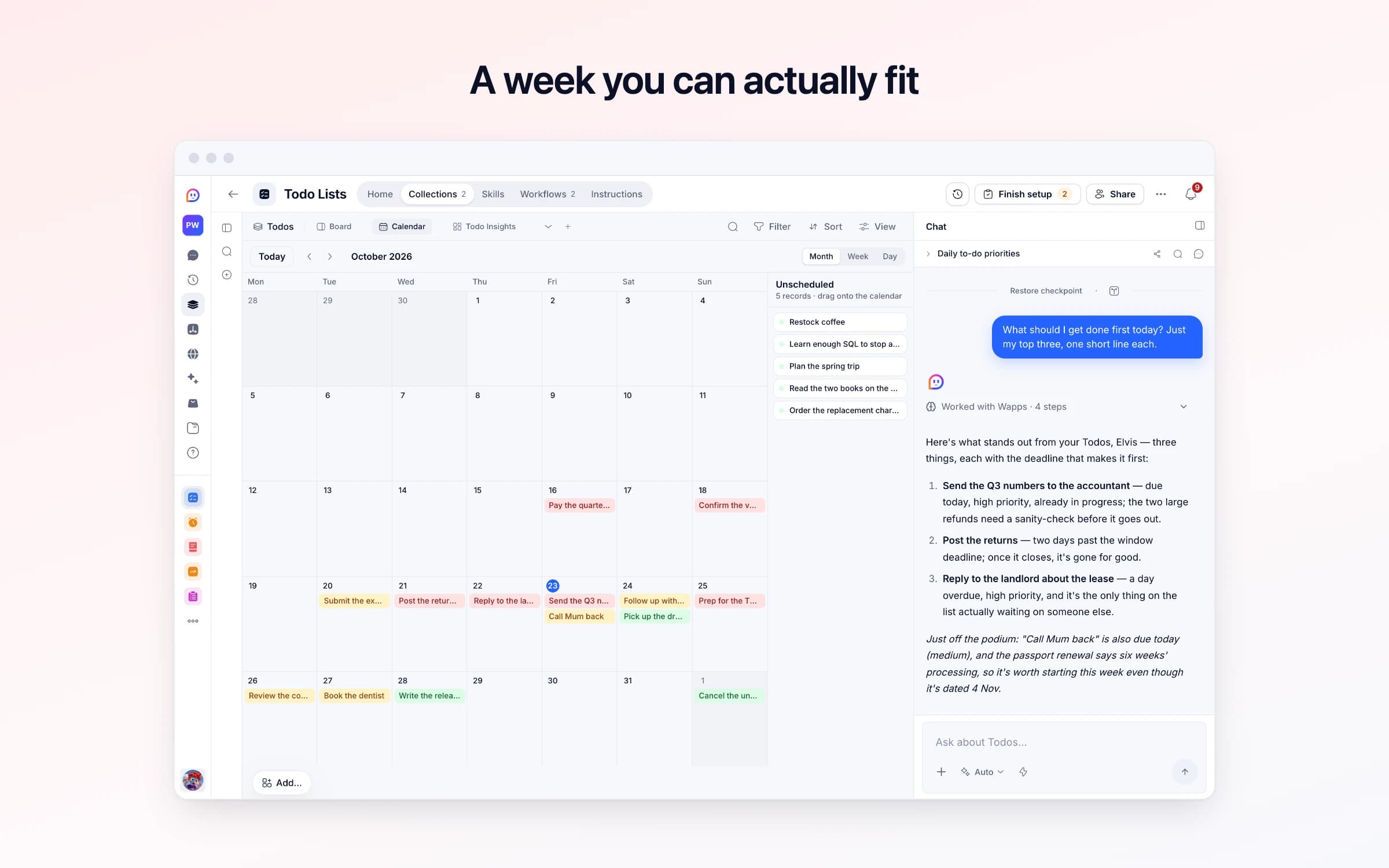
Five lists come ready: Inbox, Work, Personal, Errands and Someday. Each to-do carries a priority of low, medium or high, a status and tags like urgent or follow-up. The board shows what's not started, in progress and done; the calendar shows what's due when, with undated to-dos set to one side.
At 9 every morning, a short note lists what's overdue and what's due today or tomorrow, high priority first, and a morning with nothing due stays quiet. Mark something done and a quick note confirms it. The Todo Overview dashboard shows what's landing each week and how the list splits by priority and status.
Add it in a line
Type it into a list or ask Cheqq to add it, with a due date and priority if it has them. Anything without a list lands in Inbox.
See it by status or by date
The board shows what's not started, in progress and done. The calendar shows what's due when, with undated to-dos kept to one side.
A note when something's due
At 9 each day, a short note lists what's due or overdue, high priority first, and stays quiet when nothing is.
Sticky notes and scattered lists
Every to-do sits in one of your lists with its due date, priority and tags, on a board and a calendar.
To-do apps like Todoist
If you need lists, due dates, priorities and a morning note of what's due, this does it next to the rest of your work in Cheqq. As installed, it has no recurring to-dos or location reminders.
Rebuilding the list each morning
The 9 o'clock note tells you what's due or overdue before you open anything.
2 automations and 2 lists of records. Every automation works from the records you keep here, so a change made once is the one they all see.
Everything it reads and writes is yours to open: each list as your copy starts it, with sample records you can clear in one go.
| Name | Description |
|---|---|
Inbox | Anything captured before it has a home |
Work | Anything with a deadline someone else knows about |
Personal | Life admin that only bites if you forget it |
Errands | Things you do while you are already out |
Someday | Not now, but not forgotten either |
| Title | Status | List | Priority | Due Date |
|---|---|---|---|---|
Reply to the landlord about the lease | not_started | Inbox | high | Yesterday |
Send the Q3 numbers to the accountant | in_progress | Work | high | Today |
Prep for the Thursday board call | in_progress | Work | high | In 2 days |
Follow up with Dana on the proposal | not_started | Work | medium | Tomorrow |
Review the contractor's invoice | not_started | Work | medium | In 3 days |
Write the release notes | not_started | Work | low | In 5 days |
Type them into a list on the board or the grid, or ask Cheqq in chat and it adds them for you. There's no email address for this template, so forwarded emails don't become to-dos; Project Manager does that, for work shared with a team.
The open to-dos that are overdue or due today or tomorrow, high priority first, each with its date. It arrives at 9 your time, in Cheqq and by email unless you turn email off, and on a morning with nothing due there's no message.
Not on its own. There's no reminder per to-do: the morning summary is the nudge, and the calendar and the deadlines timeline show what's coming. Ask Cheqq to add a reminder the day before anything high priority is due.
It's built as a personal list, so to-dos have no assignee. For work shared across a team, with owners, projects and milestones, Project Manager is the better fit.
Yes. Inbox, Work, Personal, Errands and Someday come ready, with tags for personal, work, urgent and follow-up. Rename them, add your own or remove the ones you don't use, yourself or by asking Cheqq.
Yes. Export it from your current app or spreadsheet as a CSV and upload it, matching its columns to the title, due date and priority. You can download everything as CSV or JSON whenever you like.
Not as installed: each to-do is a one-off. Ask Cheqq to add one on a schedule, like “pay the card bill” on the 1st of every month, and it's created for you each time.
None of its 5 automation steps calls a model, so running it draws no AI credits. Asking Cheqq to do something does, like any chat.
Everything you've ordered on one board, Ordered to Delivered
Habits that move real goals, reviewed every Sunday
Every application on one board, kept current by email
You get your own copy: your own records and automations. Change any part of it. Or we'll set it up with you.
Free to start