Newsletter Digest
Every newsletter's key points on one list
Free to start · Invites go out in batches
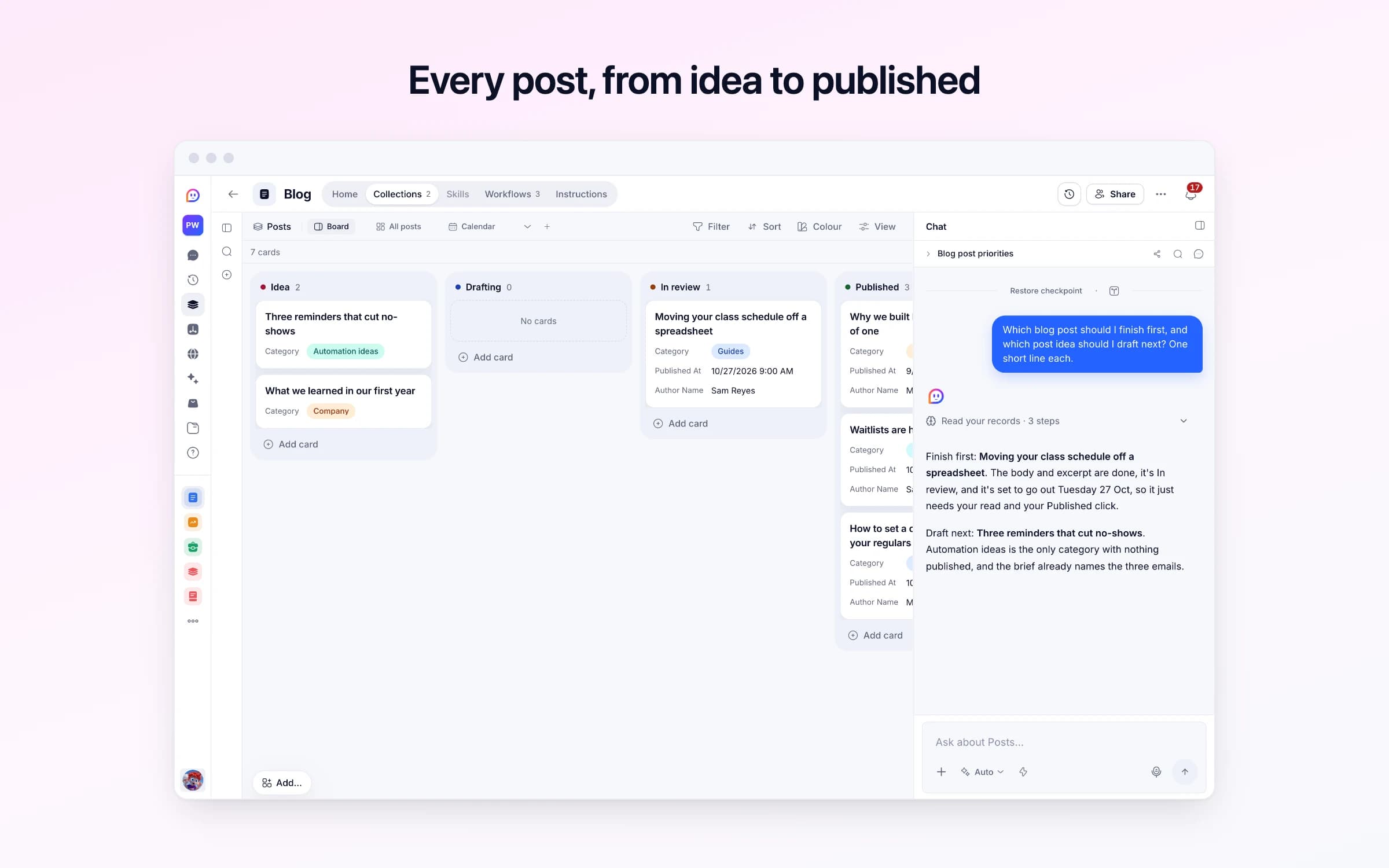
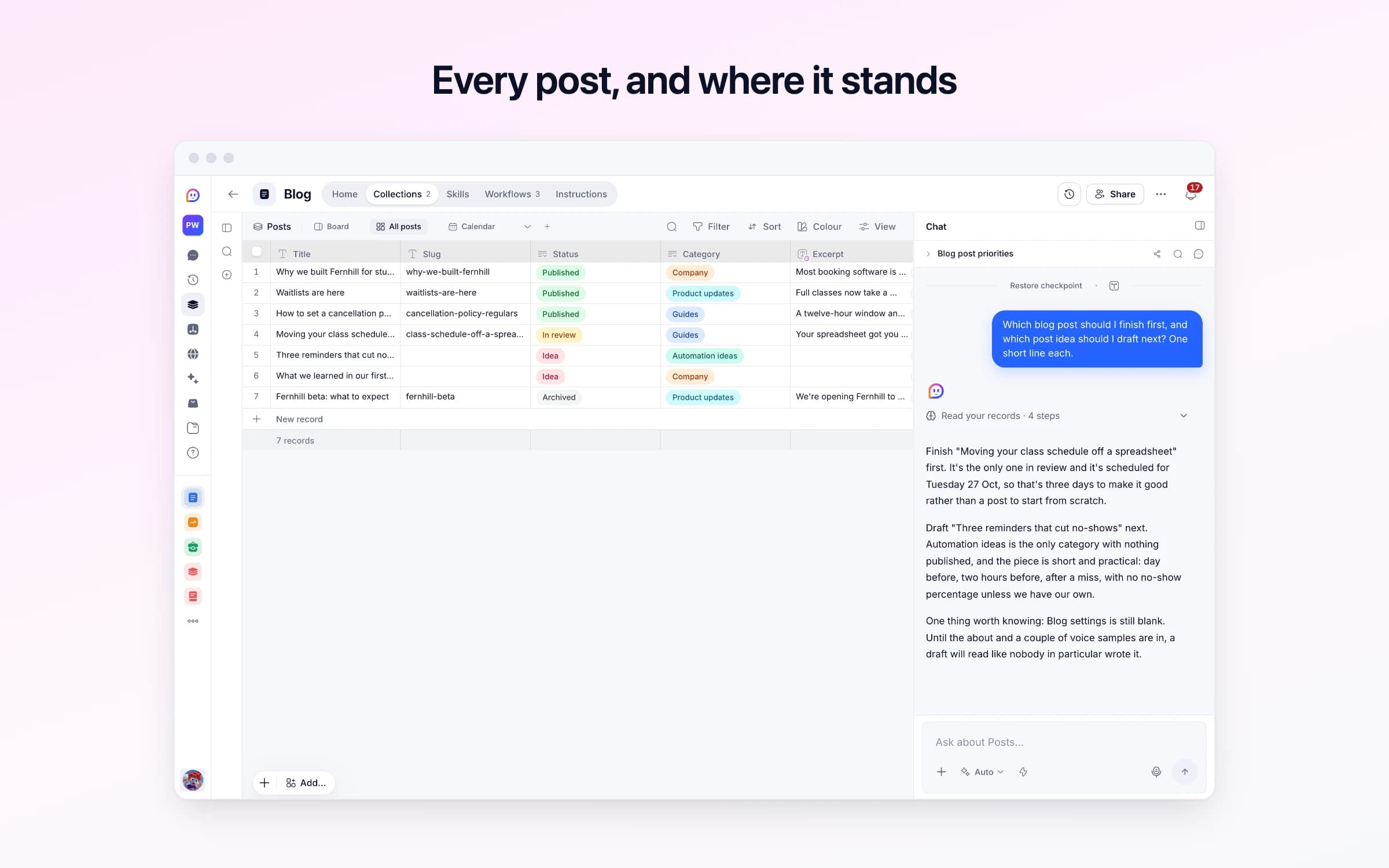
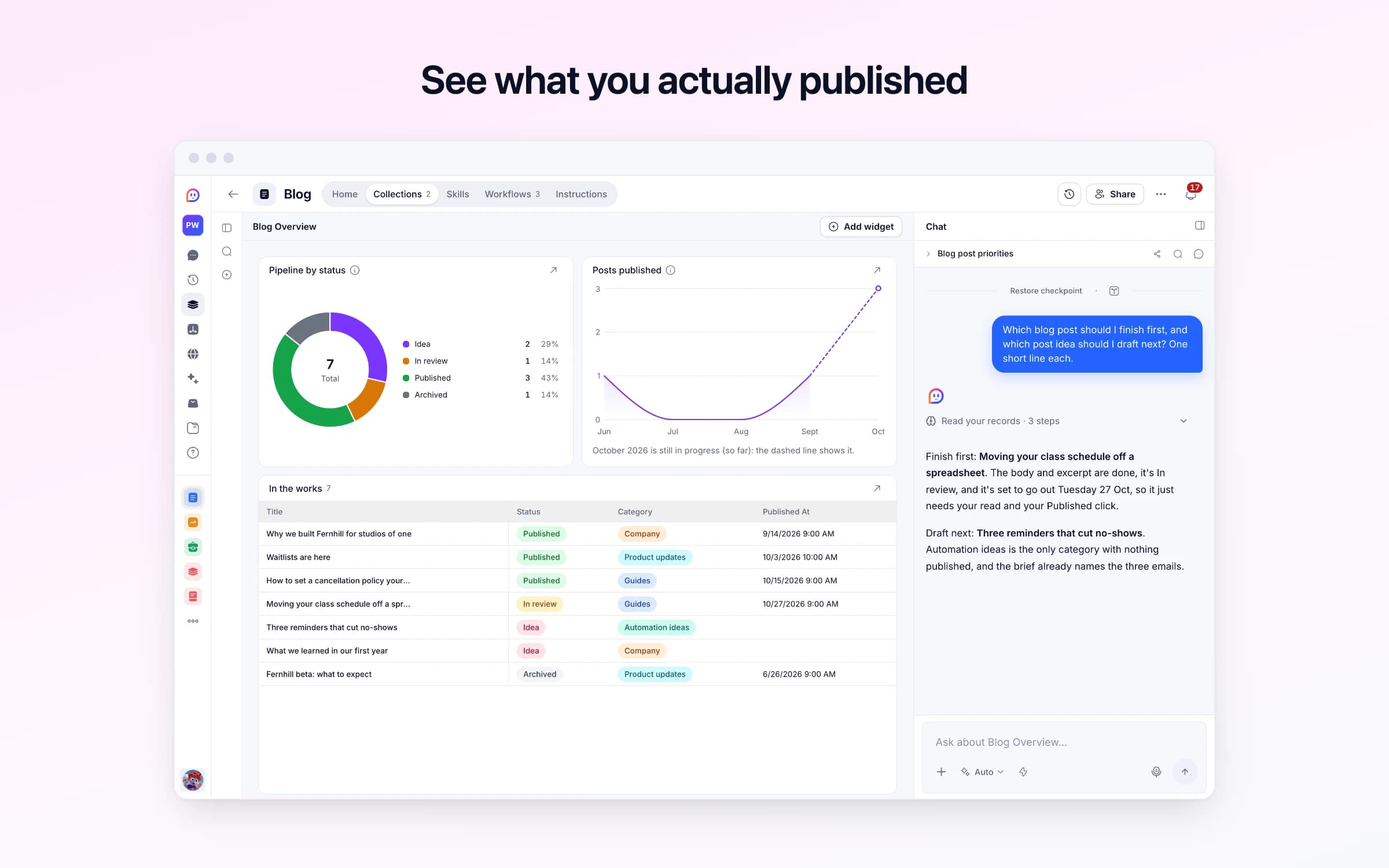
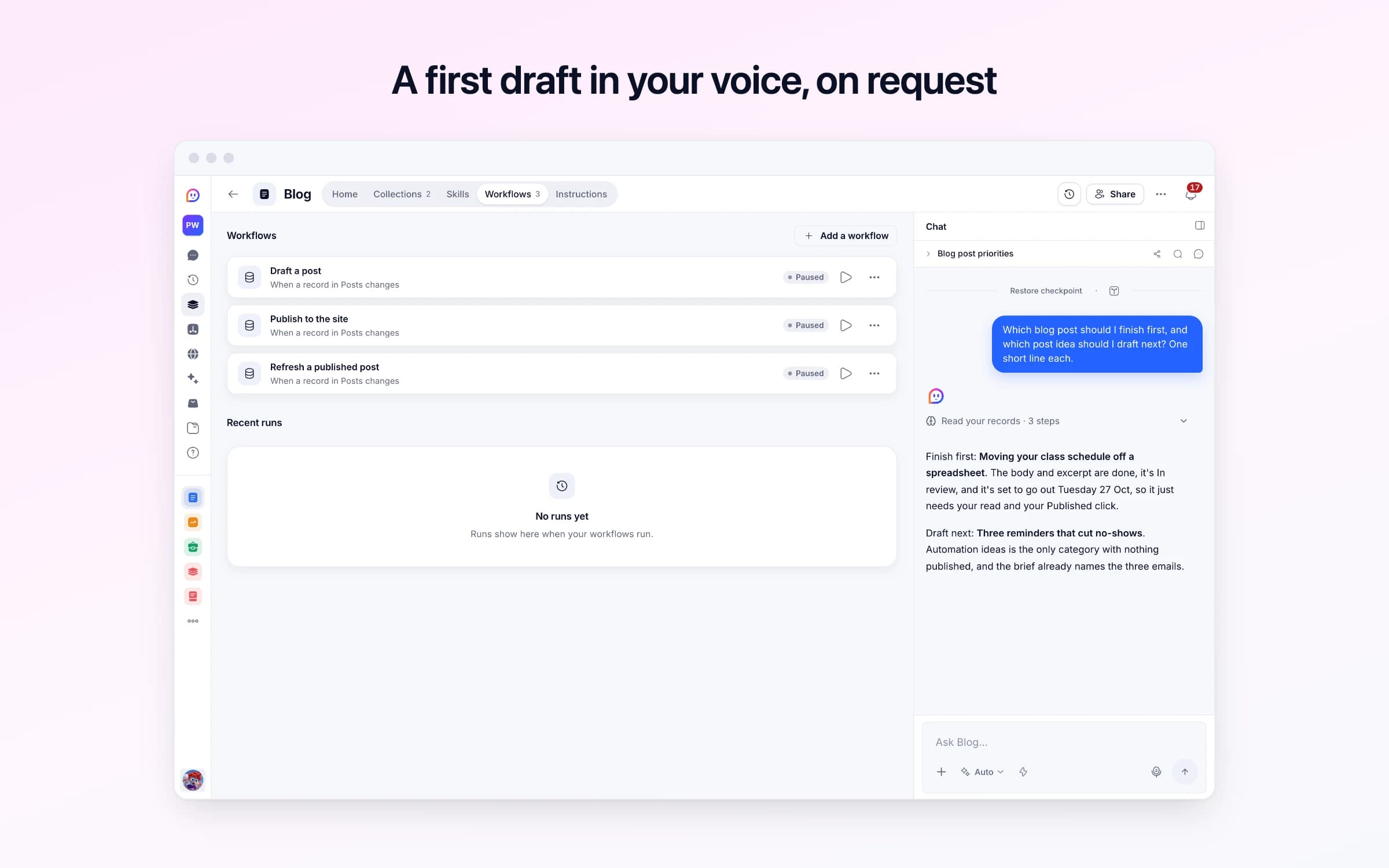
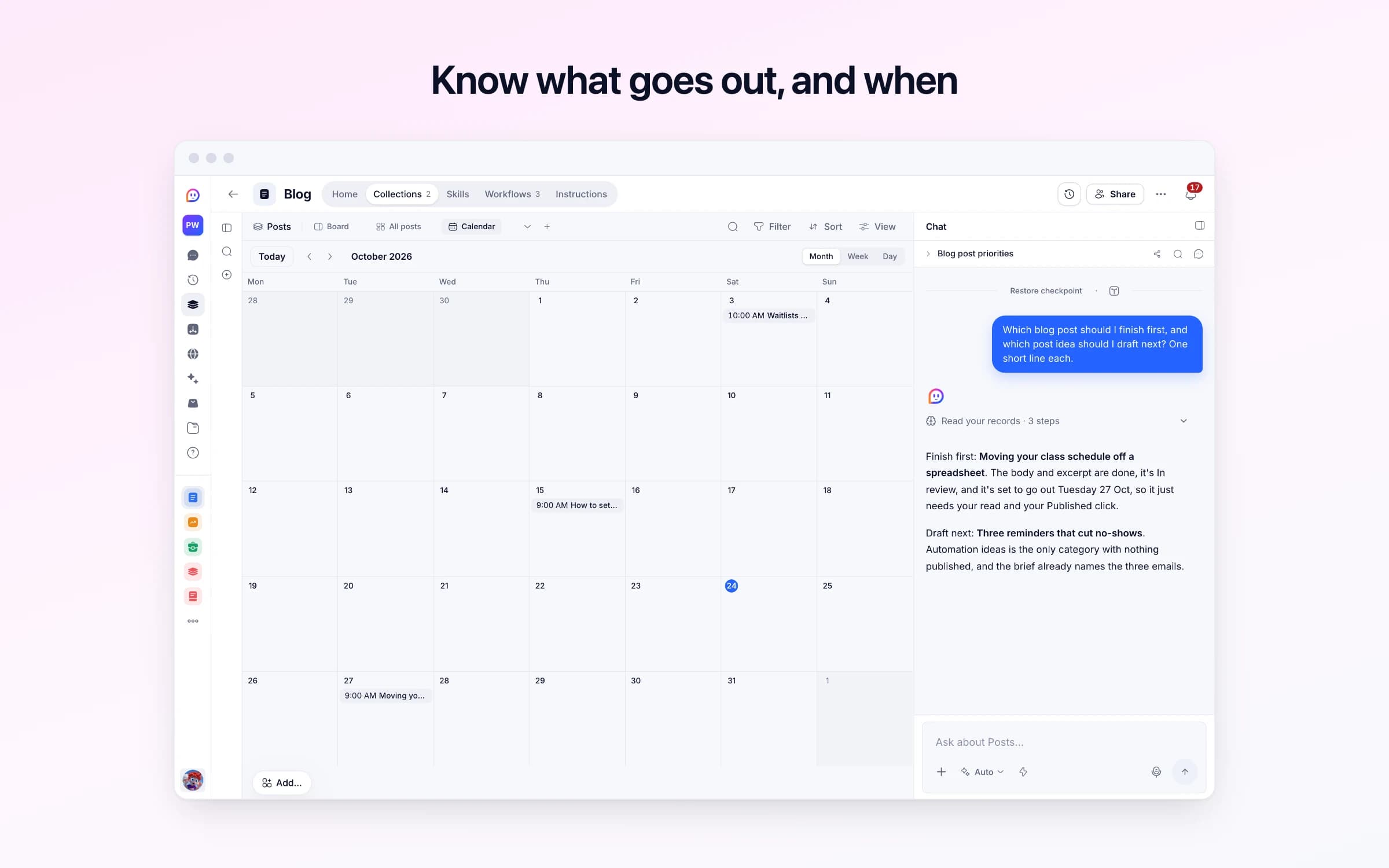
2 lists of records, 3 automations and 1 document. Every automation works from the records you keep here, so a change made once is the one they all see.
Every list as your copy starts it: its fields, and sample records you can clear in one go.
| Title | Status | Category | Published At | Author Name |
|---|---|---|---|---|
Why we built Fernhill for studios of one | Published | Company | 6 weeks ago, 9:00 AM | Maya Okafor |
Waitlists are here | Published | Product updates | 3 weeks ago, 10:00 AM | Sam Reyes |
How to set a cancellation policy your regulars won't resent | Published | Guides | 9 days ago, 9:00 AM | Maya Okafor |
Moving your class schedule off a spreadsheet | In review | Guides | In 3 days, 9:00 AM | Sam Reyes |
Three reminders that cut no-shows | Idea | Automation ideas | Empty | Empty |
What we learned in our first year | Idea | Company | Empty | Empty |
Every automation that starts by itself installs switched off.
Draft a post
Runs on its ownWhen you move a post to Drafting, researches the topic, writes the post from its brief in your voice, fills the excerpt and link, and hands it back In review.
Publish to the site
Runs on its ownWhen a post is set to Published, tells your site so the new post appears in seconds. Point it at your own site's refresh hook and add its secret, then turn it on.
Refresh a published post
Runs on its ownWhen a published post is edited or taken down, tells your site so the change shows in seconds. Same setup as Publish to the site.
How Blog works
How a post moves, what runs for you, what it never does, and your first week.
Blog runs your blog from idea to published. Write a short brief, ask for a draft, and it comes back in your voice for you to review. Only you publish. It arrives with sample posts so you can see it working. These steps make it yours.
Learn how it works
How a post moves, what runs for you, what it never does, and your first week.
Describe your blog
What it's about, who reads it, and whose name goes on posts.
Teach it your voice
Paste a few things you've written, and any style rules.
Add your first three ideas
A title and a short brief each. Already blogging elsewhere? Bring your posts in.
Turn on drafting
Switch on its automations so a post moved to Drafting gets a draft.
Ask for your first draft
Drag one of your ideas to Drafting. The draft comes back In review in a few minutes.
Put it on your website
A simple Cheqq site for your posts, or your own site kept up to date.
Write a brief, move the post to Drafting, and it comes back researched and written, with an excerpt and a web address, for you to review. Nothing is published until you set it to Published. Cheqq's own blog at cheqq.ai/blog runs on this template.
Post ideas sit in a document called Blog ideas. Drafts live in someone's Google Docs, review happens in comments nobody resolves, and publishing means pasting it all into the CMS, fixing the headings, writing a meta description at the last minute and hunting for a cover image.
Nobody can say what's in progress without asking round. A post that was nearly done in March is still nearly done in June, and the blog goes quiet for a month because the blank page is the hardest part.
You start by describing the blog in its settings: what it's about and who reads it, a few things you've written, your style notes and the byline new posts get. Every post is a card on one board, moving through Idea, Drafting, In review and Published. A post starts as a title and a brief in your own words: what it argues, who it's for and anything it must not claim.
Moving a post to Drafting is how you ask for a draft. Facts the brief leans on are checked on the web, then the post is written in your voice, following your style notes, with proper headings, an excerpt for cards and search results, and a web address made from the title. It comes back In review and you're told what the research turned up. A cover is generated when you ask for one.
Only you set a post to Published. Cheqq's own blog at cheqq.ai/blog runs on this template: every post there is a card on a board like this one, and it appears once it's set to Published and its publish time has passed, which is how a post is scheduled for later.
Write the brief
Describe your blog and paste a few things you've written, so drafts sound like you. Then add a post with a title and a brief: what it argues, who it's for and what it must not claim, and move it to Drafting.
It researches and drafts
Facts the brief leans on are checked on the web, then the post is written with headings, an excerpt and a web address, and handed back In review.
You publish it
Only you set a post to Published. A site reading your posts shows it from its publish time, as cheqq.ai's own blog does, so a future time schedules it.
The blog ideas document
Ideas, drafts and published posts sit on one board with their status, so what's in progress is visible without asking.
The blank first draft
Each post starts from a researched draft written from your brief, which you edit rather than write.
A separate CMS for the posts
If your blog needs posts, categories, bylines and covers rather than a whole site builder, the posts can live here and your site reads the published ones.
Once it's yours, describe a change the way you'd ask a colleague, and Cheqq makes it.
Wherever you point them. The template holds and drafts the posts but doesn't come with a website. Ask Cheqq to build a blog page on them and it's published at an address on cheqq.site, or have your own site read the published posts from Cheqq.
Yes. The posts at cheqq.ai/blog are records in a Blog template like this one, each with a title, a web address, a category, an excerpt and a body. A post appears there once it's set to Published and its publish time has passed.
No. Drafting ends at In review, and only you set a post to Published. Asking for a draft is never taken as permission to publish it.
A developer points your site at your posts in Cheqq, reading only the ones set to Published. Two steps that come switched off can also tell your site each time a post is published or edited: give them your site's refresh address and its key, then switch them on.
Once you switch it on. Drafting arrives switched off, so nothing is written for the sample posts. Getting started on its Home has you describe your blog, paste a few things you've written, add three ideas and turn on drafting, then move your first post to Drafting.
Yes. Invite your team and everyone works from the same board, and each post carries its own byline and role. Whoever moves a post to Drafting is told when the draft is ready.
Yes. Import them from a CSV or JSON file with a title, web address and body for each, and they sit on the board with the rest. You can download every post the same way.
2 of its 10 automation steps use AI, and draw AI credits each time they run: how many depends on the model you pick for the step. The other steps are fixed and draw none.
Every newsletter's key points on one list
Ideas drafted for each channel and scheduled
What competitors ship, rated every weekday
You get your own copy: your own records and automations. Change any part of it. Or we'll set it up with you.
Free to start · Invites go out in batches