Content Studio
Ideas drafted for each channel and scheduled
Free to start · Invites go out in batches
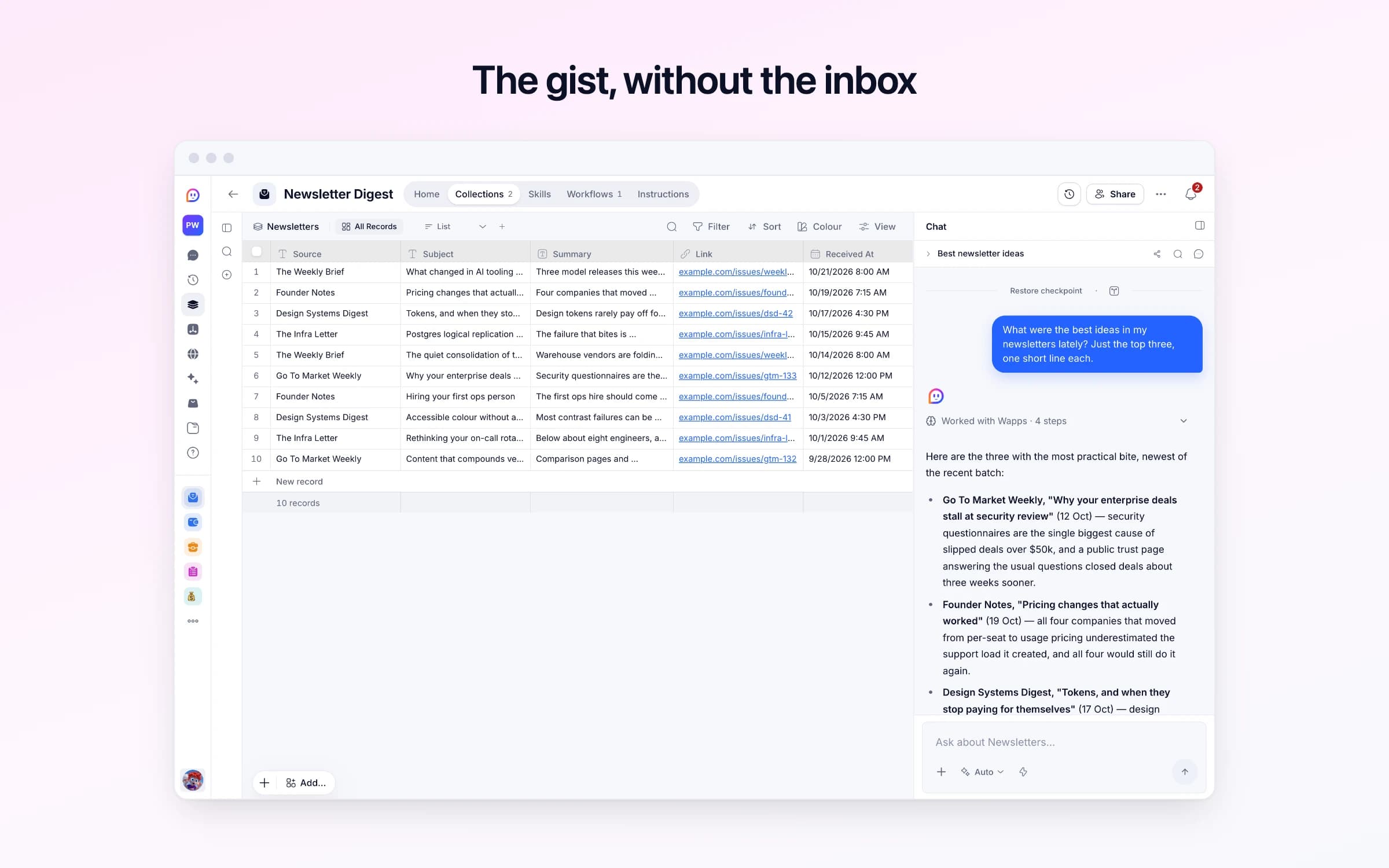
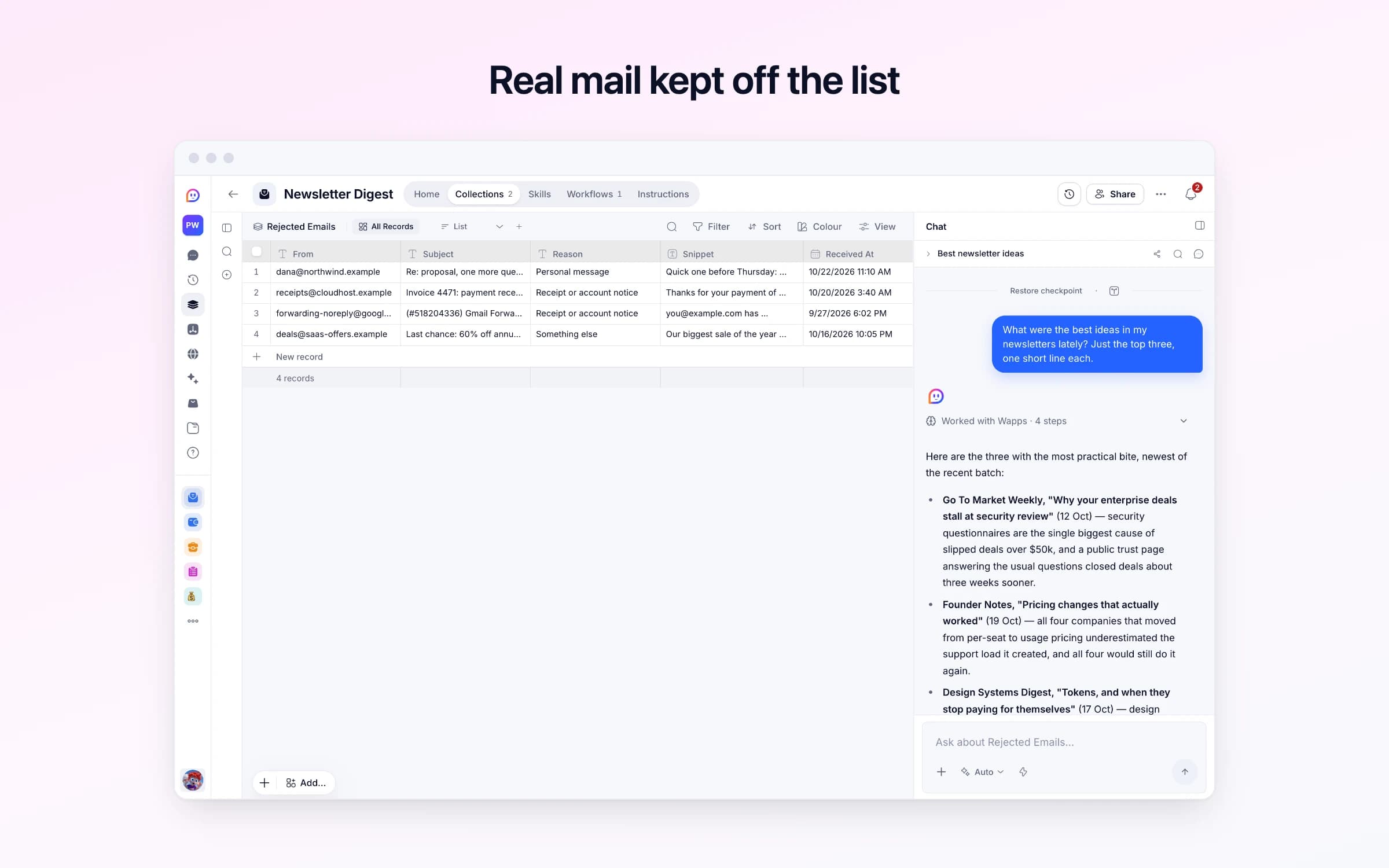
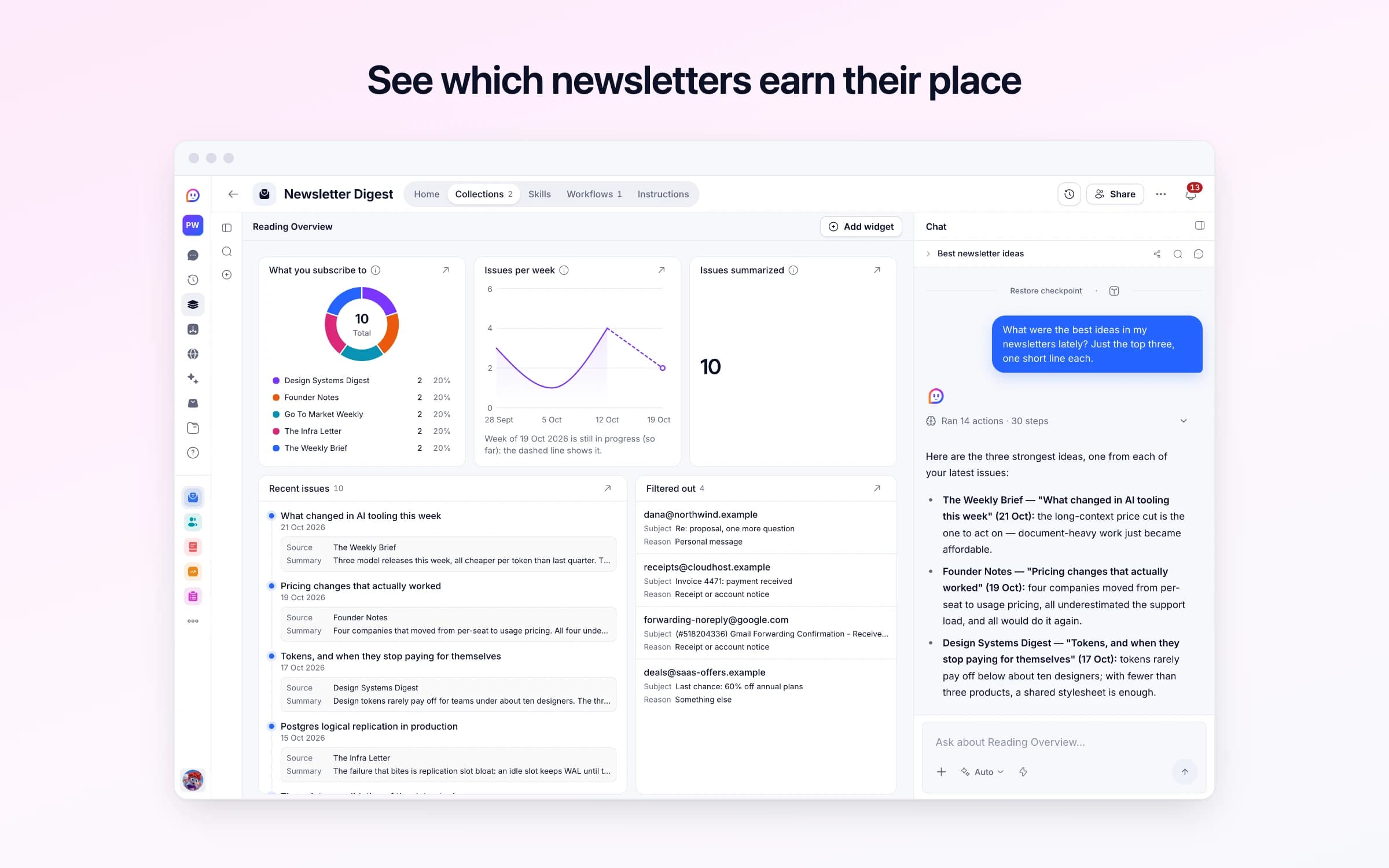
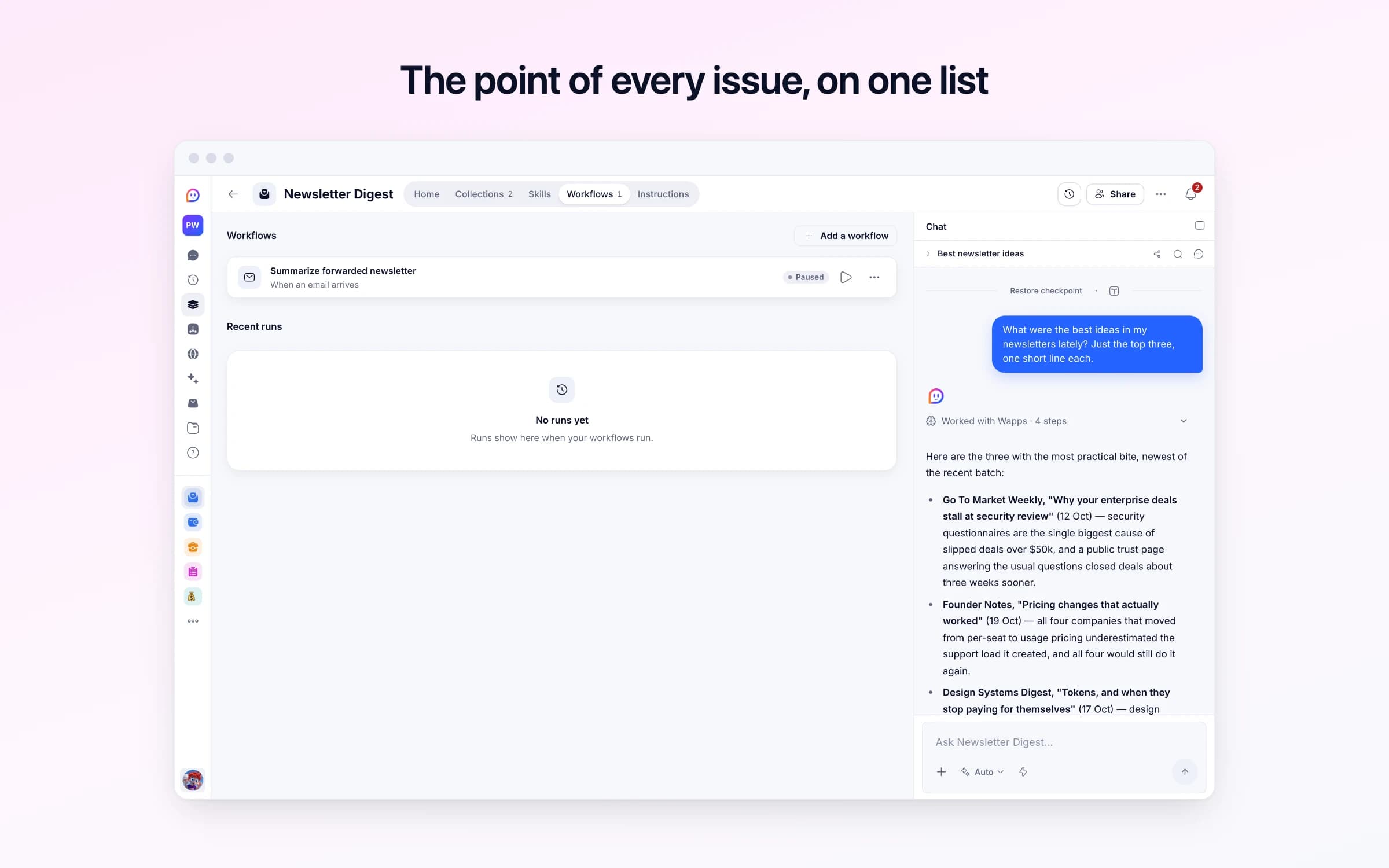
2 lists of records, 1 automation and 1 document. Every automation works from the records you keep here, so a change made once is the one they all see.
Every list as your copy starts it: its fields, and sample records you can clear in one go.
| From | Subject | Reason | Snippet | Received At |
|---|---|---|---|---|
dana@northwind.example | Re: proposal, one more question | Personal message | Quick one before Thursday: does phase 2 need its own SOW? | Yesterday, 11:10 AM |
receipts@cloudhost.example | Invoice 4471: payment received | Receipt or account notice | Thanks for your payment of $84.00. | 3 days ago, 3:40 AM |
forwarding-noreply@google.com | (#518204336) Gmail Forwarding Confirmation - Receive Mail from you@example.com | Receipt or account notice | you@example.com has requested to automatically forward mail to your email address. Confirmation code: 518204336 | 4 weeks ago, 6:02 PM |
deals@saas-offers.example | Last chance: 60% off annual plans | Something else | Our biggest sale of the year ends tonight at midnight. | 7 days ago, 10:05 PM |
Every automation that starts by itself installs switched off.
Summarize forwarded newsletter
Runs on its ownWhen a newsletter reaches your forwarding address, saves a short summary of it to your reading list. Anything else is set aside in Rejected Emails, with why, and costs no summary.
How Newsletter Digest works
What it keeps, what runs for you, what it never does, and your first week.
Newsletter Digest turns the newsletters you forward into short summaries on one reading list, so you get the gist without the inbox clutter. It arrives with sample issues so you can see how it reads. These steps make it yours.
Learn how it works
What it keeps, what it sets aside, and a routine for your first week.
Copy your forwarding address
Your own address for newsletters is on this automation. Copy it for the next step.
Turn it on
Switch on its automation so newsletters sent to your address are summarized.
Forward newsletters automatically
A rule in your email app that sends your newsletters here. It walks you through it.
Read your first summary
Forward one newsletter by hand if none has arrived yet. Its summary shows up here within a minute.
Forward a newsletter to your Newsletter Digest address and it's sorted first, then summarised into three to five points, filed with the publication, the subject and a link to the web version when there is one. Emails that aren't newsletters are set aside with the reason, so the list stays a reading list.
The good newsletters arrive faster than anyone reads them. A dozen a week becomes forty unread emails, starred for the weekend, skimmed on Sunday night or archived in bulk with the nagging sense that one of them had the thing you needed.
When you do go looking for that piece on pricing from three weeks ago, it's buried among receipts and meeting invites, and search turns up every email that ever used the word. The newsletters you pay for get read no more than the ones you don't.
Each issue goes to your Newsletter Digest address as it arrives, forwarded by hand or by a filter in your inbox. It's sorted first, so only a real newsletter is summarised, into three to five points of what it actually said, the most useful first. The summary lands on your Newsletters list with the publication's name, the subject line, when it arrived and a link to the web version when the email has one.
Nothing is added that the email didn't say. Receipts, account notices and personal emails that reach the address are set aside in Rejected Emails with the sender, the subject, the opening lines and the reason they were skipped, so nothing is summarised by mistake and nothing real goes missing.
The Reading Overview dashboard keeps the picture: which publications you get, how many issues arrive each week, how many have been summarised, and the newest summaries first. The week's reading is one list you can scan, with the full issue a click away when a summary earns it.
Point your newsletters at it
Send the ones you already get to the template's own Cheqq address, forwarded by hand or by a filter in your inbox.
Each issue is summarised
It's sorted first, so only a real newsletter is written up, as three to five points of what it said, adding nothing the email didn't say.
You read one list
Every summary lands on the same list with the publication, the subject and a link to the web version when there is one. Anything that wasn't a newsletter is set aside with the reason.
The unread newsletter pile
Each issue is summarised as it arrives, so nothing waits to be starred for later.
Read-later apps like Instapaper or Readwise Reader
If what you need is the gist of each issue and a link back, not highlights and a reading app, this does it without another subscription.
The mass unsubscribe
Keep the newsletters worth having and read three to five points from each, instead of cutting them to save your inbox.
Once it's yours, describe a change the way you'd ask a colleague, and Cheqq makes it.
By email. The template comes with its own Cheqq address: forward issues to it by hand, or set up a rule in your email app to forward the newsletters you choose as they arrive. Getting started on its Home shows how to set up that rule in each of the common email apps. Each one is sorted, summarised and added to your list.
No. It sees only what's sent to its own address: the sender, the subject and the text of the email. Nothing else in your inbox reaches it, and attachments aren't read.
Not as it comes. Each summary goes on your list as its issue arrives, and no email is sent back. If you'd like the week's summaries in your inbox, ask Cheqq to send them every Friday and it adds that.
Once you switch it on. Its one automation arrives switched off, so it can't act before you've seen what it does. Getting started on its Home has you copy your address, switch it on and forward your first issue.
They're set aside in Rejected Emails with the sender, the subject, the opening lines and why they were skipped, so a wrong call is easy to spot. Ask Cheqq and it will summarise one that should have been kept.
Yes to both. Invite your team and everyone reads the same list, and anyone can forward to the same address. Download the summaries as CSV or JSON whenever you need them.
2 of its 8 automation steps use AI, and draw AI credits each time they run: how many depends on the model you pick for the step. The other steps are fixed and draw none.
Ideas drafted for each channel and scheduled
From brief to published post, on one board
What competitors ship, rated every weekday
You get your own copy: your own records and automations. Change any part of it. Or we'll set it up with you.
Free to start · Invites go out in batches