Project Manager
Action items pulled out of threads and onto one board
Free to start
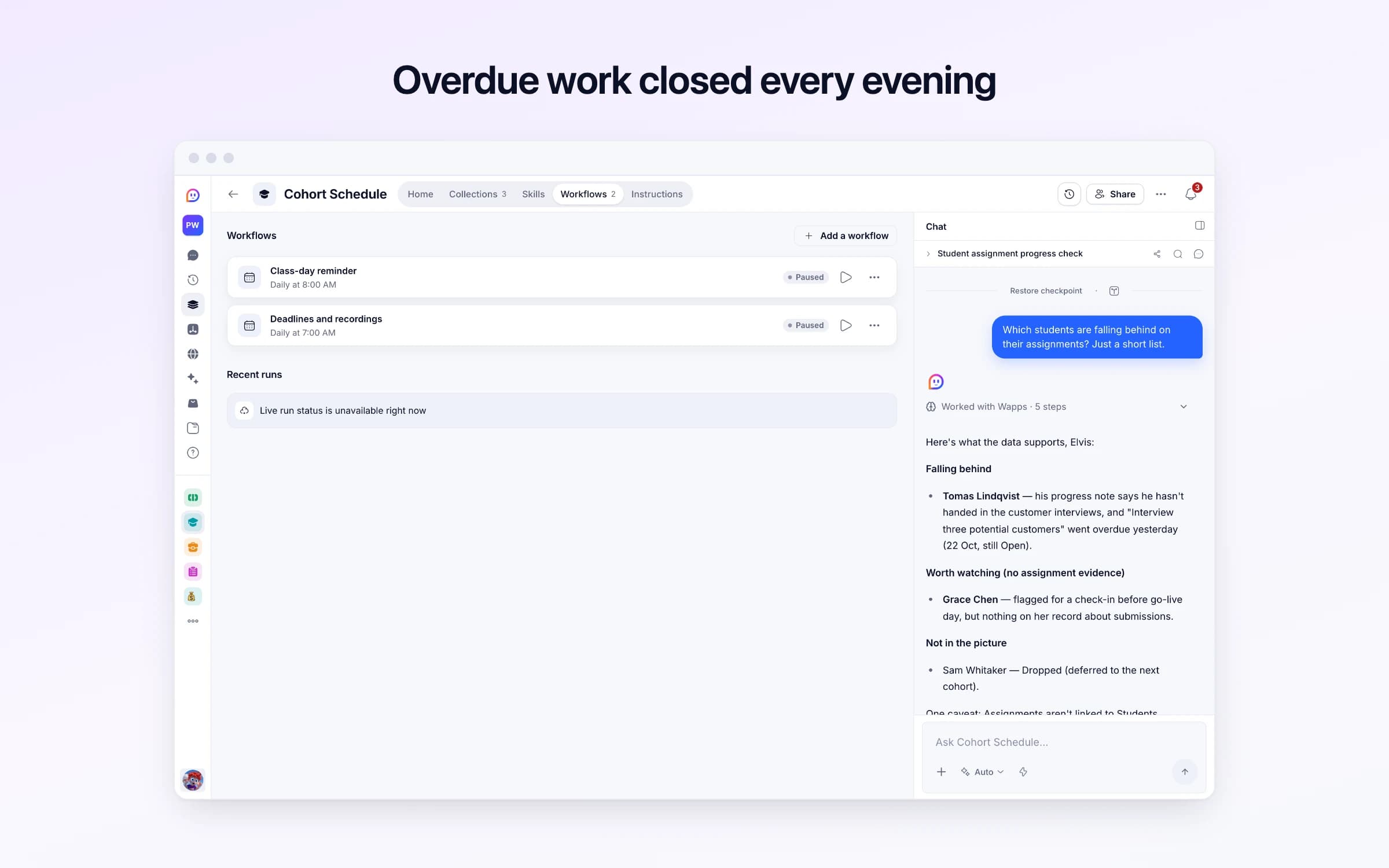
The routine part, done whether or not you're at your desk.
Daily at 8:00 AM
Class-day reminder
Runs on its ownOn a class day at 8 in the morning, today's classes with their outlines, and the assignments due by tomorrow. A day with no class sends nothing.
Daily at 7:00 AM
Deadlines and recordings
Runs on its ownEach morning at 7, closes the assignments whose due date has passed, flags what's due next, and lists the week's classes still to mark Done or missing a recording. Says nothing when all is in order.
Talk to it the way you'd ask a colleague. It answers from what it has on record, and makes a change when you ask for one.
Classes sit on a month calendar by module that students can subscribe to, next to the student list and each class's assignments. On a class day you get a brief at 8 with the day's classes and what's due, and at 7 each morning past-due assignments are closed, what's due next is flagged for your reminder, and classes missing a recording are named.
The schedule is a spreadsheet, the students are in another, the recordings are links in a chat thread and the assignments are in a doc. Move one class and you post an announcement, fix the sheet and hope everyone changes their calendar.
Each class day starts with working out what you promised to cover and which assignment was due first. Deadlines pass without anyone closing them, so late work keeps arriving and nobody's sure which week they're in.
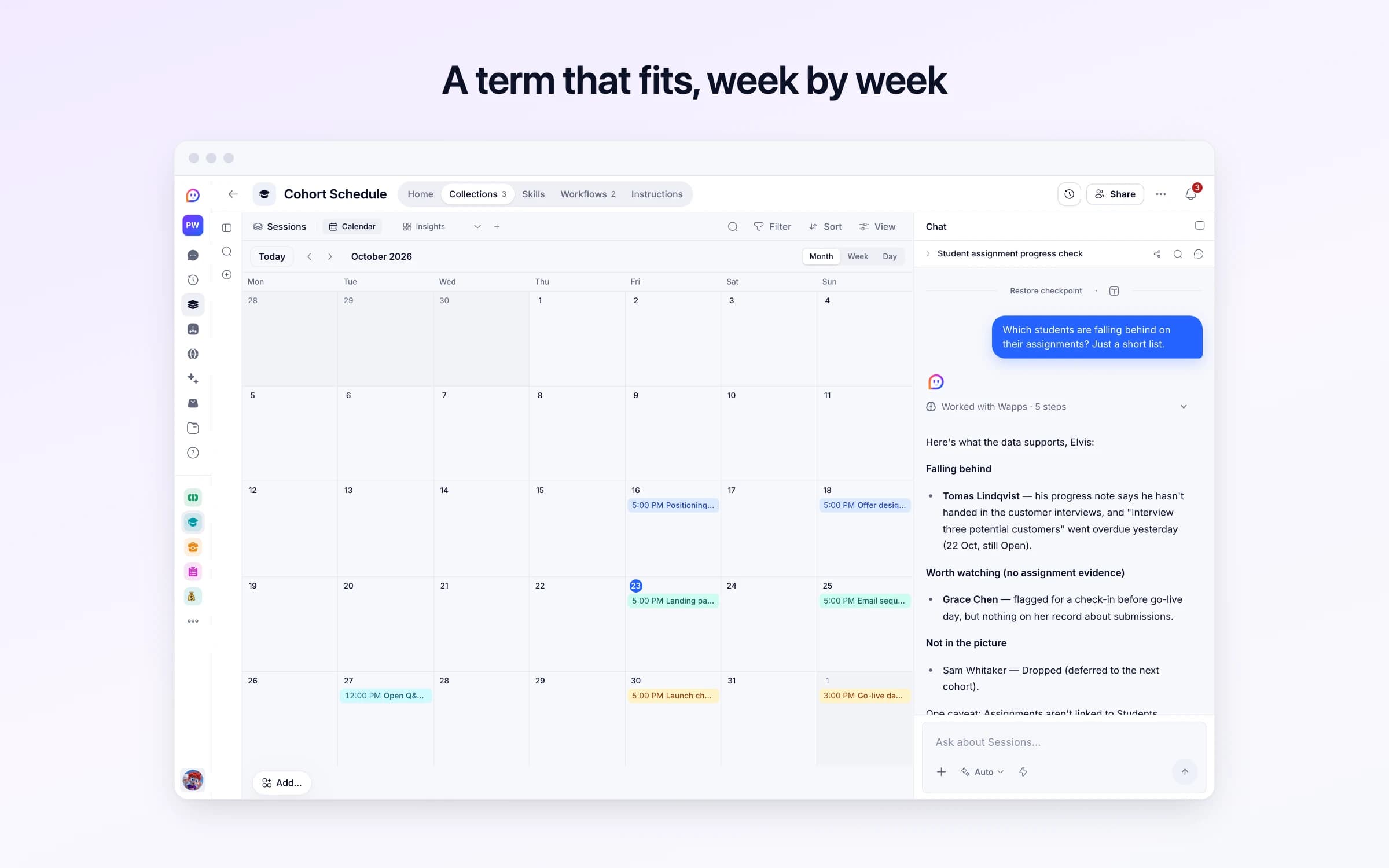
Classes are kept as Sessions, each with a title, a module, a start time, a length, an outline and, once it's run, a recording link, on a month calendar coloured by module. Turn on the calendar's feed and students add it to their own calendar once, so a moved class reaches them without an announcement.
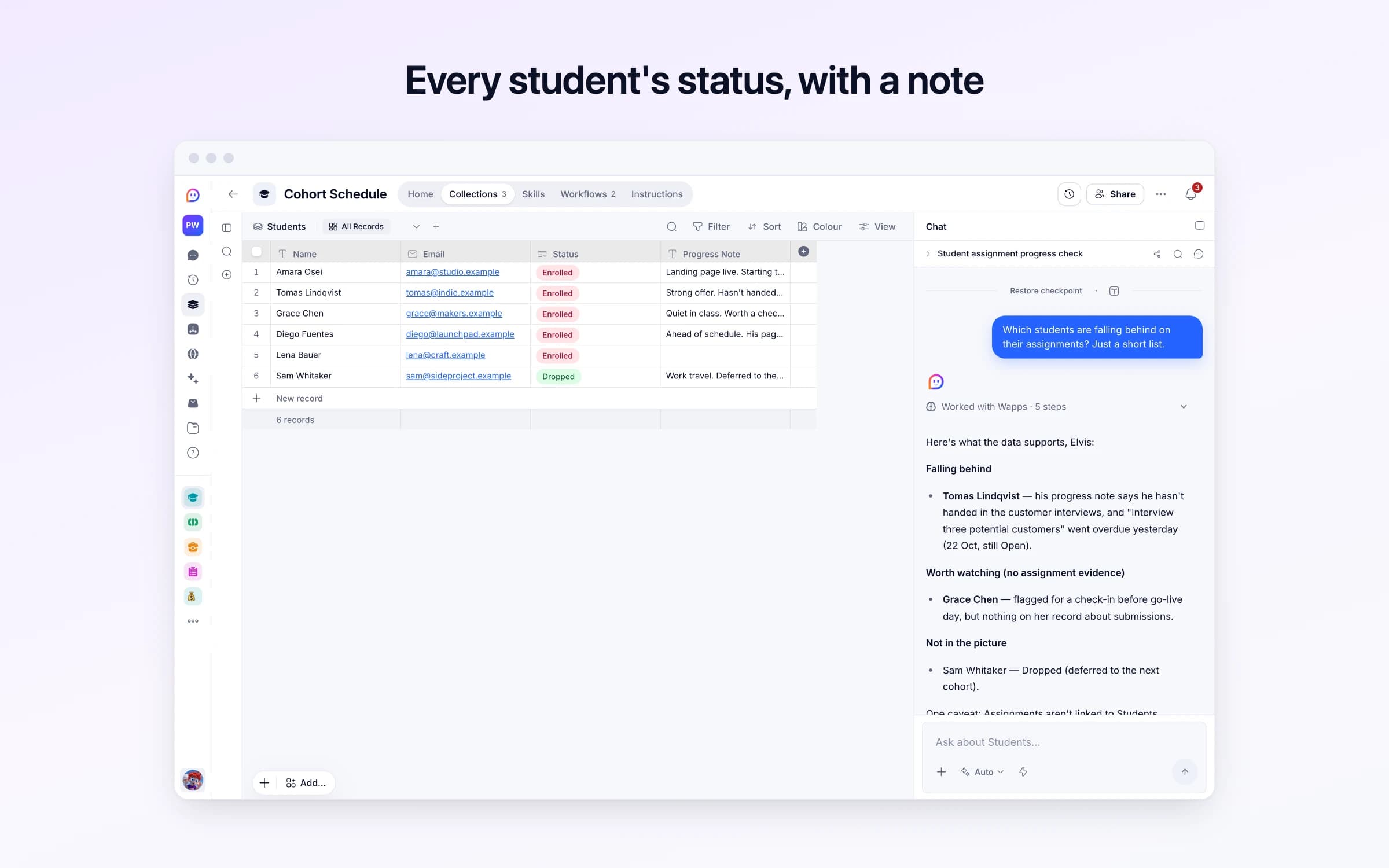
Students are listed with their email, their status (Enrolled, Completed or Dropped) and a progress note: the thing worth knowing before you next speak to them. Someone who drops keeps their history rather than being deleted. Assignments belong to the class they follow, with a due date, instructions and whether they're still open.
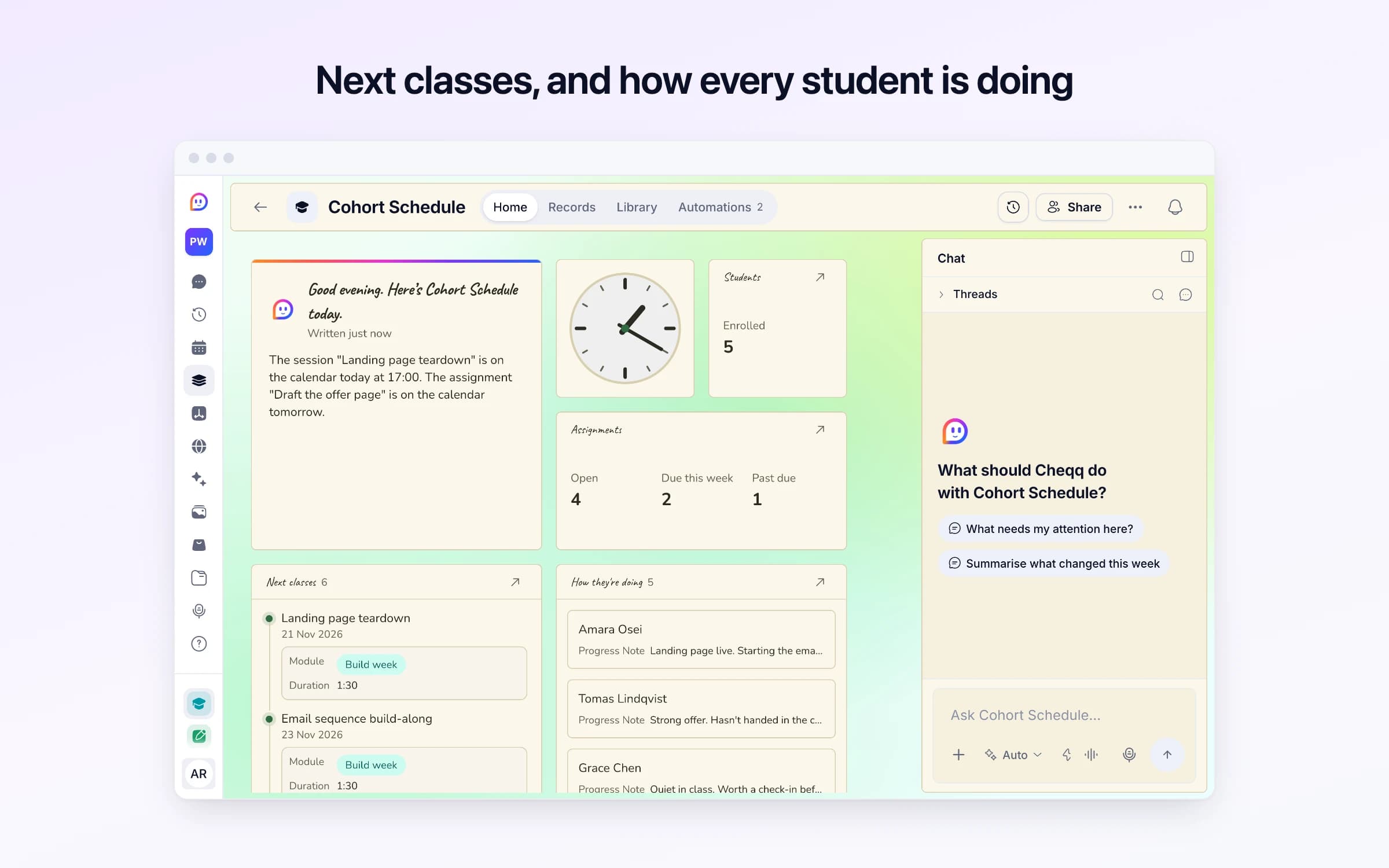
At 8 on a class day, you get the day's classes with their outlines and how long until each starts, plus the assignments due by tomorrow, so you walk in knowing what students should have finished. A day without a class sends nothing.
Every morning at 7, open assignments past their due date are closed and named, what's due next is flagged for the reminder you post where your cohort talks, and the week's classes still to mark Done or missing a recording link are listed. When all is in order, you hear nothing. Getting started on its Home takes you from setting out your classes to sharing the calendar with your students.
The class calendar is the home view
Classes sit on a month calendar by module. Turn on its feed and students subscribe once, so every reschedule reaches their own calendar.
Class days brief themselves
At 8 on a class day, you get the day's classes with their outlines, and which assignments students should have finished by tomorrow.
Deadlines close on their own
Every morning at 7, assignments past due are closed out, what's due next is flagged for a reminder, and classes missing a recording are named.
The schedule sheet and the announcement post
Students subscribe to the class calendar once, and a change reaches their own calendar.
Student lists across three tools
Enrolment, progress notes, classes, recordings and assignments are in one place.
Policing deadlines by hand
Past-due assignments close each morning, and what's due next is flagged for your reminder.
2 automations, 3 lists of records and 2 documents. Every automation works from the records you keep here, so a change made once is the one they all see.
Everything it reads and writes is yours to open: each list as your copy starts it, with sample records you can clear in one go.
| Title | Module | Starts At | Duration | Status |
|---|---|---|---|---|
Positioning: who is this for? | Foundations | 7 days ago, 5:00 PM | 1:30 | Done |
Offer design workshop | Foundations | 5 days ago, 5:00 PM | 1:30 | Done |
Landing page teardown | Build week | Today, 5:00 PM | 1:30 | Scheduled |
Email sequence build-along | Build week | In 2 days, 5:00 PM | 1:30 | Scheduled |
Open Q&A: pricing objections | Q&A | In 4 days, 12:00 PM | 1:00 | Scheduled |
Launch checklist walkthrough | Launch week | In 7 days, 5:00 PM | 1:30 | Scheduled |
| Name | Status | Progress Note | |
|---|---|---|---|
Amara Osei | amara@studio.example | Enrolled | Landing page live. Starting the email sequence. |
Tomas Lindqvist | tomas@indie.example | Enrolled | Strong offer. Hasn't handed in the customer interviews. |
Grace Chen | grace@makers.example | Enrolled | Quiet in class. Worth a check-in before go-live day. |
Diego Fuentes | diego@launchpad.example | Enrolled | Ahead of schedule. His page is one of today's teardowns. |
Lena Bauer | lena@craft.example | Enrolled | Empty |
Sam Whitaker | sam@sideproject.example | Dropped | Work travel. Deferred to the next cohort. |
| Title | Session | Due On | Status | Instructions |
|---|---|---|---|---|
Write your one-line positioning | Positioning: who is this for? | 4 days ago | Closed | One sentence: who it's for, the problem it solves, and how it's different. Post it in the community thread. |
Interview three potential customers | Positioning: who is this for? | Yesterday | Open | Three 20-minute calls with people you'd want as customers. Note the words they use for the problem. |
Draft the offer page | Offer design workshop | Tomorrow | Open | One page: promise, proof, price. Post the link in the community thread before the next class. |
Ship the three-email welcome sequence | Email sequence build-along | In 5 days | Open | Three emails, each asking for one thing. Send them to yourself first and read them on your phone. |
Complete the launch checklist | Launch checklist walkthrough | In 8 days | Open | Work through every item on the launch checklist and mark what's still open for go-live day. |
How Cohort Schedule works
What's in it, the class-day brief and the morning deadline check, sharing the class calendar, and your first week.
Class checklist
What to do the day before, during and after each live class, from the joining link to the recording.
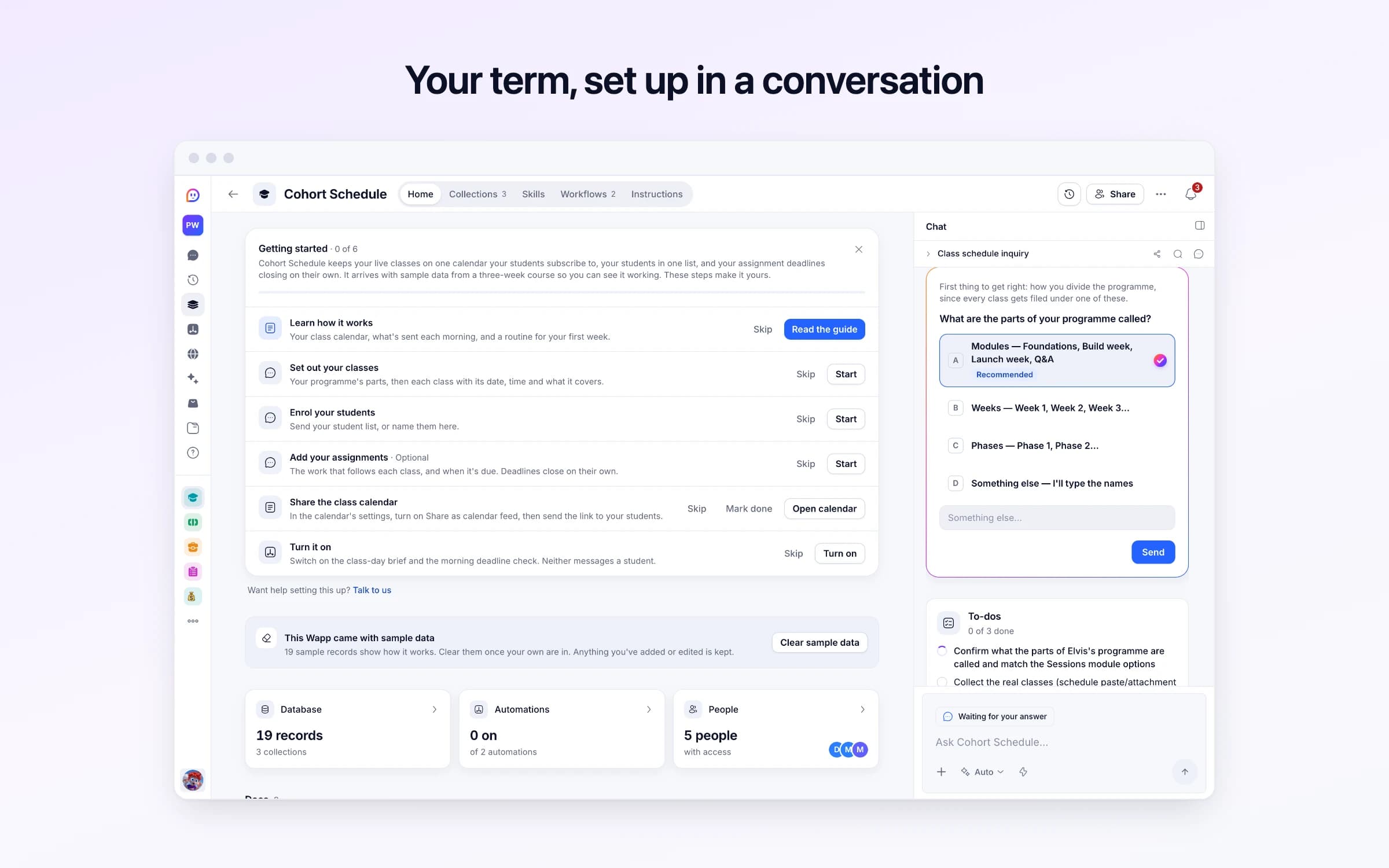
Cohort Schedule keeps your live classes on one calendar your students subscribe to, your students in one list, and your assignment deadlines closing on their own. It arrives with sample data from a three-week course so you can see it working. These steps make it yours.
Learn how it works
Your class calendar, what's sent each morning, and a routine for your first week.
Set out your classes
Your programme's parts, then each class with its date, time and what it covers.
Enrol your students
Send your student list, or name them here.
Add your assignments
The work that follows each class, and when it's due. Deadlines close on their own.
Share the class calendar
In the calendar's settings, turn on Share as calendar feed, then send the link to your students.
Turn it on
Switch on the class-day brief and the morning deadline check. Neither messages a student.
Through a calendar feed. Turn on Share as calendar feed for the Sessions calendar, send the link, and students add it to their own calendar app without a Cheqq account. Changes reach them when their calendar app next checks the feed. Anyone with the link can see the classes, so share it only with your cohort.
No. The class-day brief and the morning deadline check come to you, and what's due next is flagged so you can post the reminder where your cohort talks.
The morning after its due date, the assignment is marked Closed and named in the summary. Nothing is sent to students, and you can reopen it by setting it back to Open.
No. Assignments track what's due and whether it's still open; students hand work in wherever you already collect it.
On the class itself. Once a class has run, mark it Done and paste in the recording link, or ask Cheqq to do both. The 7 o'clock check names any class from the week still missing one.
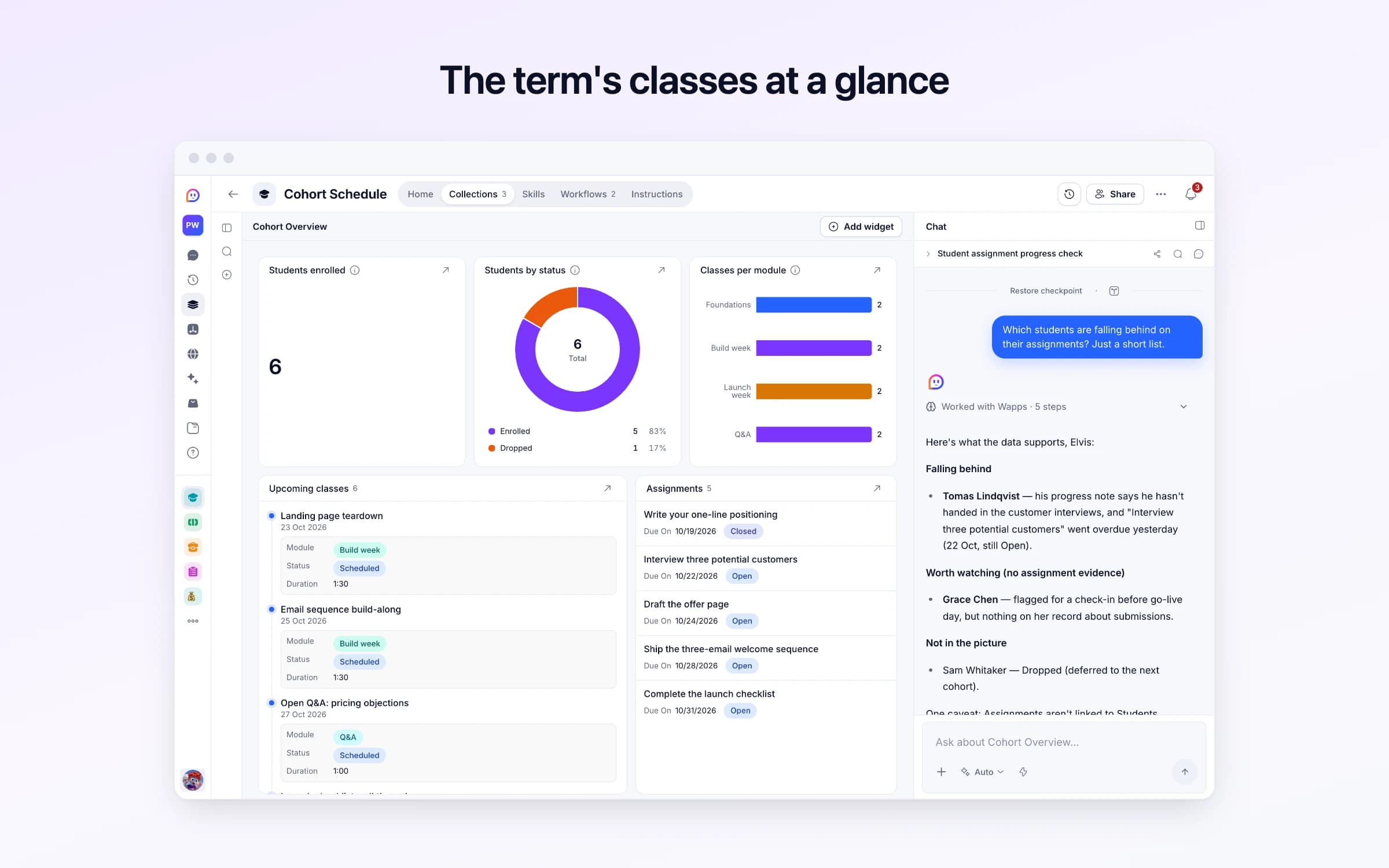
How many students you have and how they split by status, how many classes each module has, the classes coming up, and every assignment with its due date and status.
As installed, it holds one cohort at a time. Ask Cheqq to add a Cohort field to classes, students and assignments, then filter each view by it.
Yes. Foundations, Build week, Launch week and Q&A come ready, each with its own colour on the calendar. Rename them, add more or remove the ones you don't teach, yourself or by asking Cheqq.
None of its 13 automation steps calls a model, so running it draws no AI credits. Asking Cheqq to do something does, like any chat.
Action items pulled out of threads and onto one board
Every bug report and idea filed, sorted and thanked
Meeting notes turned into decisions and owned actions
You get your own copy: your own records and automations. Change any part of it. Or we'll set it up with you.
Free to start