Project Manager
Action items pulled out of threads and onto one board
Free to start
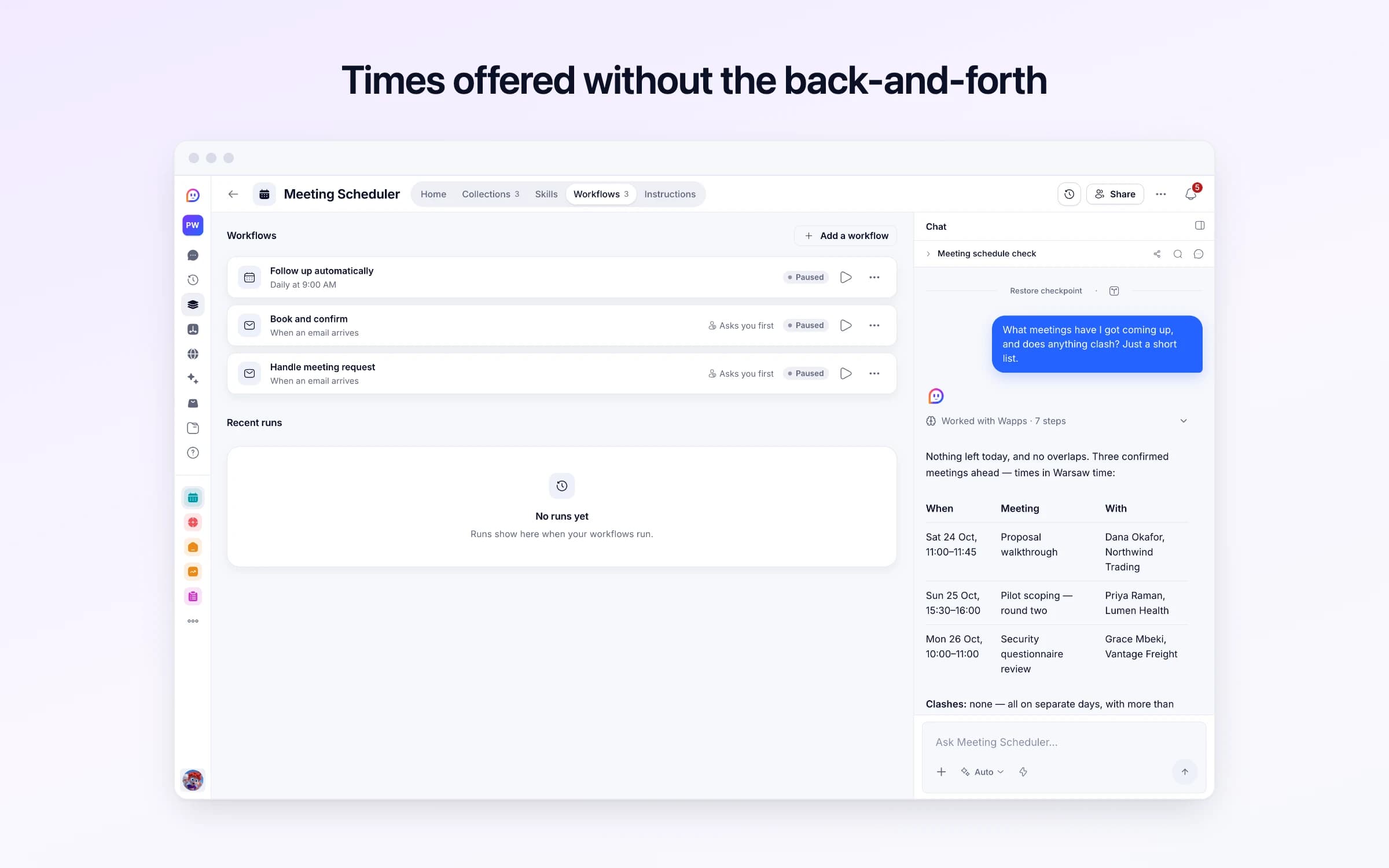
The routine part, done whether or not you're at your desk.
When an email arrives
Handle meeting request
Asks you firstWhen someone asks to meet, offers them times that fit your booking rules and your calendar, and saves the meeting as Proposed. The email goes once you approve it, unless you turned checking off.
When an email arrives
Book and confirm
Asks you firstWhen someone answers the times you offered, books the slot they picked and confirms it, or answers a request for other times, a decline or an unclear reply. Each answer goes once you approve it, unless you turned checking off.
Daily at 9:00 AM
Follow up automatically
Runs on its ownEach morning, when meetings are still waiting on a reply, a note of who to nudge so nothing stalls.
Talk to it the way you'd ask a colleague. It answers from what it has on record, and makes a change when you ask for one.
People email your scheduling address, or you copy it in, and Cheqq offers two or three times that fit your booking rules and clash with nothing already booked. When they pick one, the meeting is on your calendar as Confirmed, and every email waits for your approval until you say it needn't.
Someone writes asking for a call next week. You open your calendar, find three gaps, type them out and work out what 2pm is where they are. They reply two days later with a fourth time, and by then one of yours has gone.
Two people are offered the same Thursday slot, because the offers live in your sent mail and not on your calendar. A request that said “sometime next week” sits unanswered while you wait to be sure, and nobody follows up the proposals that went quiet.
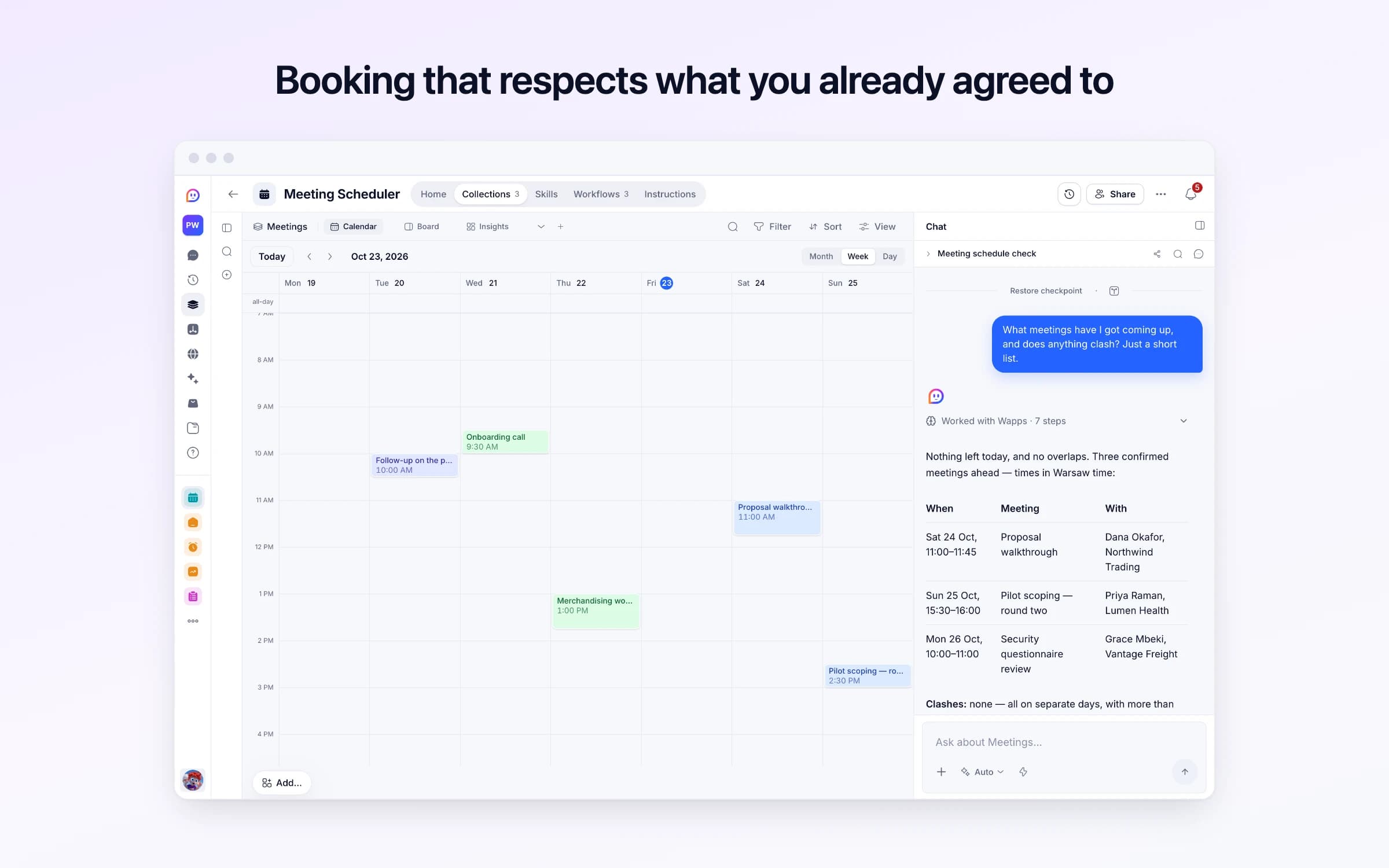
Your booking rules say when you meet: your timezone, the days and hours you take meetings, how long one usually runs, the gap you keep between them, how much notice you need and where you meet. When a request reaches your scheduling address, Cheqq checks it's really asking to meet, then picks two or three slots in the next ten days that fit those rules and overlap nothing already booked or on offer to someone else.
The reply offering those times is written in the same thread, with the timezone spelled out, and waits for your approval. The meeting is saved as Proposed with the times offered, and someone writing for the first time is added to your contacts. If Cheqq can't confirm the email really came from the address it shows, no times go and nobody is added: you're told instead, and the times it would offer are on the meeting for you to send yourself.
When they answer, a clear pick books the slot. It goes on your week calendar as Confirmed, and a confirmation restating the date, time, timezone and place is written for you to approve. A request for other times keeps the meeting Proposed and asks which days suit them better, a no marks it Declined with a friendly reply, and an unclear answer gets one short question back asking which time they mean.
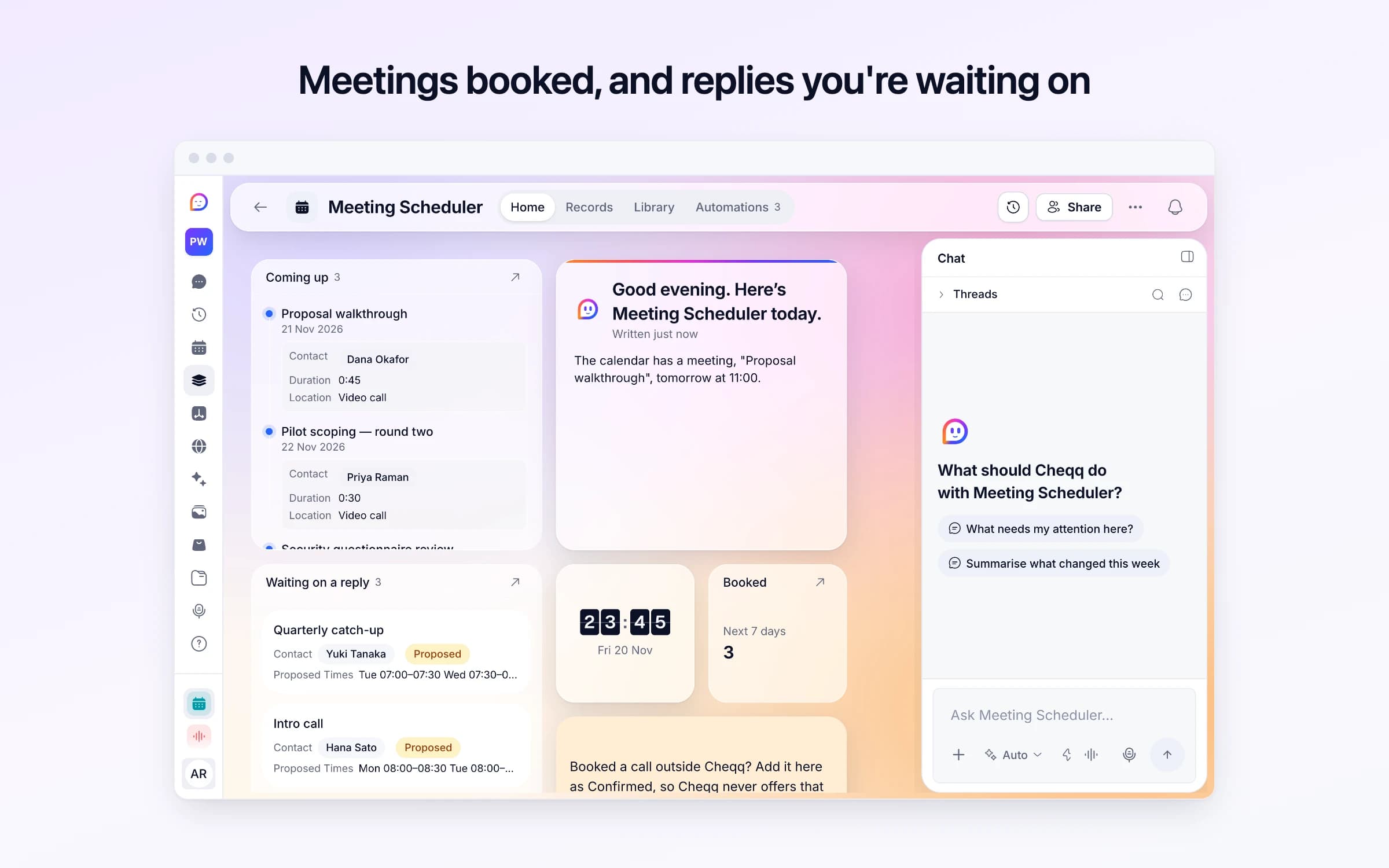
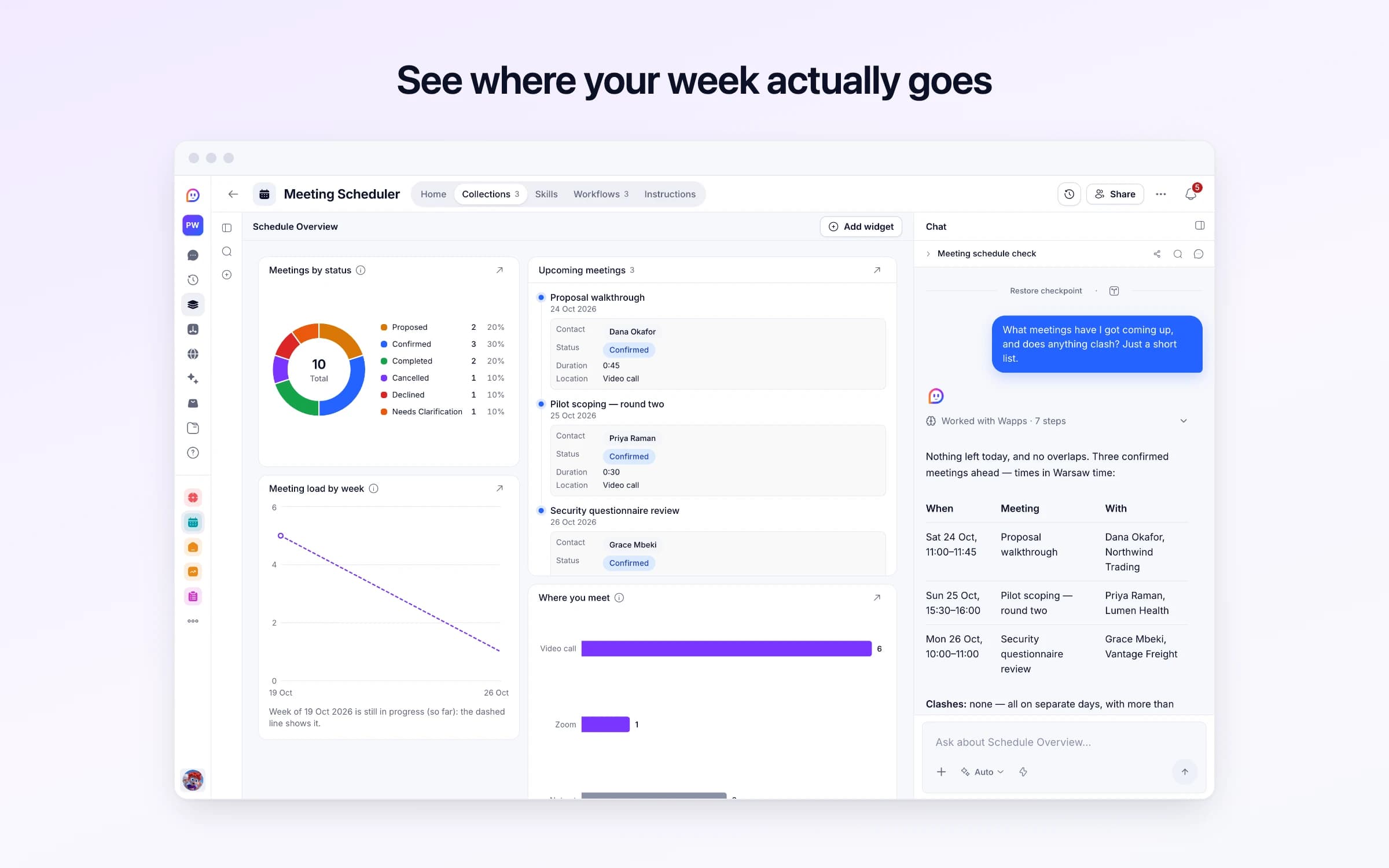
Each morning at 9, if meetings are still waiting on a reply, you get a note of who to nudge and the times they were offered. Its Home shows what's coming up, who's still to answer and what's booked for the week ahead, and the Schedule Overview dashboard charts meetings by status, your meeting load by week and where you meet.
Someone asks to meet
They email your scheduling address, or you copy it in on the thread. Cheqq checks it's really a request to meet; anything else is flagged to you, with no reply sent.
Times that fit, offered in the thread
Two or three slots in the next ten days, inside your working days and hours, with the notice and the gap you set, clear of every meeting booked or still on offer. The reply goes once you approve it.
Their answer books it
When they pick a time, the meeting goes on your calendar as Confirmed and a confirmation is written. A request for other times, a no or an unclear reply each gets its own answer, and each morning at 9 you hear who's still waiting.
The back-and-forth email
One reply offers times that already fit, and their answer books the meeting in the same thread.
Booking links like Calendly
If people email to ask for a time and you'd rather answer in the thread than send a link, it offers times and books them without another subscription. It doesn't give you a booking page.
Offers kept in your sent mail
Every proposal is saved with the times offered, so a time on offer to one person is left out of the next offer.
3 automations and 3 lists of records. Every automation works from the records you keep here, so a change made once is the one they all see.
Everything it reads and writes is yours to open: each list as your copy starts it, with sample records you can clear in one go.
| Name | Working Hours | Working Days | Timezone | Meeting Length Min |
|---|---|---|---|---|
Default availability | 09:00-17:00 | Mon-Fri | UTC | 30 |
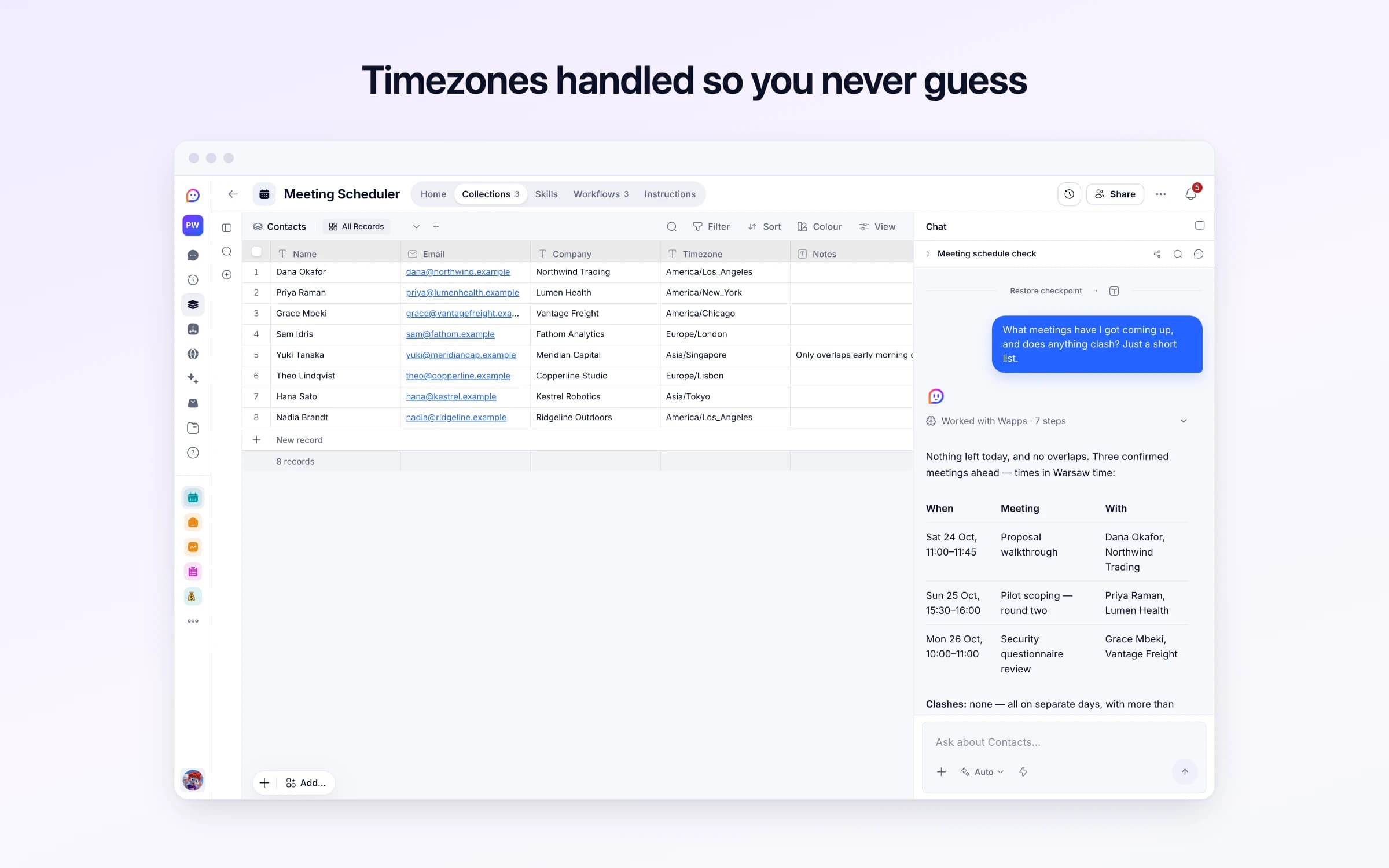
| Name | Company | Timezone | Notes | |
|---|---|---|---|---|
Dana Okafor | dana@northwind.example | Northwind Trading | America/Los_Angeles | Empty |
Priya Raman | priya@lumenhealth.example | Lumen Health | America/New_York | Empty |
Grace Mbeki | grace@vantagefreight.example | Vantage Freight | America/Chicago | Empty |
Sam Idris | sam@fathom.example | Fathom Analytics | Europe/London | Empty |
Yuki Tanaka | yuki@meridiancap.example | Meridian Capital | Asia/Singapore | Only overlaps early morning our time. Offer 07:00–09:00. |
Theo Lindqvist | theo@copperline.example | Copperline Studio | Europe/Lisbon | Empty |
| Title | Contact | Requester Email | Status | Proposed Times |
|---|---|---|---|---|
Proposal walkthrough | Dana Okafor | dana@northwind.example | Confirmed | Empty |
Pilot scoping — round two | Priya Raman | priya@lumenhealth.example | Confirmed | Empty |
Security questionnaire review | Grace Mbeki | grace@vantagefreight.example | Confirmed | Empty |
Quarterly catch-up | Yuki Tanaka | yuki@meridiancap.example | Proposed | Tue 07:00–07:30 Wed 07:30–08:00 Thu 07:00–07:30 |
Intro call | Hana Sato | hana@kestrel.example | Proposed | Mon 08:00–08:30 Tue 08:00–08:30 |
Annual pricing discussion | Theo Lindqvist | theo@copperline.example | Needs Clarification | Empty |
Meeting Scheduler answers meeting requests sent to your scheduling address. It offers times that fit your booking rules and what's already on your calendar, then books the one they pick. It arrives with sample meetings so you can see how it works.
Set your booking rules
Your timezone, the days and hours you meet, and how long meetings run.
Choose whether emails wait for you
Approve each email before it goes, or let times and confirmations go straight away.
Share your scheduling address
Where people send meeting requests, and how to copy it in on a thread.
Turn it on
Switch on its automations. Emails wait for your approval unless you turned checking off.
By email. The template comes with its own scheduling address in Cheqq: give it out, or copy it in on a thread when someone asks to meet. A request you forward from your own inbox is saved, but Cheqq can't confirm who it came from, so it won't email that person and tells you instead.
No. It works from your booking rules and the meetings it holds, so there's nothing to connect. Booked a call somewhere else? Add it here as Confirmed, and that time is never offered to anyone.
Yes, you do. Every email it writes, whether the times it offers, a confirmation, or an answer to a no or an unclear reply, waits for your approval. Untick Check replies in Booking Rules to let them go as soon as they're written; getting started suggests keeping it on until you've seen a week of them.
The meeting stays Proposed and a short reply asks which days and times suit them better. Nothing is booked unless Cheqq read a real time, still ahead, from their answer: when it can't tell which time they picked, it tells you, and the reply is yours to write.
Yours, from your booking rules, and every offer names the timezone in full so the other person can work out their own. Getting started asks for your timezone before anything else, so the first offer is right.
No. Put the link you always use, or an address, in your booking rules as where you meet, and each meeting and its confirmation carry it. Each meeting keeps its own place, so you can change one without changing the rest.
They get a confirmation email in the same thread, restating the date, time, timezone and where to meet. It's a plain email rather than a calendar invitation, so they add it to their own calendar.
5 of its 43 automation steps use AI, and draw AI credits each time they run: how many depends on the model you pick for the step. The other steps are fixed and draw none.
Action items pulled out of threads and onto one board
Every bug report and idea filed, sorted and thanked
Meeting notes turned into decisions and owned actions
You get your own copy: your own records and automations. Change any part of it. Or we'll set it up with you.
Free to start