Lead Inbox
Every enquiry on one board, with a reply ready as it arrives
Free to start · Invites go out in batches
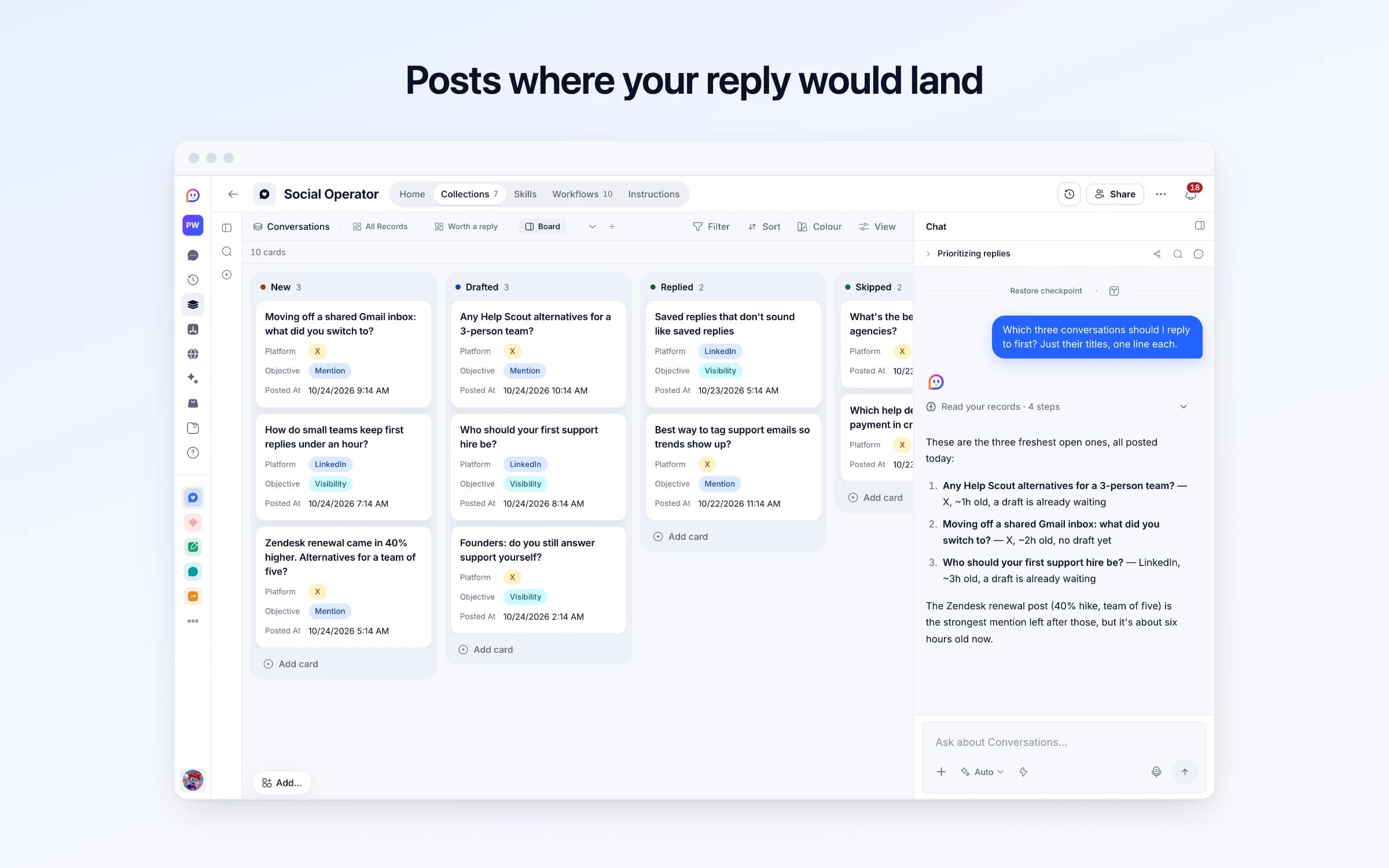
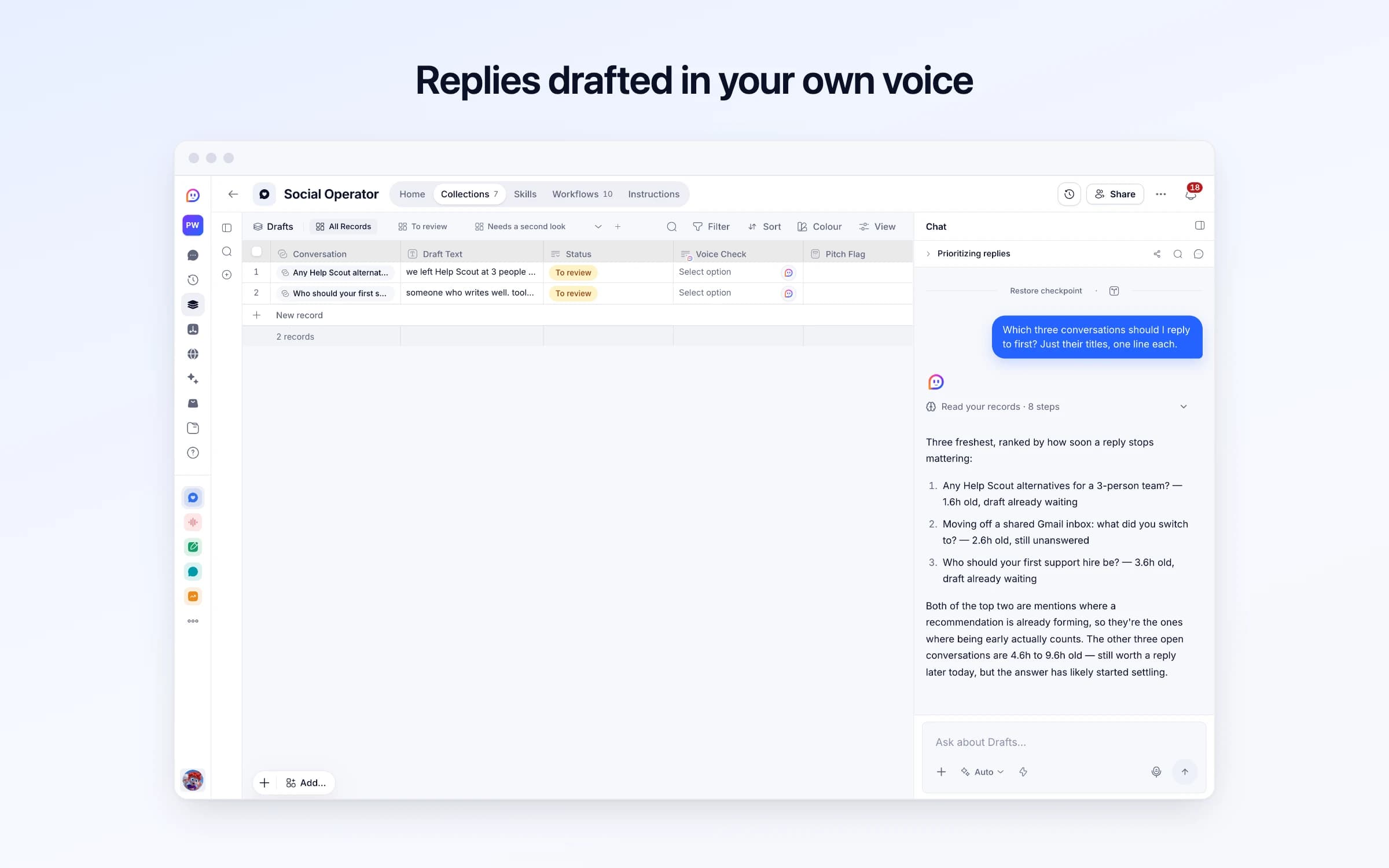
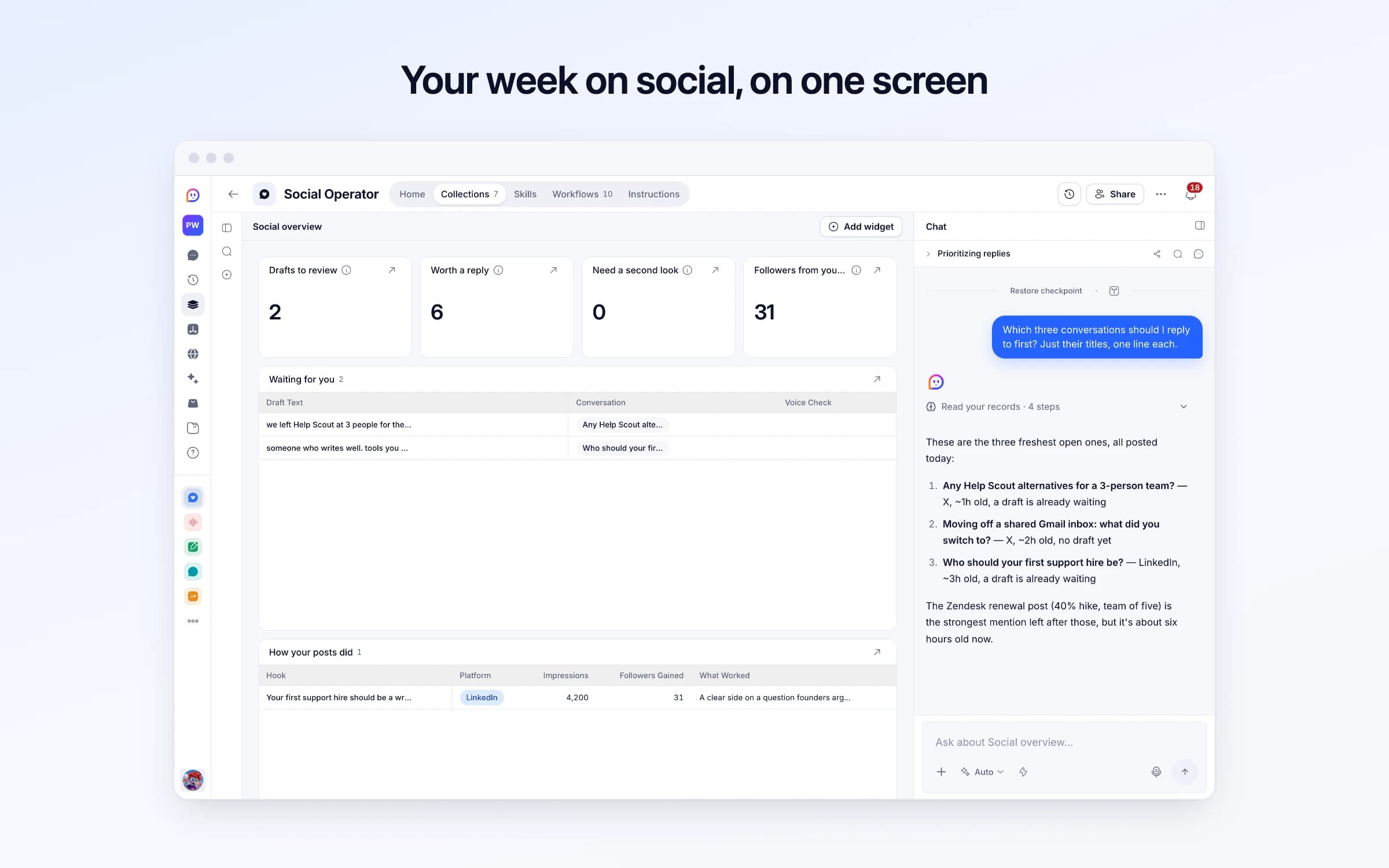
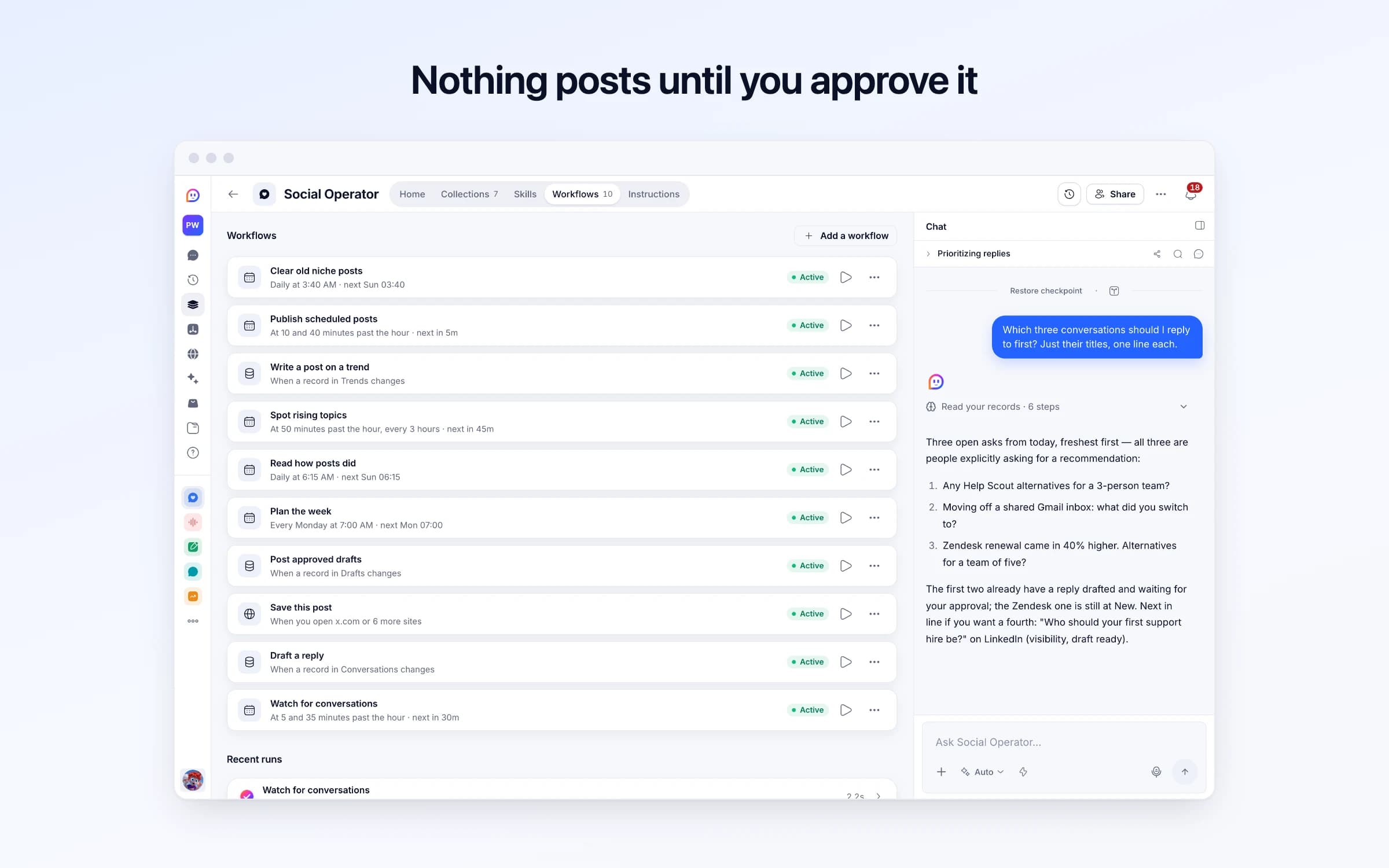
7 lists of records, 10 automations and 2 documents. Every automation works from the records you keep here, so a change made once is the one they all see.
Every list as your copy starts it: its fields, and sample records you can clear in one go.
| Name | Platforms | Product Description | Value Props | Voice Samples |
|---|---|---|---|---|
Sample: Loopdesk | XLinkedIn | Loopdesk is a shared inbox for support teams of two to ten people: every customer email, chat and form in one queue, with owners and due times. | Set up in an afternoon. Priced per inbox, not per seat. No ticket numbers in replies. | we moved support out of my inbox last spring and honestly the biggest win was just knowing who owns what Shipped: you can snooze a conversation until the customer replies. Small thing, asked for by 3 of you this month. Hot take, your first support hire should be a writer, not a support person. |
| Name | Platform | Kind | Status | Query Or Url |
|---|---|---|---|---|
People looking for a shared inbox | X | Search | Active | "shared inbox" OR "help desk" (recommend OR alternative OR "what do you use") |
Founders who post about support | X | List, group or community | Active | https://x.com/i/lists/sample-support-founders |
Support leads asking about tools | LinkedIn | Search | Active | support tool recommendation small team |
| Title | Platform | Author | Posted At | Objective |
|---|---|---|---|---|
Any Help Scout alternatives for a 3-person team? | X | @sample_founder | 1 hour ago | Mention |
Who should your first support hire be? | LinkedIn | Sample Founder | 3 hours ago | Visibility |
What's the best CRM for agencies? | X | @sample_agency | 20 hours ago | Empty |
Moving off a shared Gmail inbox: what did you switch to? | X | @sample_studio | 2 hours ago | Mention |
How do small teams keep first replies under an hour? | LinkedIn | Sample Support Lead | 4 hours ago | Visibility |
Zendesk renewal came in 40% higher. Alternatives for a team of five? | X | @sample_saas | 6 hours ago | Mention |
| Conversation | Draft Text | Status | Kind | Project |
|---|---|---|---|---|
Any Help Scout alternatives for a 3-person team? | we left Help Scout at 3 people for the same reason. what we actually needed was one queue and who owns what, everything else went unused. I build Loopdesk, which is roughly that, $29 an inbox rather than per seat | To review | Reply | Sample: Loopdesk |
Who should your first support hire be? | someone who writes well. tools you can teach in a week, but a reply that calms an angry customer is the whole job | To review | Reply | Sample: Loopdesk |
| Hook | Status | Platform | Publish At | Pillar |
|---|---|---|---|---|
Your first support hire should be a writer. | Published | LinkedIn | 6 days ago | Support for tiny teams |
Shipped: snooze until the customer replies. | Drafted | X | In 2 days | Building Loopdesk in public |
| Url | Author | Platform | Posted At | Text |
|---|---|---|---|---|
https://x.com/sample_ops/status/11 | @sample_ops | X | 5 hours ago | Per-seat pricing for support tools is getting wild. We pay for 6 seats so 2 people can answer email. |
https://x.com/sample_cto/status/12 | @sample_cto | X | 3 hours ago | Anyone else hit by the per-seat pricing change? Our support bill doubled overnight. |
https://www.linkedin.com/feed/update/sample-12 | Sample Head of Support | LinkedIn | 2 hours ago | The per-seat pricing change is a good moment to ask what your support stack actually does for you. |
| Topic | Status | Window | People | First Seen |
|---|---|---|---|---|
Per-seat pricing in support tools | New | Opening | 3 | 5 hours ago |
Every automation that starts by itself installs switched off.
Watch for conversations
Runs on its ownThrough your day, looks for new posts where a reply from you would land and sorts out the ones worth it. When there's nothing new, it waits longer before looking again.
Draft a reply
Runs on its ownWhen a conversation is marked for a reply, by the watch or by you, writes one in your voice for you to approve.
Save this post
Runs on its ownFrom the Cheqq Companion on a post you're reading: saves it to Conversations, and a reply is drafted for you to approve.
Post approved drafts
Runs on its ownWhen you set a draft to Approved, posts it from your logged-in browser exactly as written, and marks the conversation replied. Nothing else is ever posted.
Plan the week
Runs on its ownEach Monday, drafts the posts your week is short of, inside your content pillars and in your voice, for you to approve. A week that's already planned costs nothing.
Read how posts did
Runs on its ownEach morning, reads the numbers on last week's published posts and notes what worked, so next week's plan learns from it. A day with nothing to read costs nothing.
Spot rising topics
Runs on its ownEvery few hours, looks at what your niche posted for a topic suddenly picking up, and suggests angles you could post on while it's fresh. When nothing is rising, it stops there.
Write a post on a trend
Runs on its ownWhen you tick Post wanted on a trend, drafts a post on it in your voice for you to approve, and saves the posts driving it as conversations worth a reply.
Publish scheduled posts
Runs on its ownPosts the Own Posts you've set to Scheduled from your logged-in browser, exactly as written, at their publish time. Nothing else is posted.
Clear old niche posts
Runs on its ownEach night, deletes niche posts more than 7 days old: spotting a rising topic only needs the last two days. Conversations, drafts and trends are never touched.
How Social Operator works
How it watches, sorts and drafts, what it never does, and your first week.
Voice and topics brief
What you offer, who you want to reach, what's true and how you write.
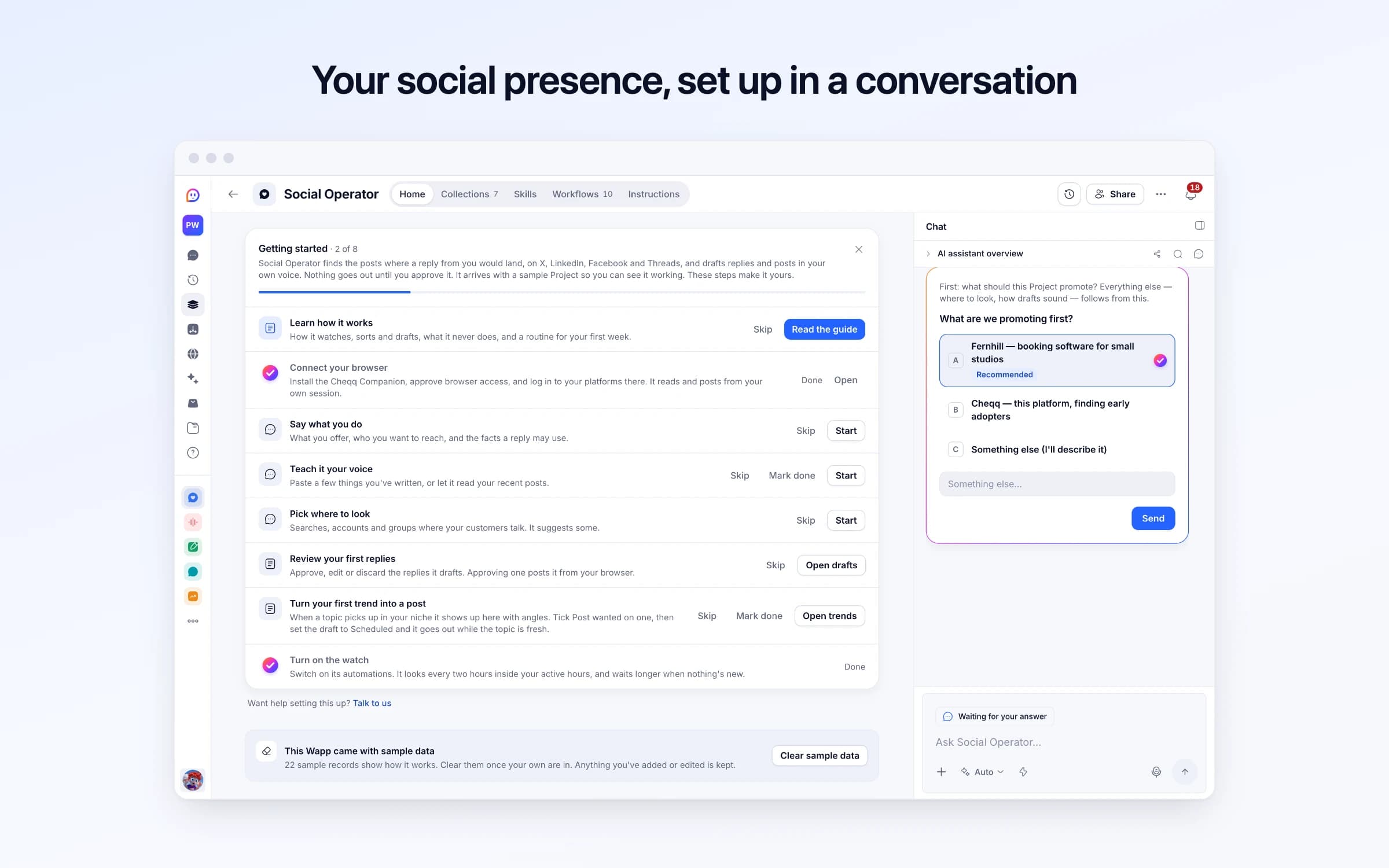
Social Operator finds the posts where a reply from you would land, on X, LinkedIn, Facebook and Threads, and drafts replies and posts in your own voice. Nothing goes out until you approve it. It arrives with a sample Project so you can see it working. These steps make it yours.
Learn how it works
How it watches, sorts and drafts, what it never does, and a routine for your first week.
Connect your browser
Install the Cheqq Companion, approve browser access, and log in to your platforms there. It reads and posts from your own session.
Say what you do
What you offer, who you want to reach, and the facts a reply may use.
Teach it your voice
Paste a few things you've written, or let it read your recent posts.
Pick where to look
Searches, accounts and groups where your customers talk. It suggests some.
Review your first replies
Approve, edit or discard the replies it drafts. Approving one posts it from your browser.
Turn your first trend into a post
When a topic picks up in your niche it shows up here with angles. Tick Post wanted on one, then set the draft to Scheduled and it goes out while the topic is fresh.
Turn on the watch
Switch on its automations. It looks every two hours inside your active hours, and waits longer when nothing's new.
Social Operator reads your searches, accounts and groups on X, LinkedIn, Facebook and Threads newest first, keeps the posts worth a reply, and drafts one in your own voice for each. You approve every reply before it goes out from your account, and each week it plans your own posts and shows which ones earned followers.
A post asking what to use is settled within hours. The feed shows it late, and by the time you've written something, the thread has moved on and your reply sits below the fold.
Showing up early every day on four platforms is a job of its own. So it happens in bursts, the replies sound like a brand rather than a person, and nobody knows which posts brought followers.
You tell it what you offer, who you want to reach, the facts it may use, and paste a few things you've written. Through your day it reads your searches, accounts and groups newest first in your own logged-in browser, keeps the posts young enough to answer, and sorts out the ones worth a reply.
Each one gets a reply written the way you write: short, specific, answering first, naming your product only when someone asked for one. Drafts that read machine-written or pitch where they shouldn't are flagged before you see them. You approve, and it posts from your account.
When nothing's new it looks less often, so a quiet day costs little. Every Monday it drafts the posts your week is short of, and every morning it reads how last week's did, so the next plan does more of what earned followers.
Tell it what you do and how you write
What you offer, who you want to reach, the facts a reply may use, and a few things you've written. Drafts sound like you, not like a brand.
It watches where your customers talk
Through your day it reads your searches, accounts and groups newest first, keeps the posts worth a reply, and waits longer when nothing's new.
You approve, it posts
Each reply waits for you to approve, edit or discard. Approved replies go out from your own account through the Companion extension.
Scrolling four feeds for the right posts
Your searches and groups are read newest first, so the posts worth answering reach you while there's still room to answer.
Paying someone to reply for you
Replies are drafted from your own writing and your own facts, and nothing goes out under your name until you've approved it.
Guessing which posts worked
Each post's numbers are read for you, and the next week's plan learns from the ones that earned followers.
Once it's yours, describe a change the way you'd ask a colleague, and Cheqq makes it.
No. A reply goes out only when you set it to Approved, and it never likes, reposts, follows or sends messages. Posting happens in your own logged-in browser through the Companion extension, so it needs a computer that's awake with the browser open.
X, LinkedIn, Facebook and Threads. Each Project picks its own, and you log in to each one in the browser that has the Companion extension.
Every two hours inside the active hours you set, to start with. When a look finds nothing new, the next one waits twice as long, up to eight hours, and it comes back to your pace after the next find.
They're written from a few things you've written yourself, and use only the facts you gave it. Each draft is checked for whether it reads machine-written before you see it.
Very little on a quiet day. It checks whether there's anything new before doing any real work, so a look that finds nothing costs almost nothing, and the next one waits longer. It writes replies only for the posts worth one, a few at a time.
No. Your installed operator keeps working and keeps getting fixes. Social Operator does the same work for all four platforms from one place, with the voice and the second look built in, so it's the one to install from now on.
Every enquiry on one board, with a reply ready as it arrives
Every inbound lead scored, answered and kept on file
Keeping in touch with the people who matter, on purpose
You get your own copy: your own records and automations. Change any part of it. Or we'll set it up with you.
Free to start · Invites go out in batches