Restaurant
Every booking confirmed, every guest reminded, the menu up to date
Free to start
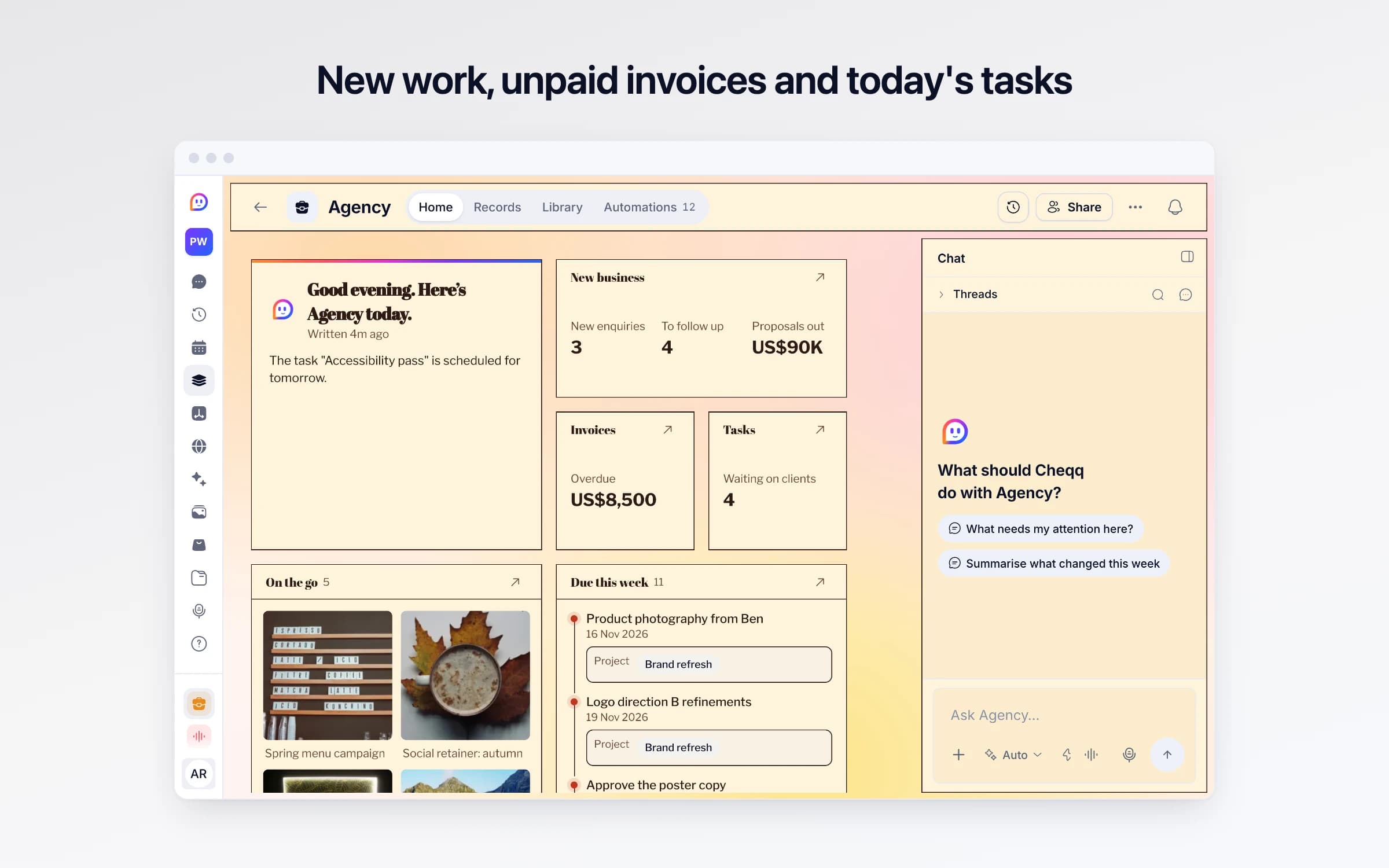
The routine part, done whether or not you're at your desk.
From Start a project
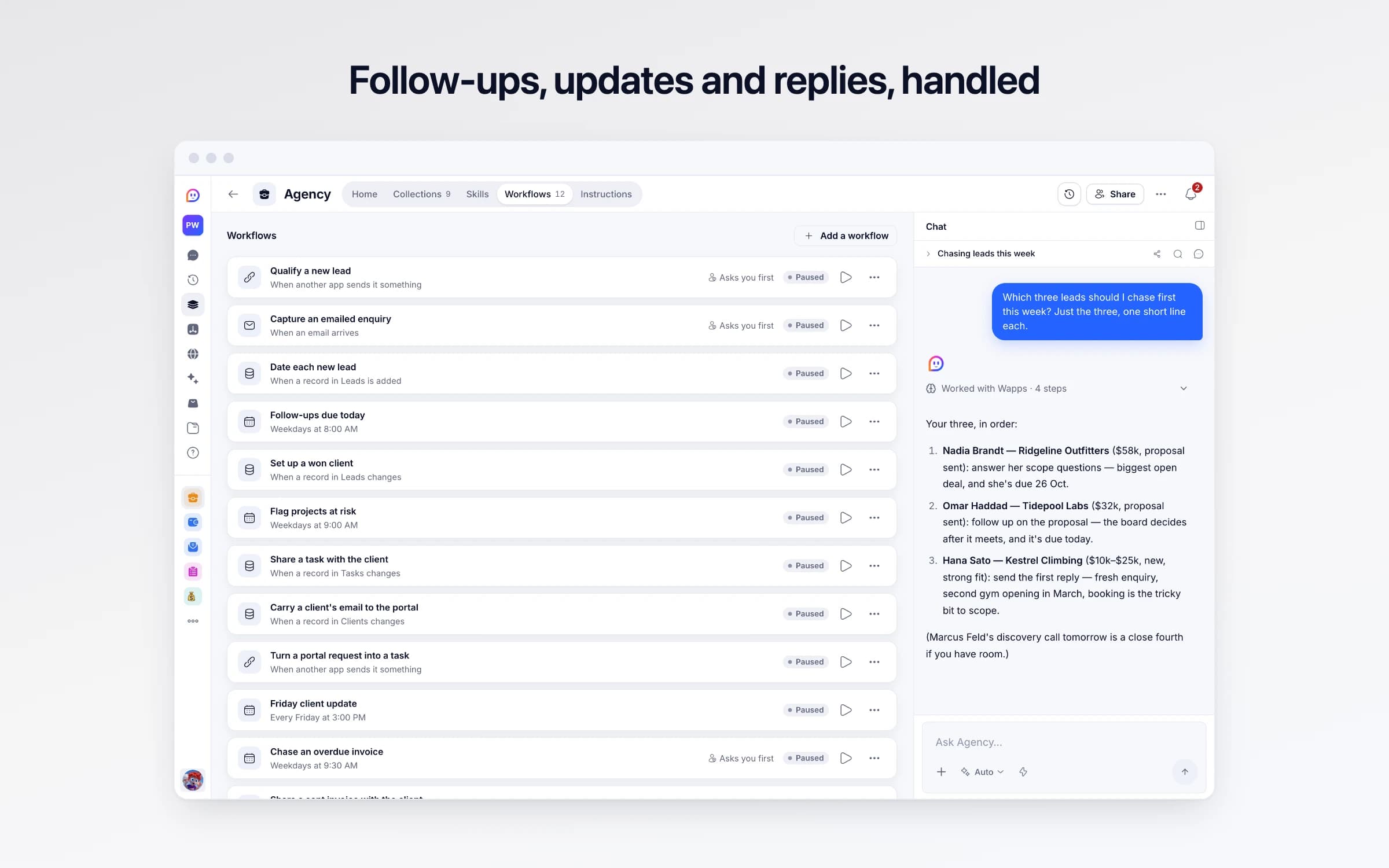
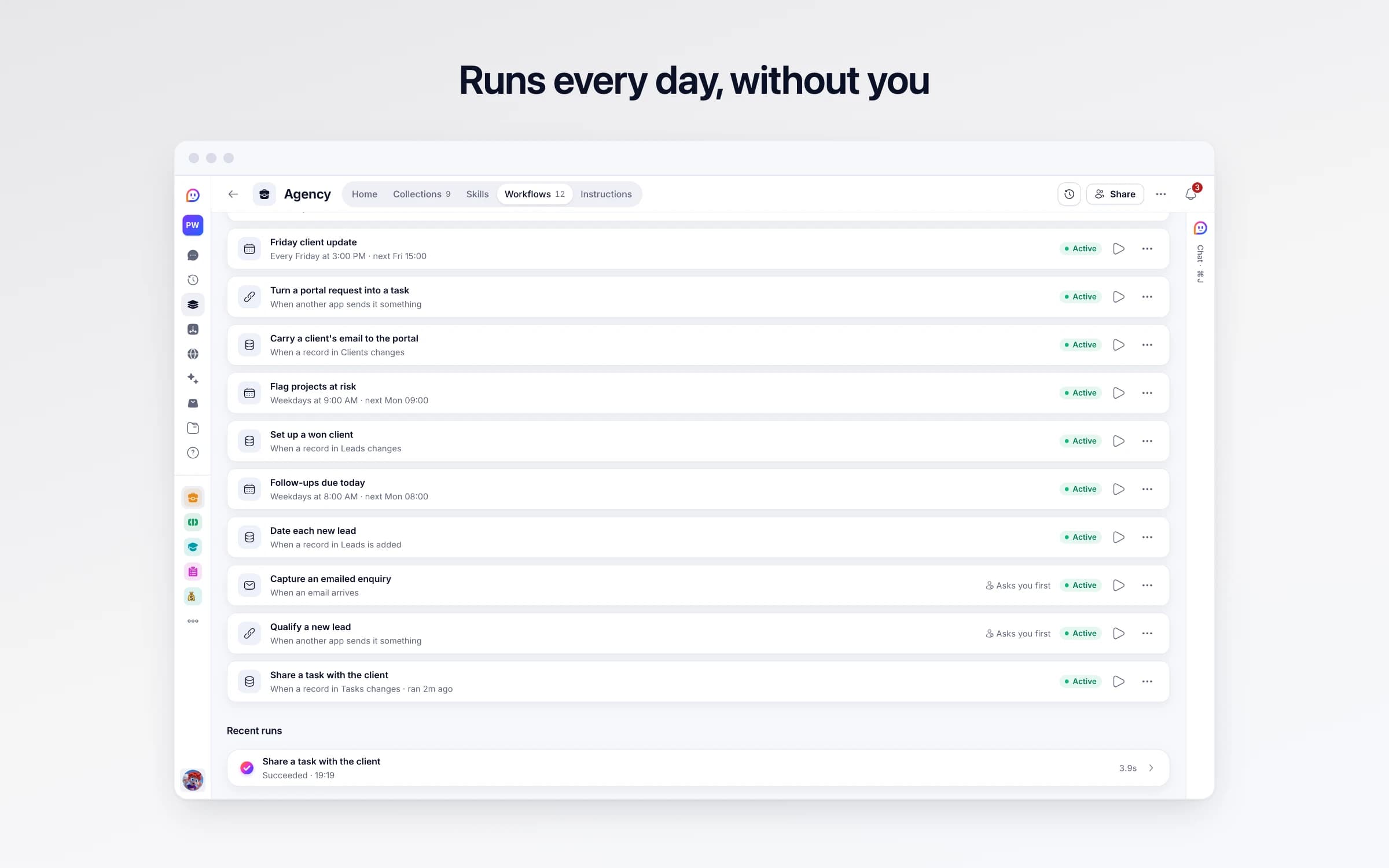
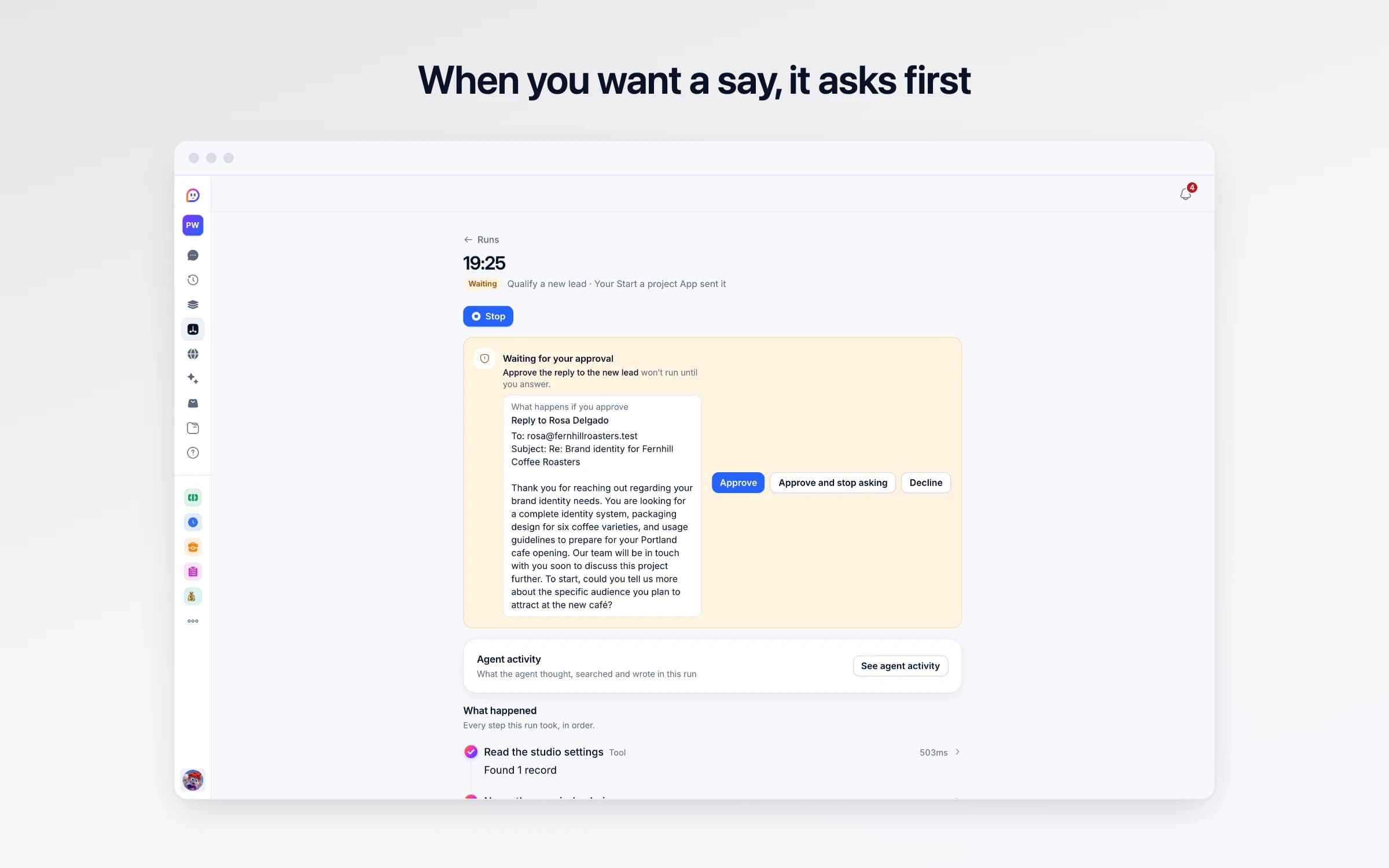
Qualify a new lead
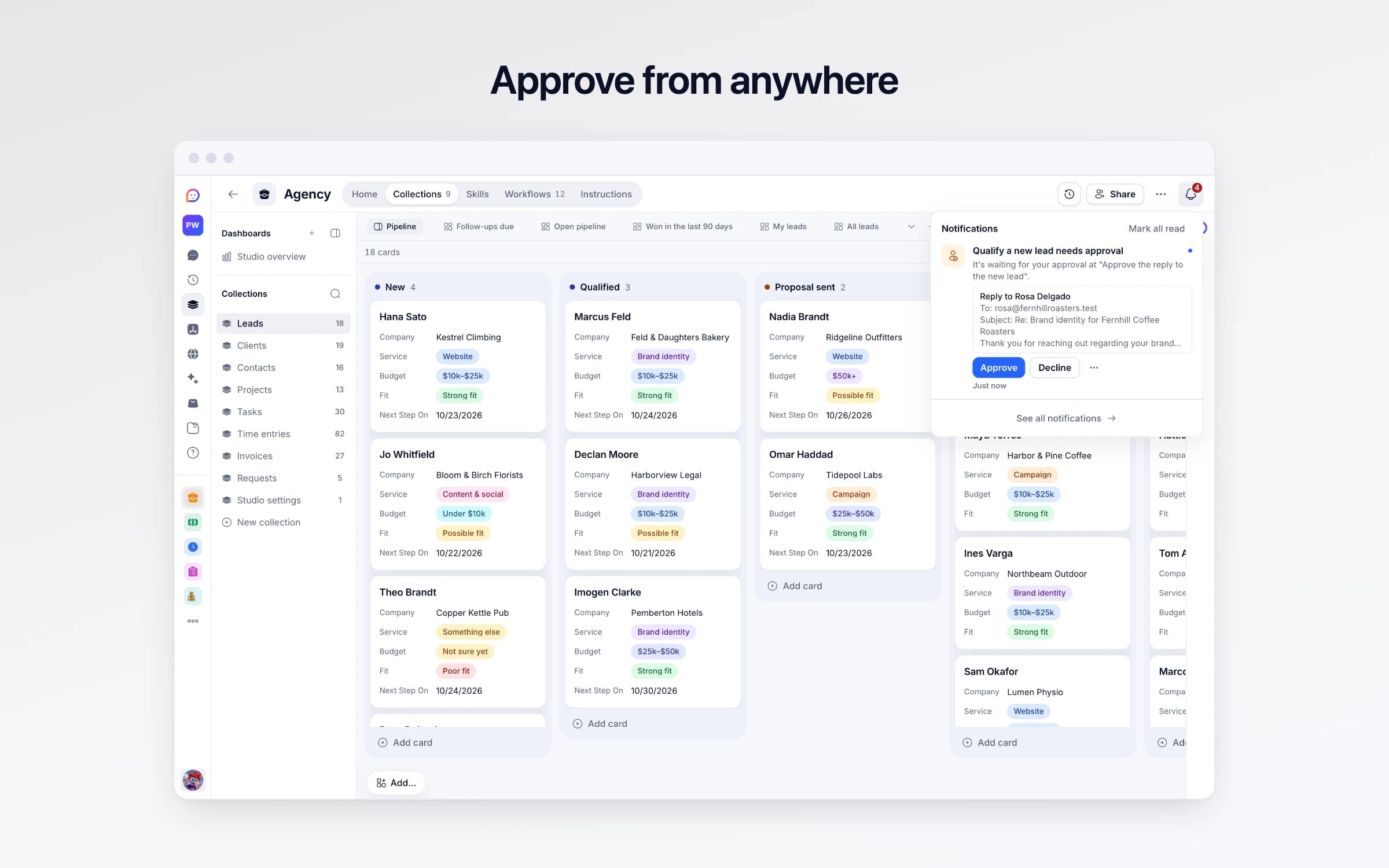
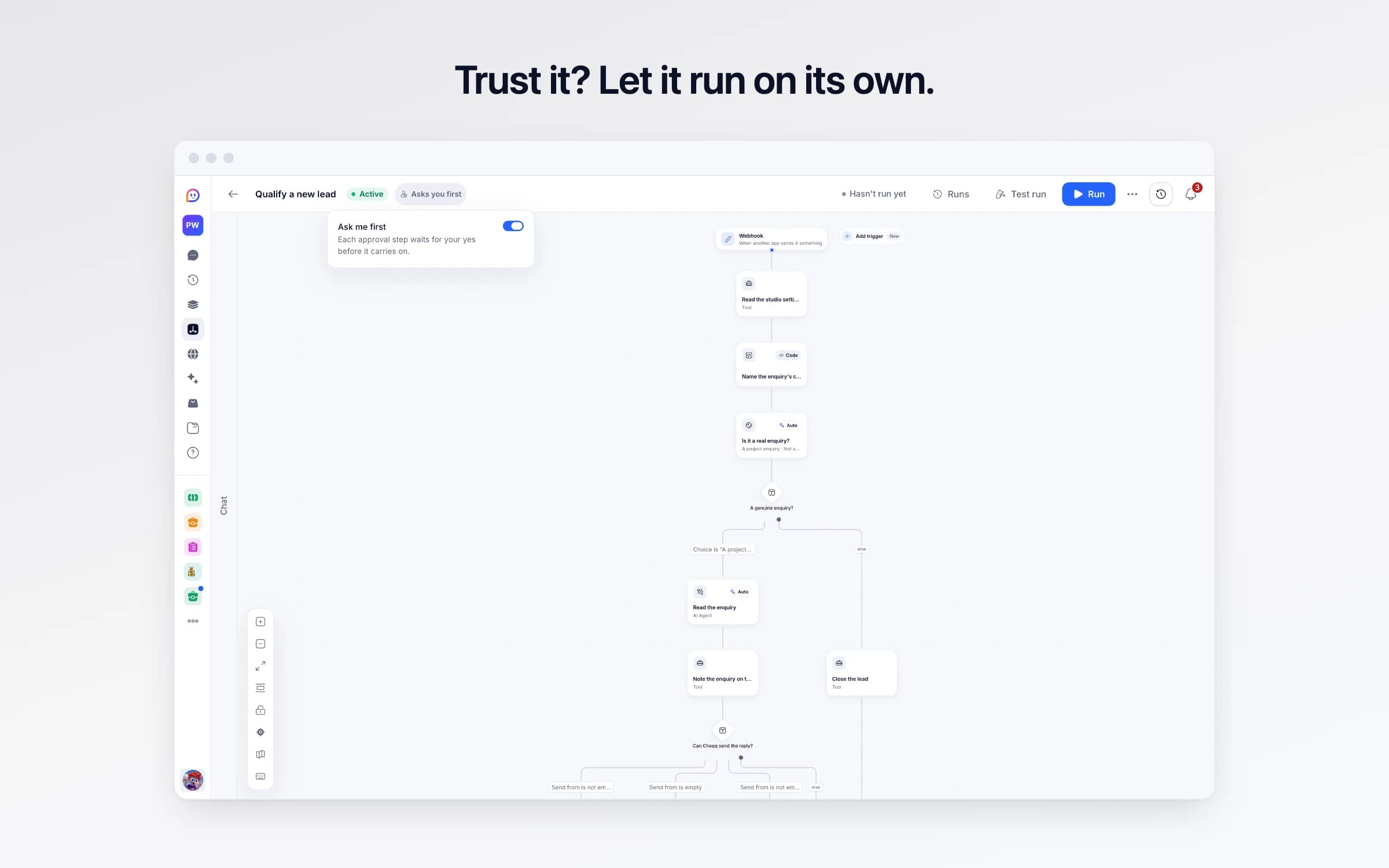
Asks you firstWhen someone sends the Start a project form, Cheqq sums up what they need and drafts a reply, then asks you before it sends it.
When an email arrives
Capture an emailed enquiry
Asks you firstEmail or forward an enquiry to your studio's Cheqq address and it lands in Leads with a reply drafted for your approval. Mail from a client is passed to you instead.
When a record in Leads is added
Date each new lead
Runs on its ownWhen a lead comes in, from your form, your email or added by hand, Cheqq notes the day, so your dashboard can show how your pipeline is growing.
Weekdays at 8:00 AM
Follow-ups due today
Runs on its ownEach weekday morning, a digest of the leads whose next step is due, and the open ones that have no next step at all.
When a record in Leads changes
Set up a won client
Asks you firstWhen you mark a lead Won, Cheqq starts a first project from their brief, under the client you chose on the lead or a new one in Clients. When their email matches a client you already have, it asks you whether it's the same client or someone new, and asks your team too if nobody answers within a day.
Weekdays at 9:00 AM
Flag projects at risk
Runs on its ownEach weekday morning, finds projects with late tasks, marks them At risk and tells the team. It also checks every project and shared task shows in the right client's portal.
When a record in Tasks changes
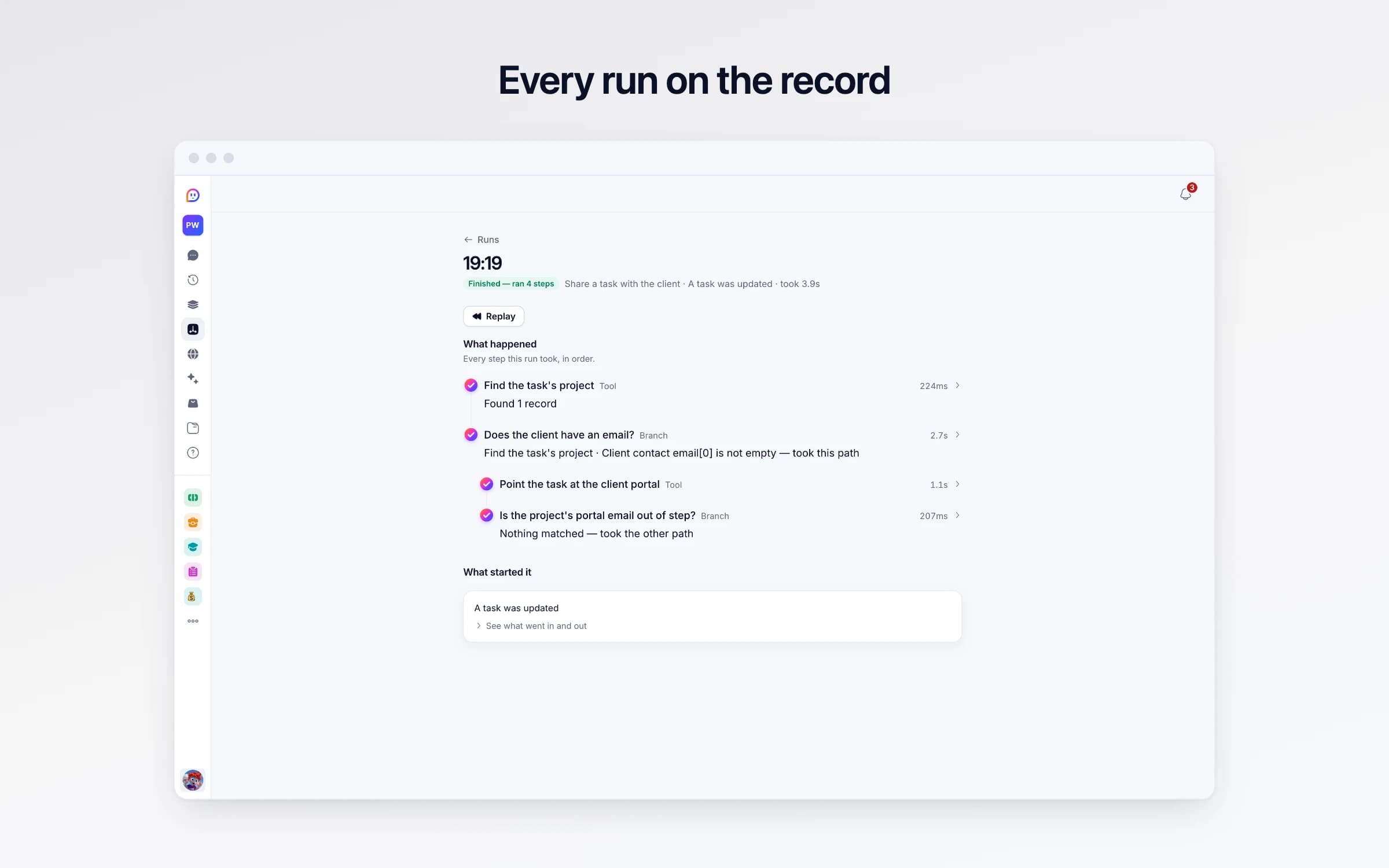
Share a task with the client
Runs on its ownWhen you tick Visible to client on a task, Cheqq makes sure it shows in that client's portal.
When a record in Clients changes
Carry a client's email to the portal
Runs on its ownWhen a client's contact email changes, moves their projects, the tasks you share with them, their invoices and their requests to the new one, so they keep seeing them in the client portal. When it's cleared, takes the old one off them and tells you, so that address sees nothing.
From Client portal
Turn a portal request into a task
Runs on its ownWhen a client sends a request from the client portal, Cheqq adds it as a task on their project and tells the team.
Every Friday at 3:00 PM
Friday client update
Runs on its ownOn Friday afternoon, a short update for each client you worked for that week, ready to send with light edits. Quiet weeks stay quiet.
Weekdays at 9:30 AM
Chase an overdue invoice
Asks you firstEach weekday morning, marks late invoices Overdue and drafts a polite payment reminder for one client, which goes out once you approve it.
When a record in Invoices changes
Share a sent invoice with the client
Runs on its ownWhen you mark an invoice Sent, Cheqq fills in its issue and due dates and shows it in the client's portal.
Talk to it the way you'd ask a colleague. It answers from what it has on record, and makes a change when you ask for one.
Briefs from the form on your website and emails to your studio's address become leads with a first reply drafted, and it goes out once you approve it. Projects add up their own progress, Friday brings an update drafted for each client you worked for, and late invoices get a polite reminder you approve. Each client signs in to a portal that shows only their own work.
A brief comes in through the contact form on your website and lands in a shared inbox. Whoever sees it first means to add it to the CRM, and the reply waits for a quiet hour so it can be written properly. By the time it goes, the prospect has booked a call with a studio that answered the same afternoon.
Won work moves into the project tool, hours go into a timesheet app and invoices into another. On Friday someone pieces together an update for each client from all three, clients email to ask where things stand, and the invoice that is three weeks late gets chased when somebody remembers.
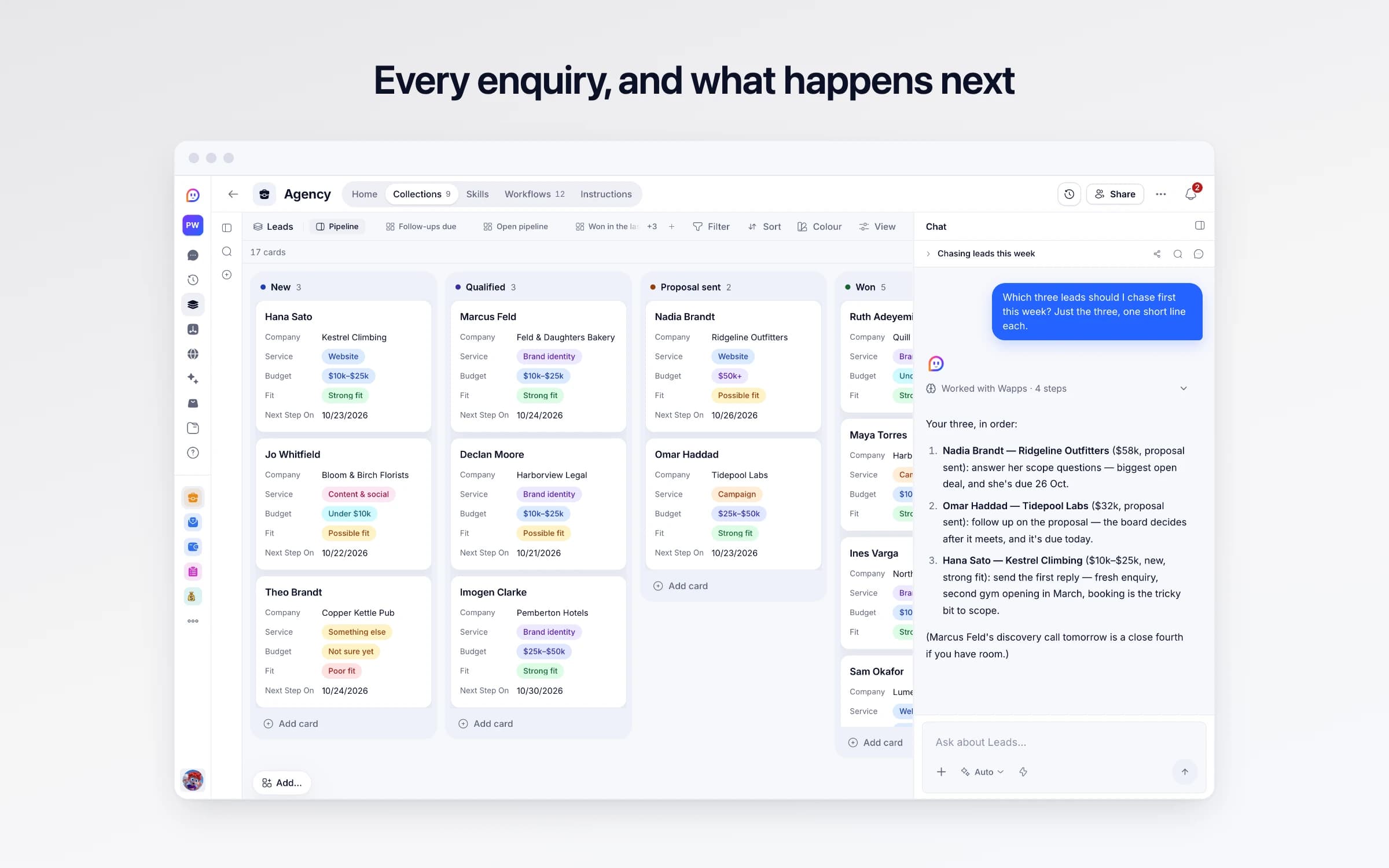
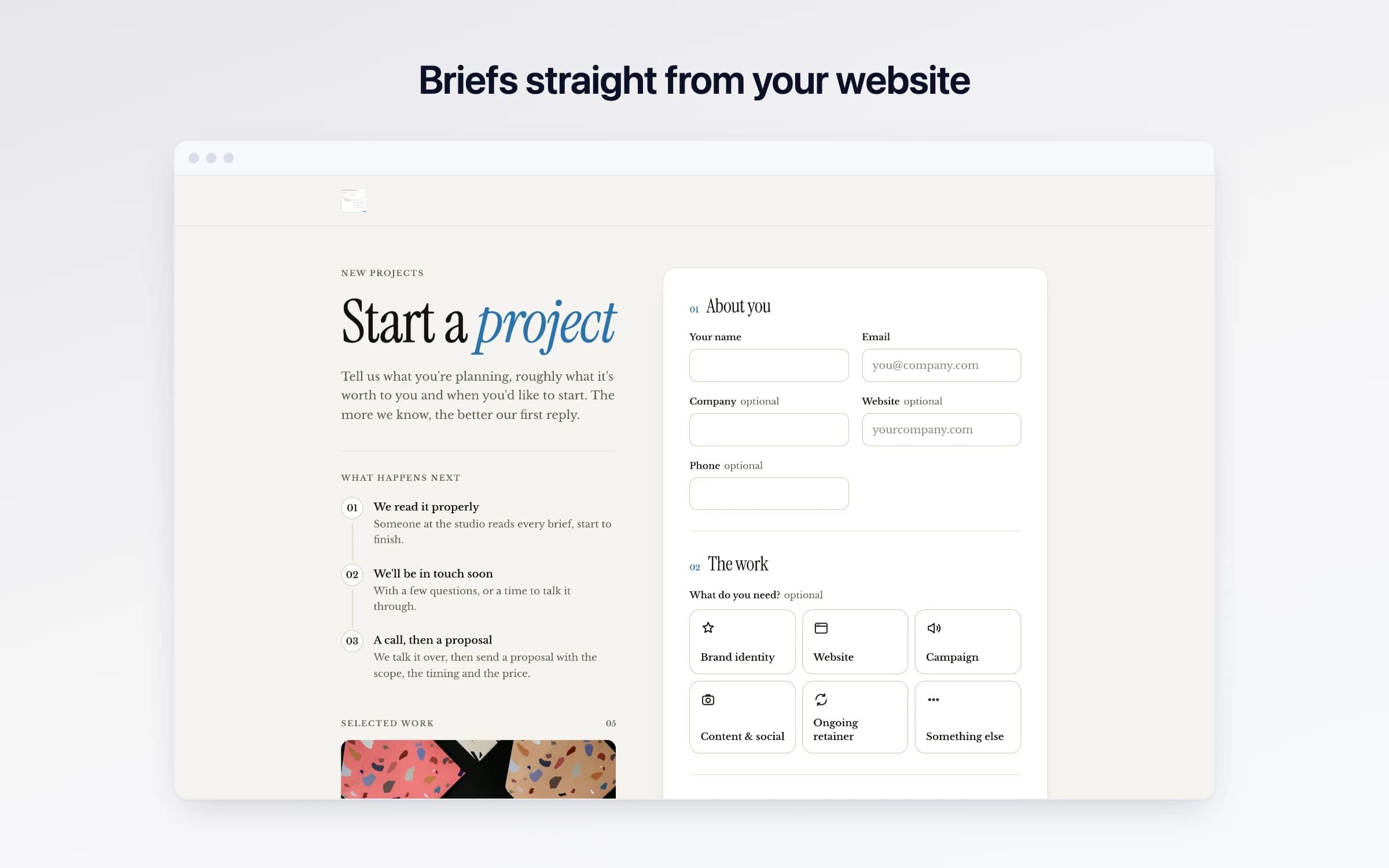
Your Start a project form goes on your website. Each brief lands in Leads with what the prospect needs, their budget and their timeline, and Cheqq rates the fit and writes a short summary for whoever picks it up. Enquiries emailed or forwarded to your studio's Cheqq address are captured the same way, and mail from an existing client is passed to you instead. Each one gets a first reply drafted that thanks them, restates what they asked for and asks one useful question. It goes out only once you approve it, and it never quotes a price or promises a date.
Each weekday at 8, the team gets the leads whose next step is due, the most overdue first, and any open lead that has no next step at all. Mark a lead Won and they're added to your clients, with a first project started from their brief.
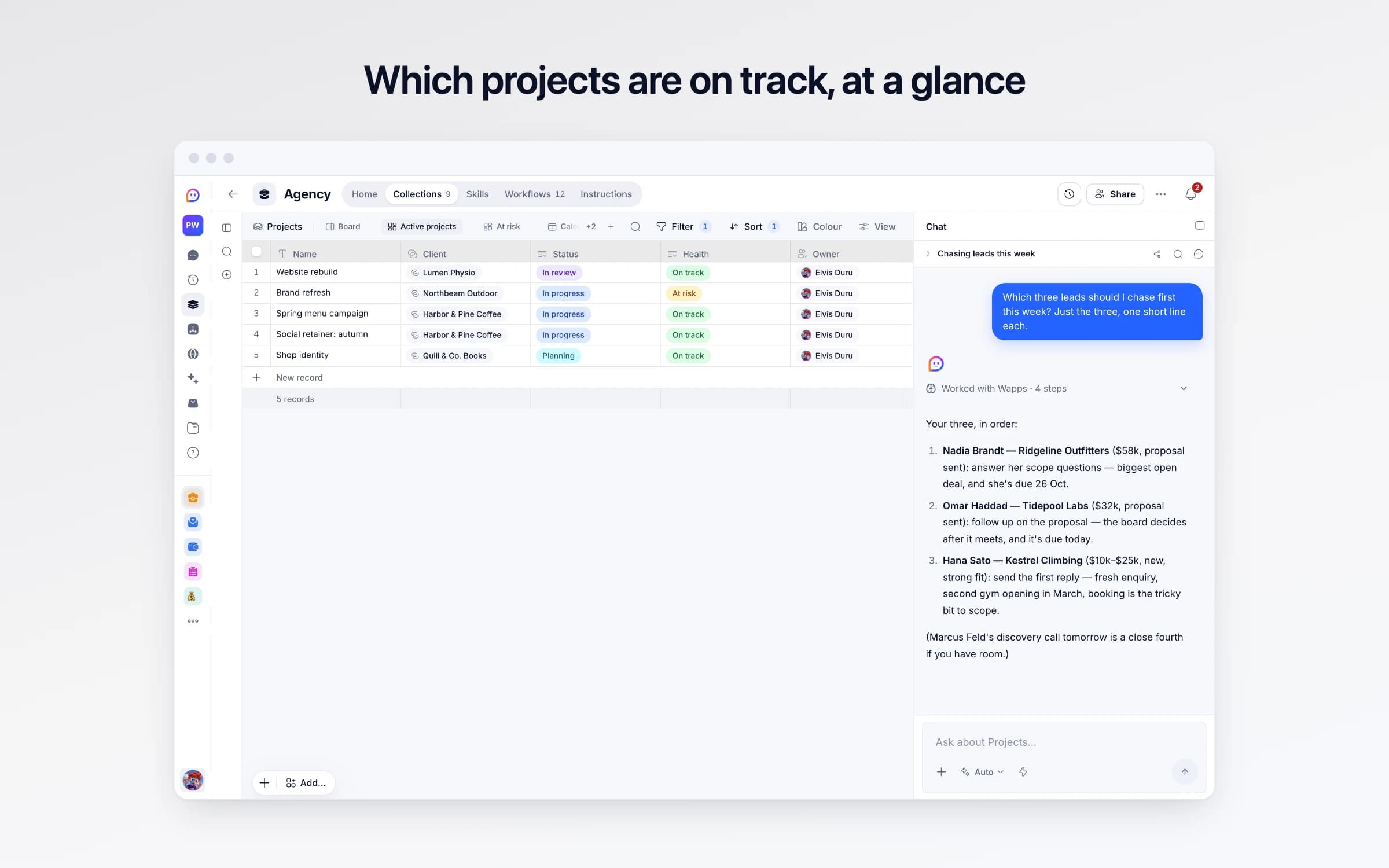
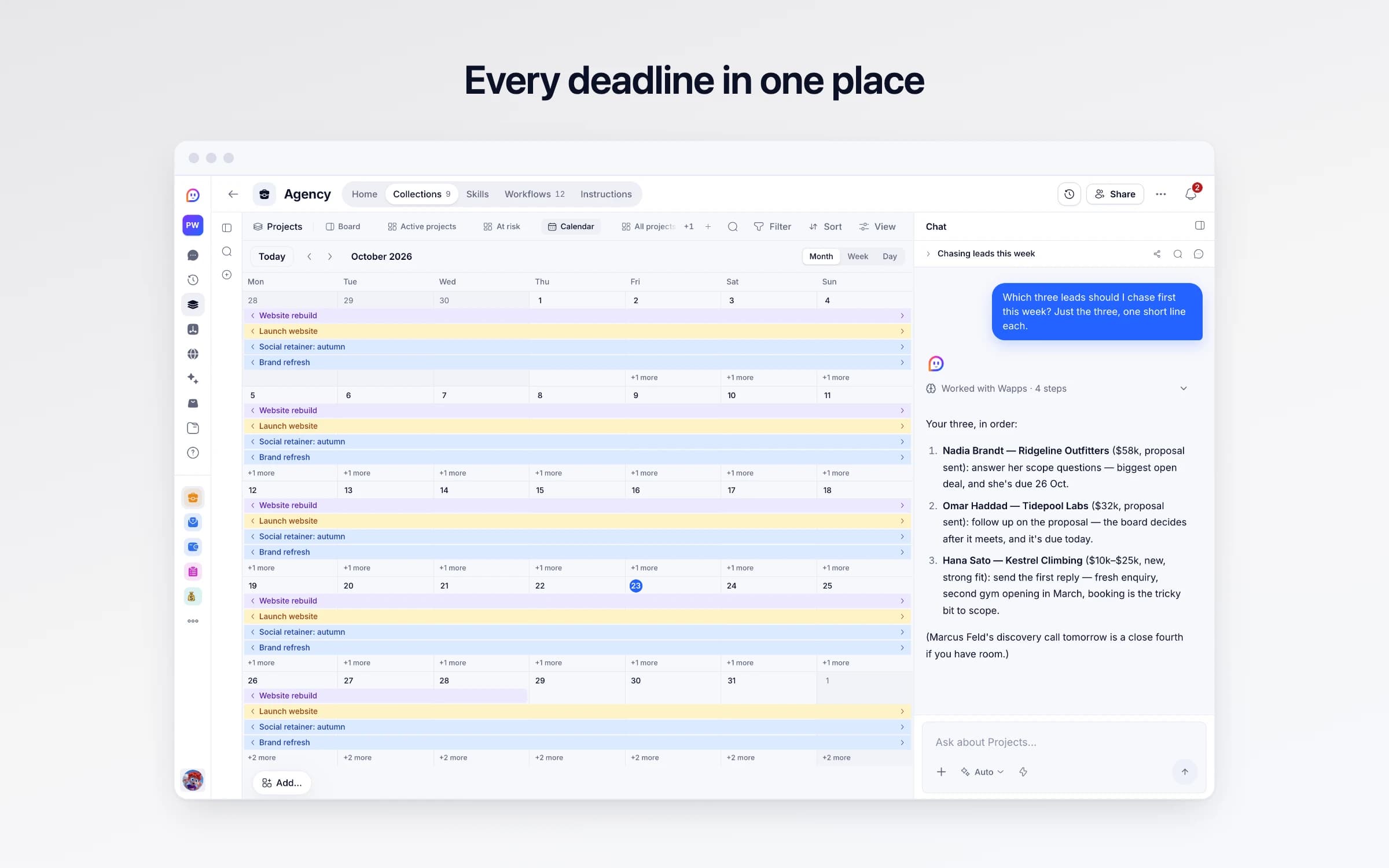
Projects carry their client, dates, fee and planned hours, and their progress, hours logged and what's left to invoice add themselves up from the tasks, time and invoices. Each weekday at 9, any project with a late task is marked At risk and the team hears which tasks are late. On Friday afternoon you get a short update drafted for each client you worked for that week, ready to send with light edits. A quiet week sends nothing.
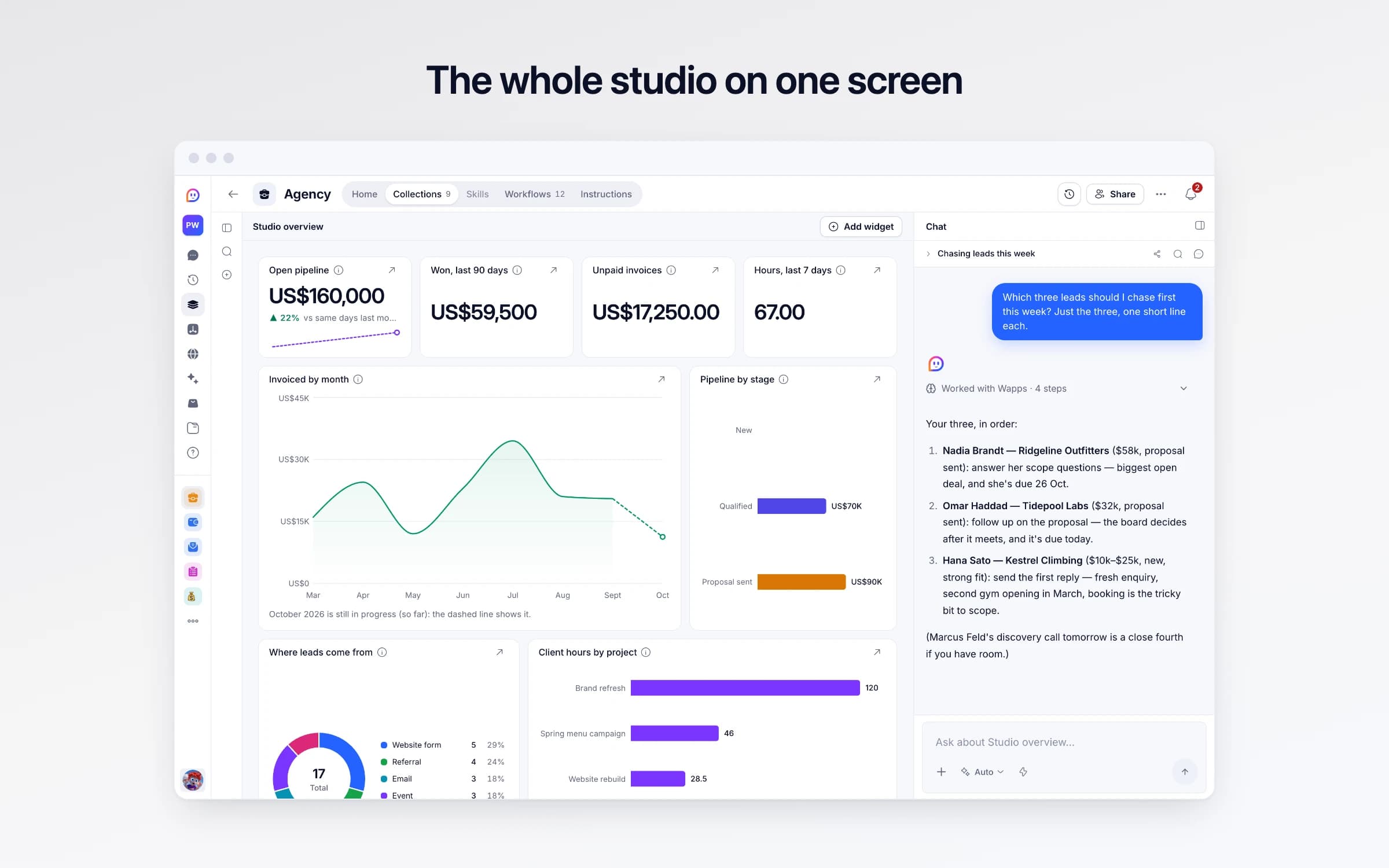
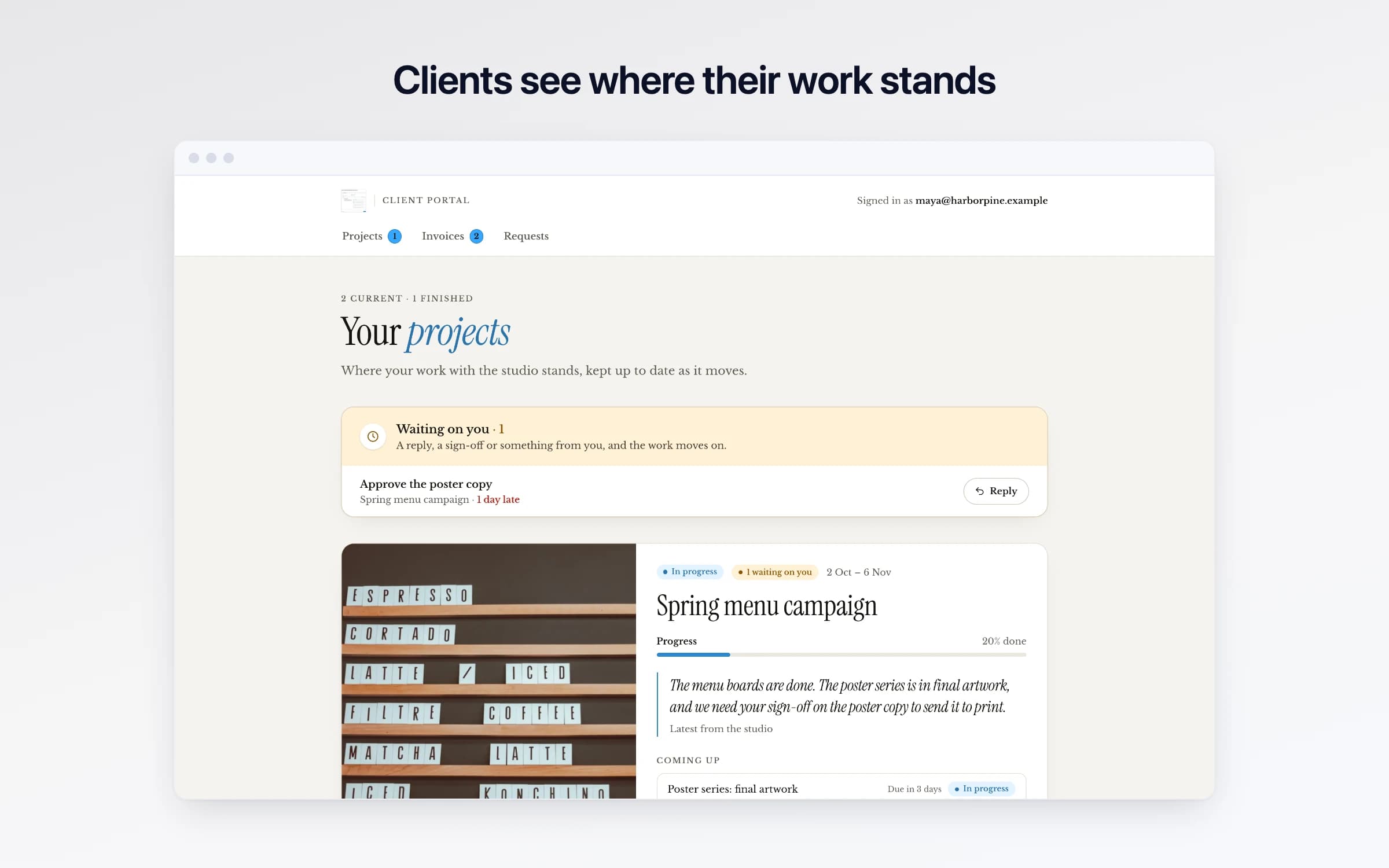
Each client signs in to your client portal with their own email. They see their projects with your latest update, the tasks you've chosen to share and their invoices, with a Pay button when you've added a payment link, and a request they send becomes a task on the right project. Each weekday at 9:30, late invoices are marked Overdue and a polite reminder is drafted for the client most overdue, which goes out once you approve it. The Studio overview puts the open pipeline, unpaid invoices, active projects and this week's hours side by side.
A brief arrives, a reply is drafted
A prospect sends the Start a project form on your website, or emails your studio's Cheqq address. It becomes a lead with a short summary and a fit rating, and a first reply is drafted that goes out once you approve it.
Projects keep their own score
Progress, hours logged and what's left to invoice add themselves up from tasks, time and invoices. Each weekday, late work marks its project At risk, and on Friday an update is drafted for each client you worked for.
Clients follow along in their portal
Each client signs in to see their own projects, the tasks you share and their invoices, and sends requests that become tasks. Late invoices get a polite reminder, sent once you say yes.
The CRM
Every enquiry becomes a lead with a stage, a next step and a date, and the morning list names who to follow up, instead of a pipeline someone has to remember to update.
The project tool
Projects and tasks sit beside the clients and invoices they belong to, and late work is flagged each weekday morning instead of discovered on a Friday.
Timesheet and invoicing apps
Hours and invoices are logged against the projects they belong to, and late invoices get a reminder drafted. It doesn't take payments: add the payment link you already use and the portal shows a Pay button.
The client portal
Clients sign in to follow their own projects, shared tasks and invoices, and send requests that land as tasks, instead of emailing to ask where things stand.
The Friday update email
An update for each client you worked for is drafted from the week's tasks, hours and requests, instead of written from memory at the end of the day.
12 automations, 2 apps, 9 lists of records and 3 documents. Your apps and automations all work from one set of records, so a change made once shows up everywhere.
Each one works from the same records as everything else here.
A form for your website. Prospects tell you about their project, and each brief lands in Leads with your reply drafted.
Where your clients sign in to follow their projects, see the tasks you share and their invoices, and send you requests.
Everything it reads and writes is yours to open: each list as your copy starts it, with sample records you can clear in one go.
| Name | Stage | Company | Service | Budget |
|---|---|---|---|---|
Hana Sato | New | Kestrel Climbing | Website | $10k–$25k |
Jo Whitfield | New | Bloom & Birch Florists | Content & social | Under $10k |
Theo Brandt | New | Copper Kettle Pub | Something else | Not sure yet |
Marcus Feld | Qualified | Feld & Daughters Bakery | Brand identity | $10k–$25k |
Nadia Brandt | Proposal sent | Ridgeline Outfitters | Website | $50k+ |
Declan Moore | Qualified | Harborview Legal | Brand identity | $10k–$25k |
| Name | Status | Owner | Contact Name | Contact Email |
|---|---|---|---|---|
Harbor & Pine Coffee | Active | You | Maya Torres | maya@harborpine.example |
Lumen Physio | Active | You | Sam Okafor | sam@lumenphysio.example |
Northbeam Outdoor | Active | You | Ines Varga | ines@northbeam.example |
Quill & Co. Books | Onboarding | You | Ruth Adeyemi | ruth@quillandco.example |
Tidewater Bikes | Paused | You | Theo Lindqvist | theo@tidewaterbikes.example |
Alder Dental | Past | You | Priya Raman | priya@alderdental.example |
| Name | Role | Client | |
|---|---|---|---|
Maya Torres | Owner. Signs off all creative. | Harbor & Pine Coffee | maya@harborpine.example |
Leo Park | Operations manager. Gets the posters into the cafés. | Harbor & Pine Coffee | leo@harborpine.example |
Sam Okafor | Clinic director | Lumen Physio | sam@lumenphysio.example |
Ella Novak | Practice manager. Pays the invoices. | Lumen Physio | ella@lumenphysio.example |
Ines Varga | Head of marketing | Northbeam Outdoor | ines@northbeam.example |
Ben Osei | Product lead. Owns the product photography. | Northbeam Outdoor | ben@northbeam.example |
| Name | Status | Client | Health | End Date |
|---|---|---|---|---|
Spring menu campaign | In progress | Harbor & Pine Coffee | On track | In 2 weeks |
Social retainer: autumn | In progress | Harbor & Pine Coffee | On track | In 6 weeks |
Website rebuild | In review | Lumen Physio | On track | In 5 days |
Brand refresh | In progress | Northbeam Outdoor | At risk | In 10 days |
Shop identity | Planning | Quill & Co. Books | On track | In 6 weeks |
Launch website | On hold | Tidewater Bikes | On track | In 3 weeks |
| Title | Status | Project | Assignee | Due Date |
|---|---|---|---|---|
Menu board layouts | Done | Spring menu campaign | You | 7 days ago |
Poster series: final artwork | In progress | Spring menu campaign | You | In 3 days |
Approve the poster copy | Waiting on client | Spring menu campaign | Empty | Yesterday |
Gift card poster | To do | Spring menu campaign | Empty | In 6 days |
Launch posts for Instagram | To do | Spring menu campaign | Empty | In 10 days |
October content calendar | Done | Social retainer: autumn | You | 12 days ago |
| Description | Date | Project | Person | Hours |
|---|---|---|---|---|
Guidelines layout | Today | Brand refresh | Empty | 3.00 |
Poster series: final artwork | Today | Spring menu campaign | You | 3.50 |
Kickoff questionnaire | Today | Shop identity | You | 1.00 |
Logo direction B | Yesterday | Brand refresh | You | 4.00 |
Guidelines layout | Yesterday | Brand refresh | Empty | 3.00 |
Accessibility pass | Yesterday | Website rebuild | You | 5.00 |
| Number | Status | Client | Amount | Due Date |
|---|---|---|---|---|
INV-1021 | Paid | Fernhill Distillery | $16,000.00 | 7 months ago |
INV-1022 | Paid | Harbor & Pine Coffee | $2,500.00 | 6 months ago |
INV-1023 | Paid | Marlowe & Finch Architects | $13,000.00 | 6 months ago |
INV-1024 | Paid | Saltmarsh Swim School | $9,000.00 | 6 months ago |
INV-1025 | Paid | Harbor & Pine Coffee | $2,500.00 | 5 months ago |
INV-1026 | Paid | Harbor & Pine Coffee | $4,500.00 | 5 months ago |
| Subject | Requested By | Client | Project Name | Urgency |
|---|---|---|---|---|
A gift card poster for the cafés | maya@harborpine.example | Harbor & Pine Coffee | Spring menu campaign | This week |
Can the posters go up a week early? | maya@harborpine.example | Empty | Spring menu campaign | This week |
New opening hours for the harbour café | maya@harborpine.example | Harbor & Pine Coffee | Social retainer: autumn | Whenever suits |
Product photography is on its way | ines@northbeam.example | Empty | Brand refresh | Whenever suits |
Small text changes on the About page | sam@lumenphysio.example | Lumen Physio | Website rebuild | Whenever suits |
| Send From | Payment Terms Days |
|---|---|
Your Cheqq address | 14 |
How Agency runs your studio
What is in Agency, what runs for you and when, your two Apps, and a routine for your first week.
Client onboarding checklist
Everything between a client's yes and a confident kickoff: contract, deposit, kickoff agenda, access and the portal.
Proposal template
A proposal to fill in for each new piece of work: what you heard, scope, timeline, fee and sign-off.
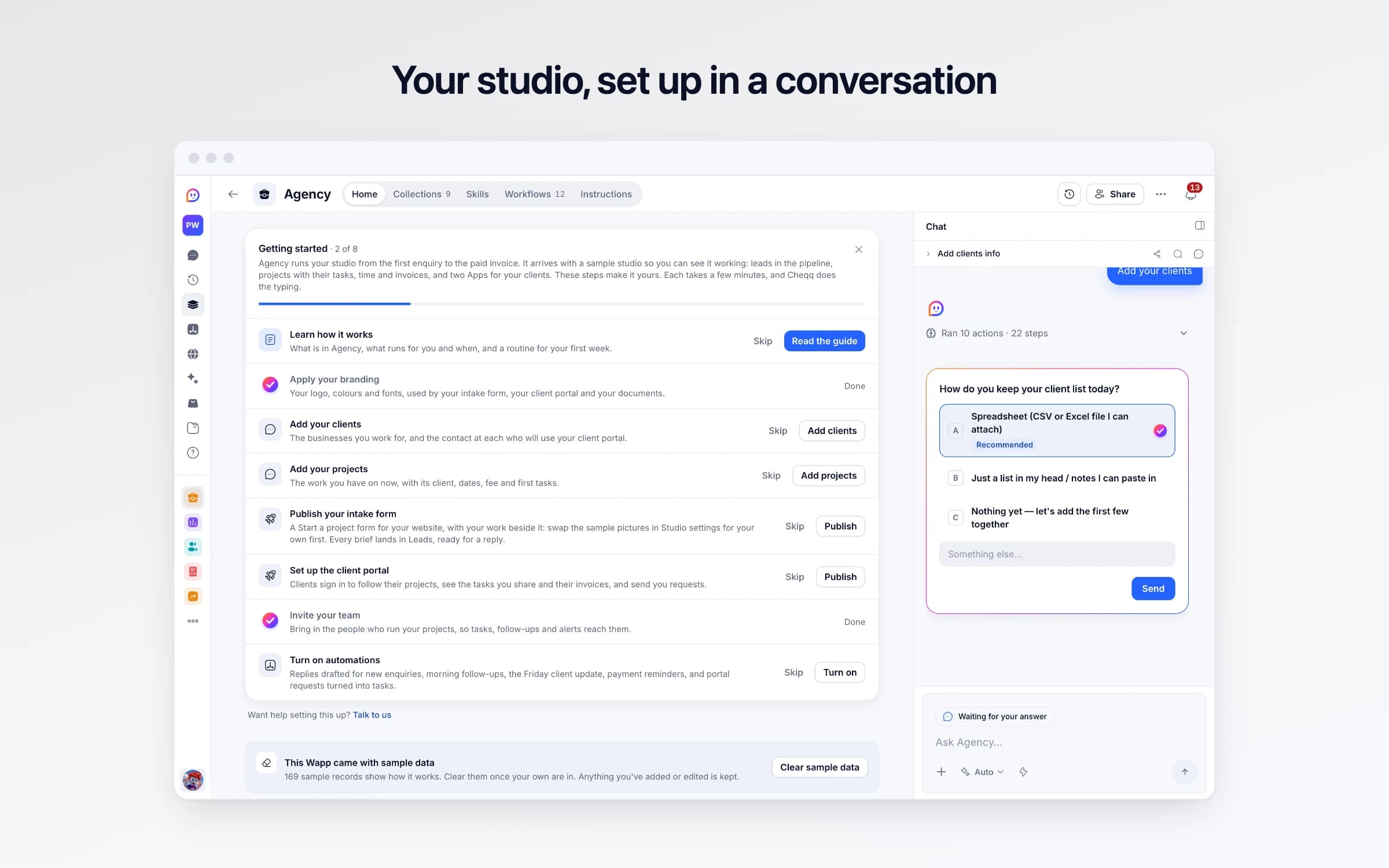
Agency runs your studio from the first enquiry to the paid invoice. It arrives with a sample studio so you can see it working: leads in the pipeline, projects with their tasks, time and invoices, and two Apps for your clients. These steps make it yours. Each takes a few minutes, and Cheqq does the typing.
Learn how it works
What is in Agency, what runs for you and when, and a routine for your first week.
Apply your branding
Your logo, colours and fonts, used by your intake form, your client portal and your documents.
Add your clients
The businesses you work for, and the contact at each who will use your client portal.
Add your projects
The work you have on now, with its client, dates, fee and first tasks.
Publish your intake form
A Start a project form for your website, with your work beside it: swap the sample pictures in Studio settings for your own first. Every brief lands in Leads, ready for a reply.
Set up the client portal
Clients sign in to follow their projects, see the tasks you share and their invoices, and send you requests.
Invite your team
Bring in the people who run your projects, so tasks, follow-ups and alerts reach them.
Turn on automations
Replies drafted for new enquiries, morning follow-ups, the Friday client update, payment reminders, and portal requests turned into tasks.
Not unless you let it. First replies to enquiries and payment reminders are drafted, then ask you first: approve one and it's sent, or decline it and write your own. Once you trust one, let it run on its own. The Friday updates and the list of projects at risk come to your team, never to the client. It all starts switched off, so nothing runs on the sample studio until you turn it on.
Your studio gets its own Cheqq email address, with no mail account to connect. Forward an enquiry to it once and Cheqq records it as your sending address; from then on, the replies and reminders you approve go from it. Until then, each draft comes to you to send yourself.
You invite them, and each person signs in with their own email. The portal matches it to the contact email on their client, so they see that client's projects with your latest update, the tasks you've ticked Visible to client, and their invoices once they're sent. Drafts, task notes, project health and budgets stay private, and no client ever sees another client's work.
Yes. Attach your client list or a project export as a spreadsheet or CSV in the chat, and Cheqq brings every client or project in, matching your columns to the right fields. You can also paste a list, or add the first few together. It asks one question at a time and tells you what it added.
No. It keeps track of what you've billed, from Draft to Paid, and shows each sent invoice in the client's portal. Add a payment link from the provider you already use and the portal shows a Pay button. Mark an invoice Paid when the money arrives.
It's built for agencies, studios, consultancies and freelancers: anyone who wins work from enquiries, runs it as projects and bills for it. A freelancer uses the same pipeline, projects and invoices, and skips inviting a team.
Yes. Invite the people who run your projects. Tasks say who does them, and the morning follow-ups, the list of projects at risk and the Friday updates reach everyone who can edit.
13 of its 169 automation steps use AI, and draw AI credits each time they run: how many depends on the model you pick for the step. The other steps are fixed and draw none.
Every booking confirmed, every guest reminded, the menu up to date
Rent chased, repairs filed, renewals flagged before they're late
Bookings confirmed, clients reminded and invited back after six weeks
You get your own copy: your own records, your own apps. Change any part of it. Or we'll set it up with you.
Free to start