Agency
Every enquiry answered, every client updated, every invoice chased
Free to start
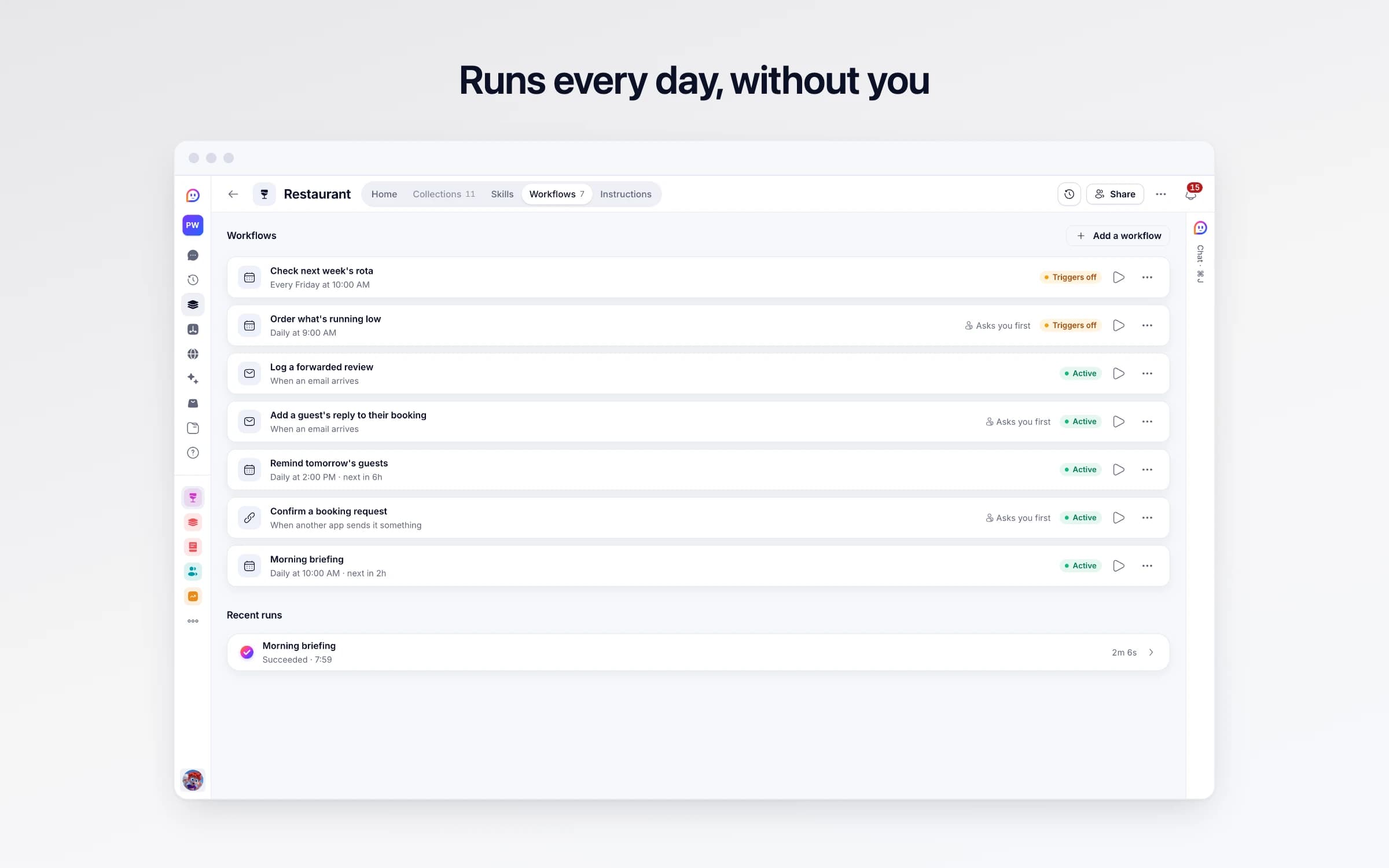
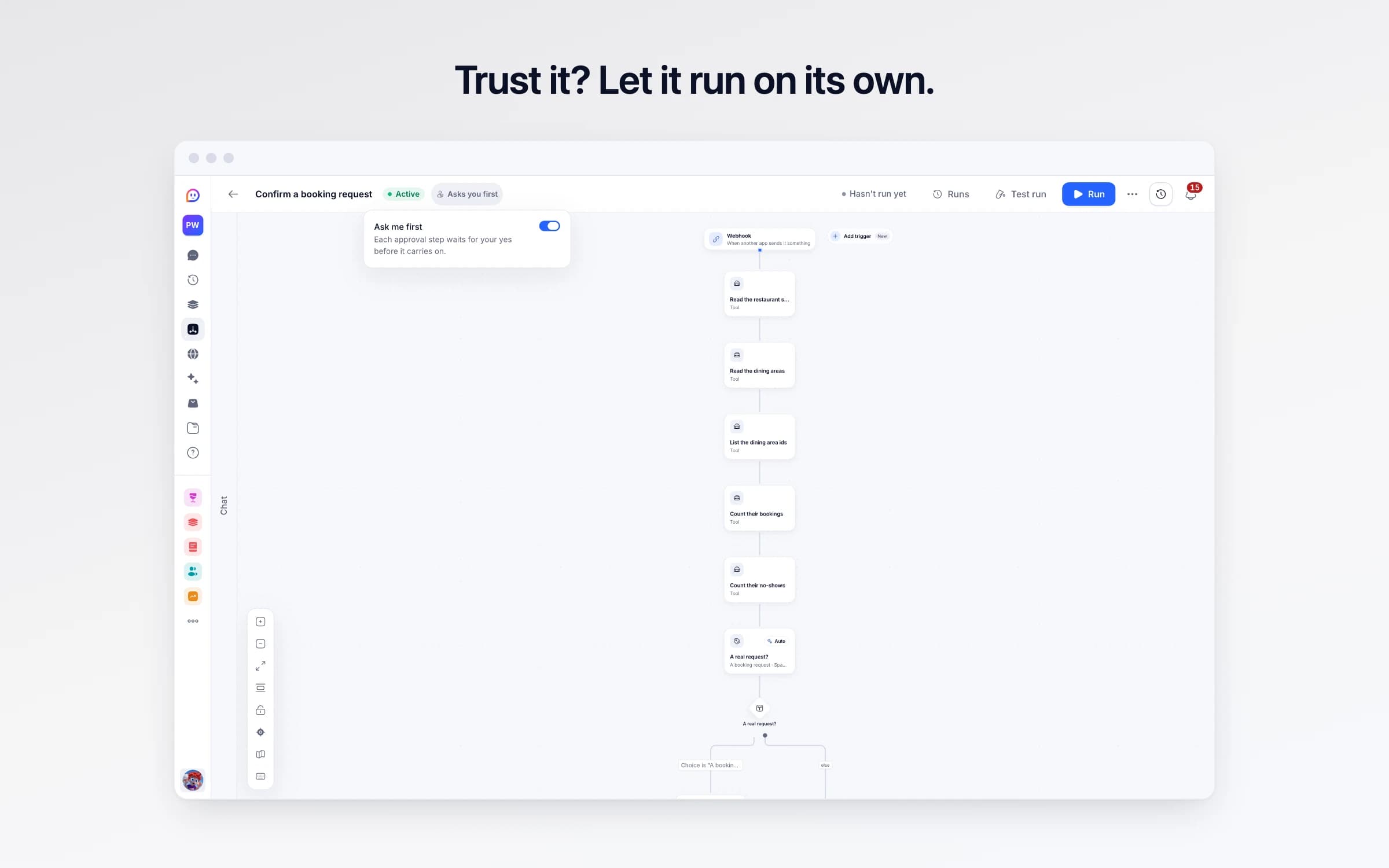
The routine part, done whether or not you're at your desk.
From Book a table
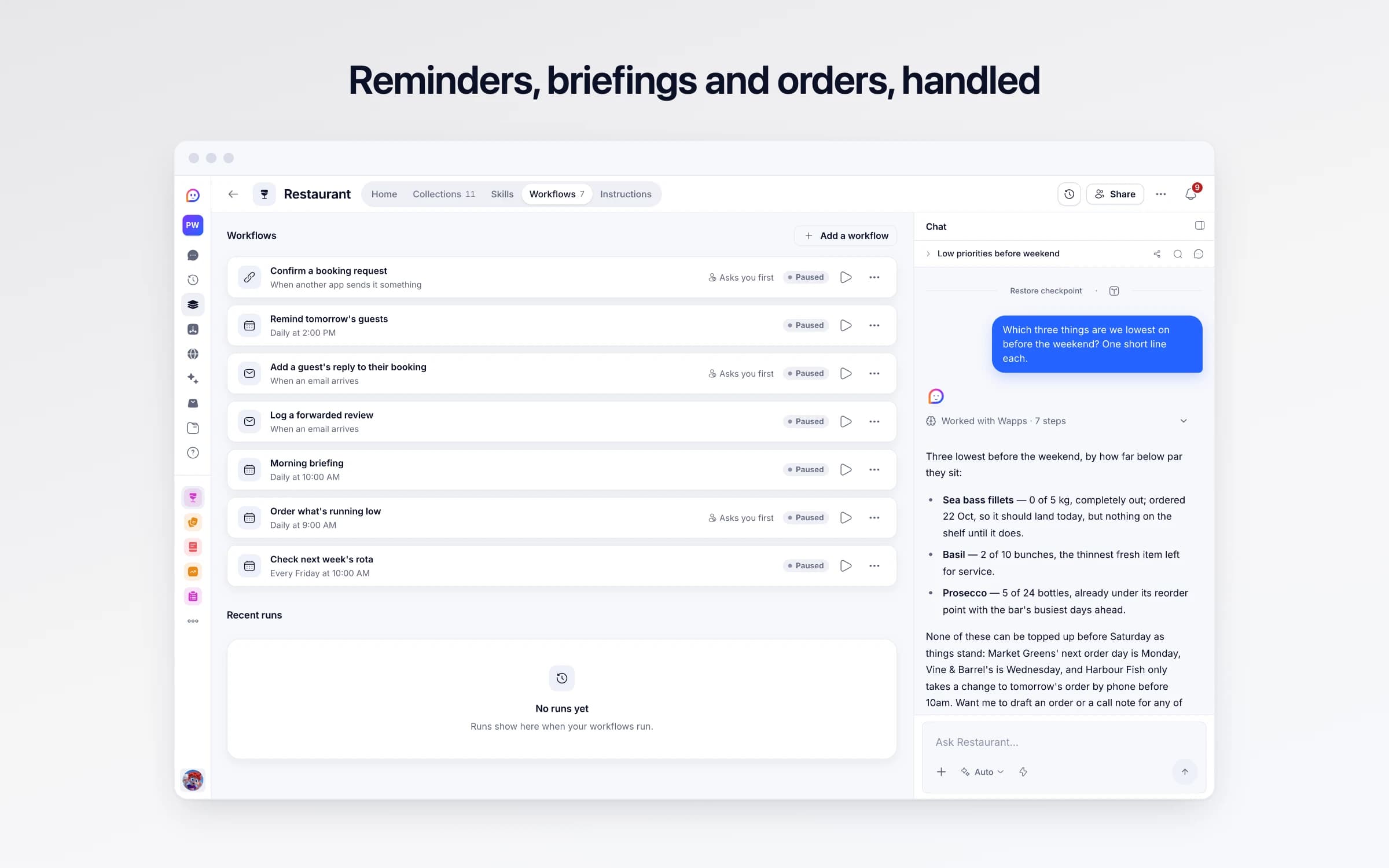
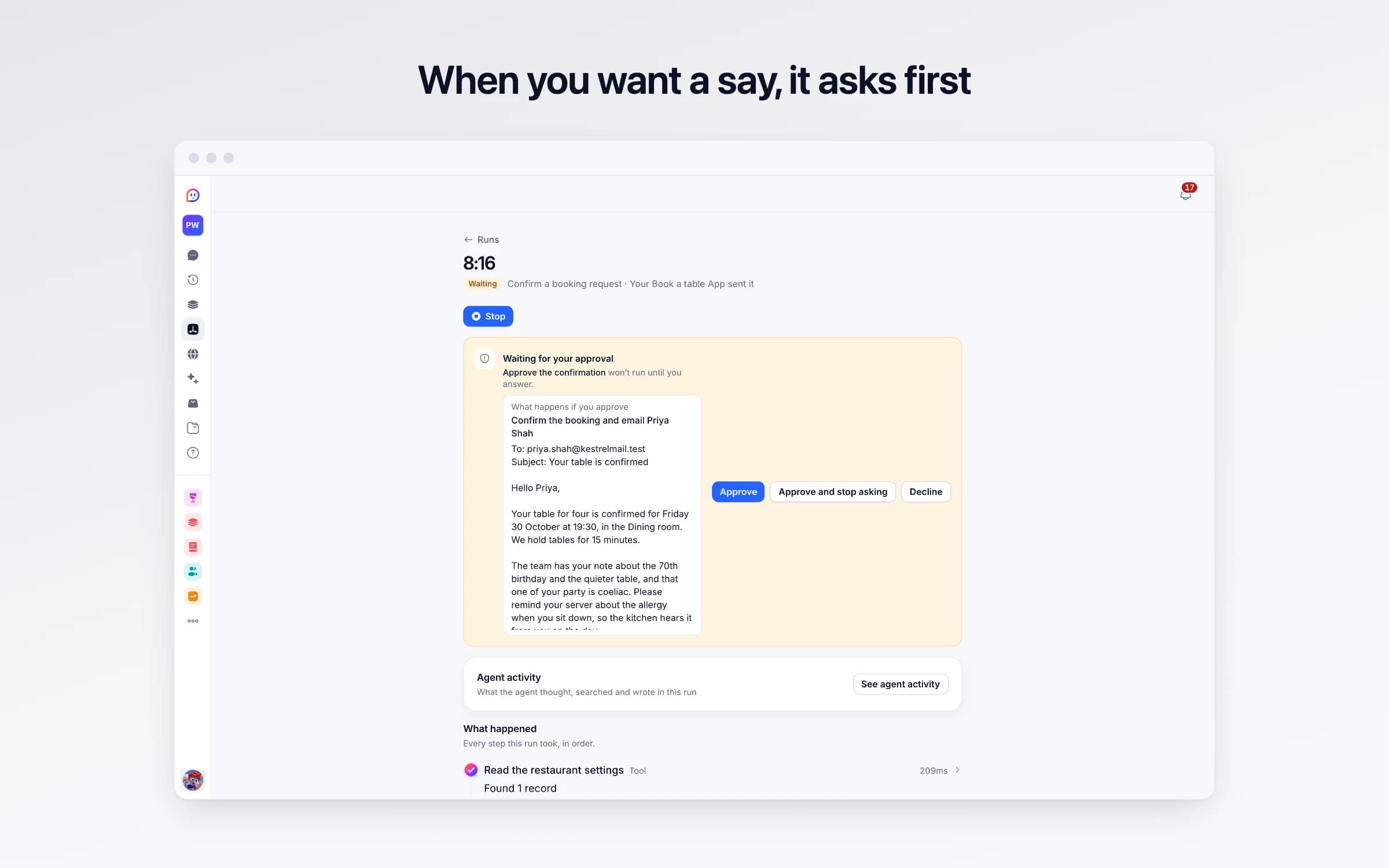
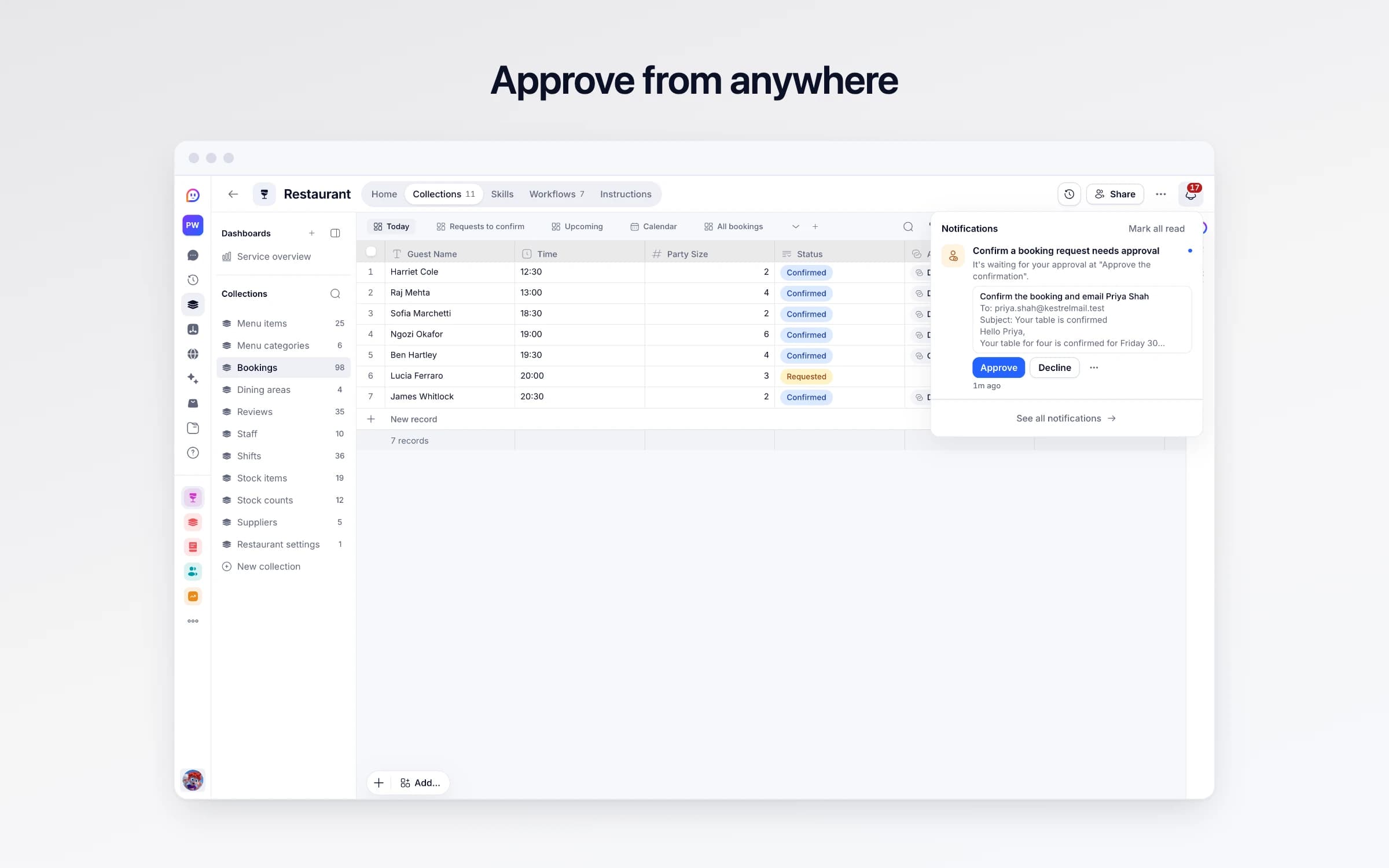
Confirm a booking request
Asks you firstWhen a guest asks for a table on your booking form, Cheqq checks it against the book and tells you, then emails their confirmation once you approve.
Daily at 2:00 PM
Remind tomorrow's guests
Runs on its ownEach afternoon, every guest booked for tomorrow gets a short reminder of their booking, sent at once. A day with no bookings sends nothing.
When an email arrives
Add a guest's reply to their booking
Asks you firstWhen a guest answers a confirmation or a reminder, Cheqq adds what they said to their booking and tells you. A cancellation frees the table, and a short reply waits for your approval.
When an email arrives
Log a forwarded review
Runs on its ownForward a review to your restaurant's Cheqq address and it lands in Reviews with a reply drafted. A negative one alerts you at once. Other mail is passed on to you.
Daily at 10:00 AM
Morning briefing
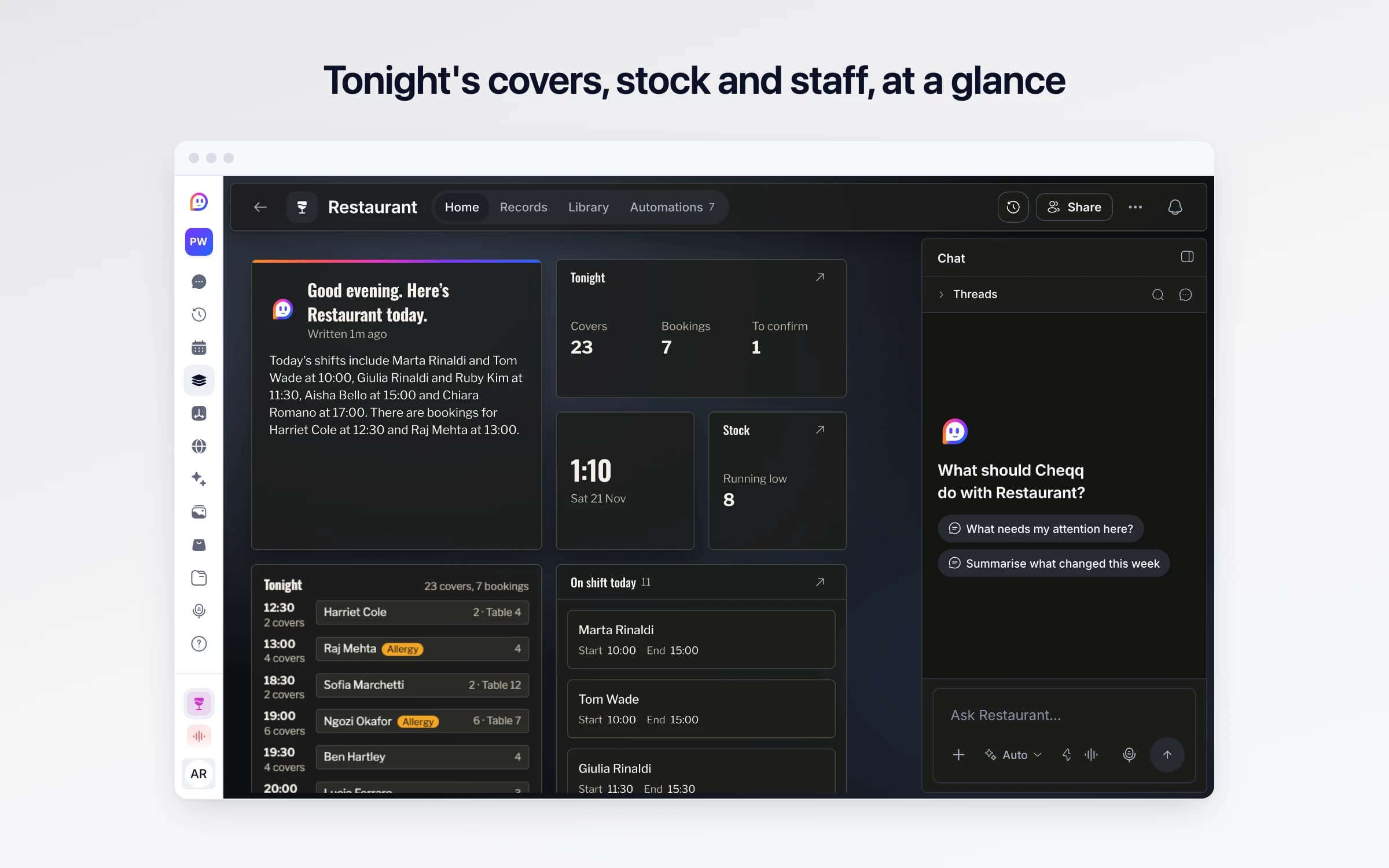
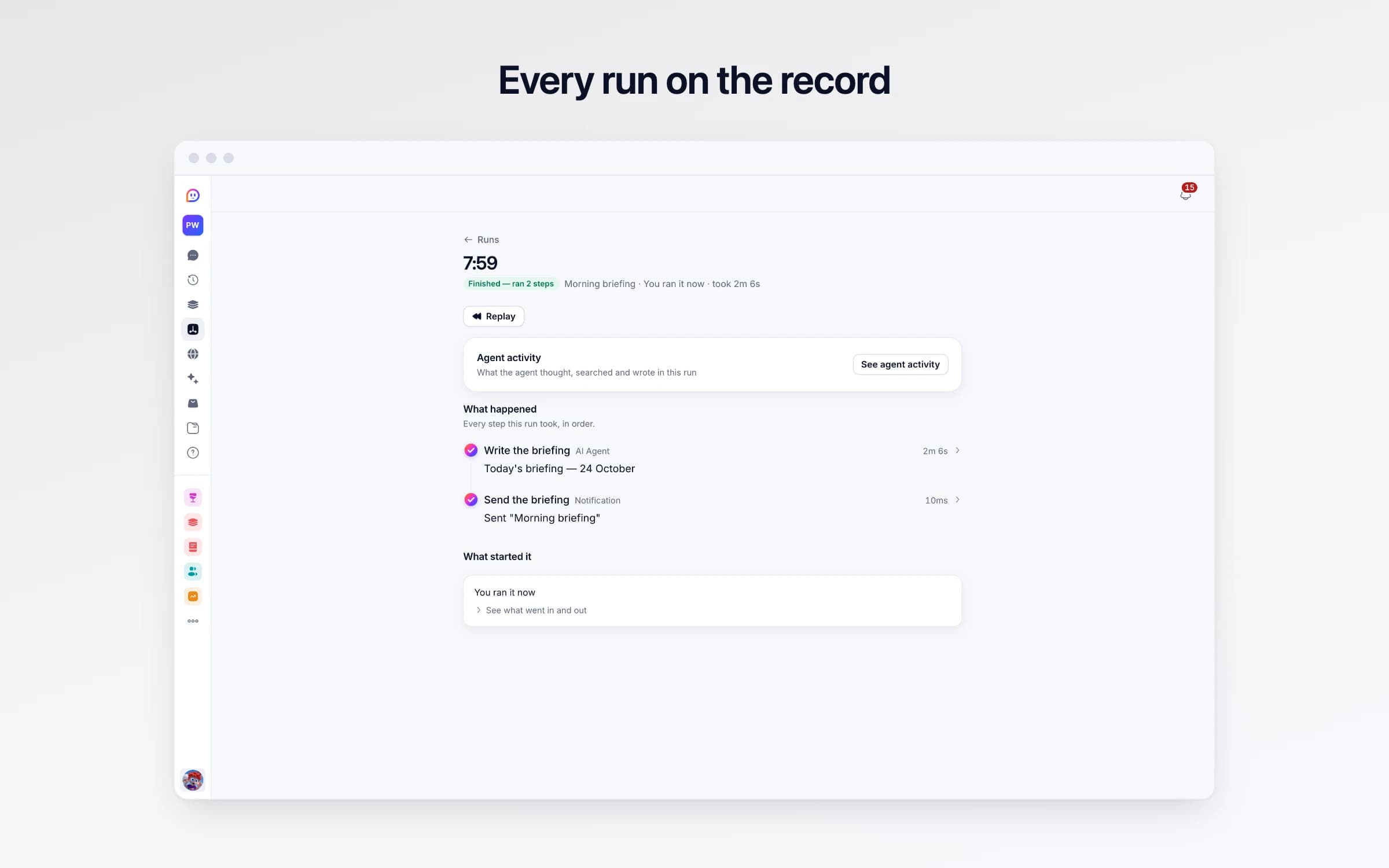
Runs on its ownA daily digest before service: today's covers and bookings with their allergies, who's on, what's 86'd, what's running low and any review waiting for a reply.
Daily at 9:00 AM
Order what's running low
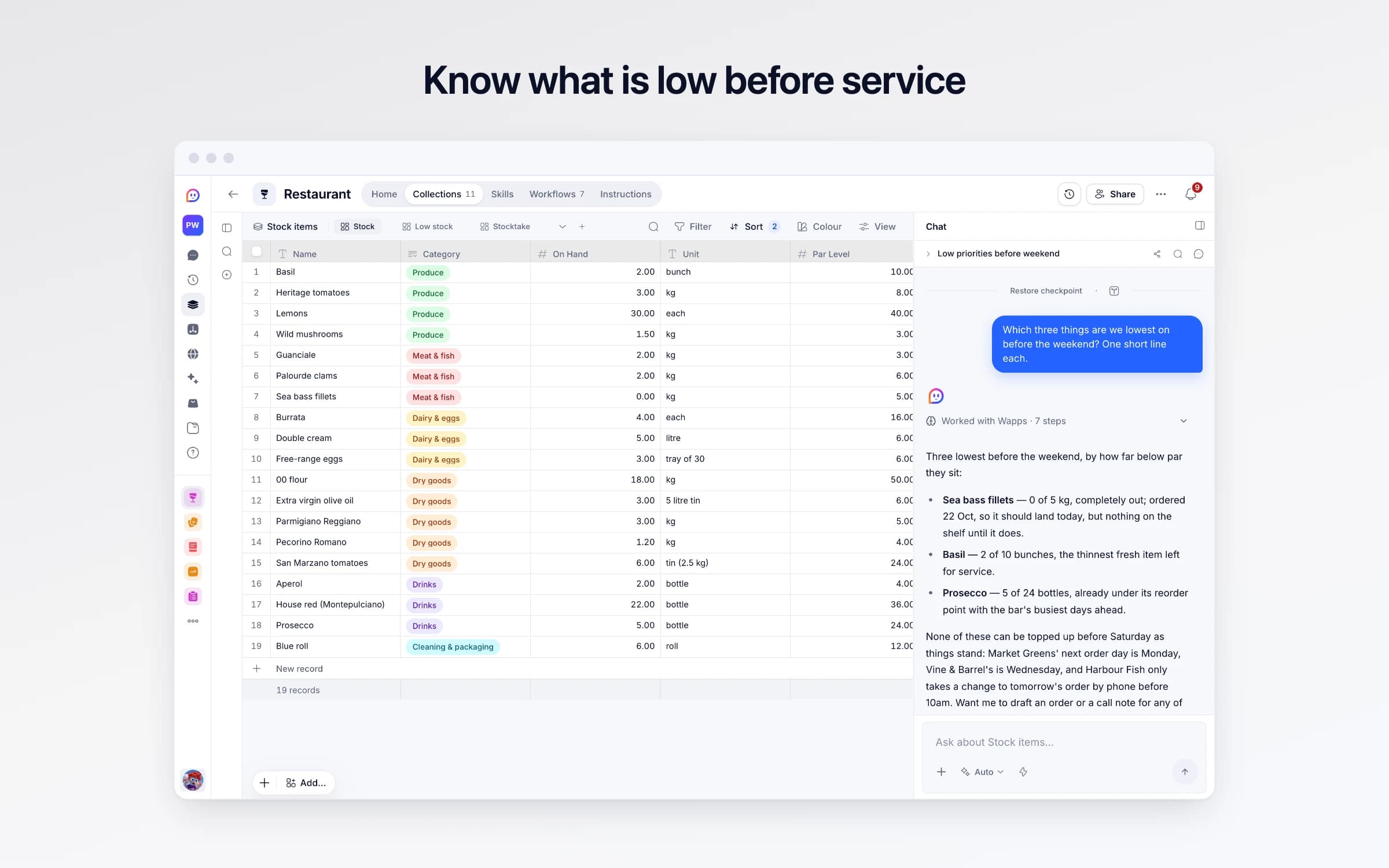
Asks you firstEach morning, brings stock up to date from your latest counts, then drafts an order for each supplier with something low on their order day. The orders go once you approve them.
Every Friday at 10:00 AM
Check next week's rota
Runs on its ownOn Friday morning, lists next week's shifts nobody has confirmed, any that need cover, and any day with nobody on, with next week's hours and labour cost. A settled rota sends nothing.
Talk to it the way you'd ask a colleague. It answers from what it has on record, and makes a change when you ask for one.
Requests from your booking form are checked against the book, each confirmation goes once you approve it, and a reminder goes on its own the afternoon before. Your menu lives at its own address with a QR code for every table, and a dish you 86 leaves it at once. Each morning brings a briefing with the covers, allergies and who's on, and low stock becomes supplier orders you approve.
Bookings arrive by phone in the middle of service, by email and in Instagram messages, and go into the diary by the till when someone has a minute. Confirming them waits for a quiet afternoon. An allergy mentioned on the phone stays on a sticky note instead of reaching the kitchen, and nobody reminds the table of four who don't turn up on Saturday.
When the sea bass runs out, the printed menus and the PDF on your website still offer it, and the menu online is two price rises behind. The rota is a photo in the group chat, stock is counted on a clipboard and ordered from memory, and Saturday's two-star review waits a week for a reply.
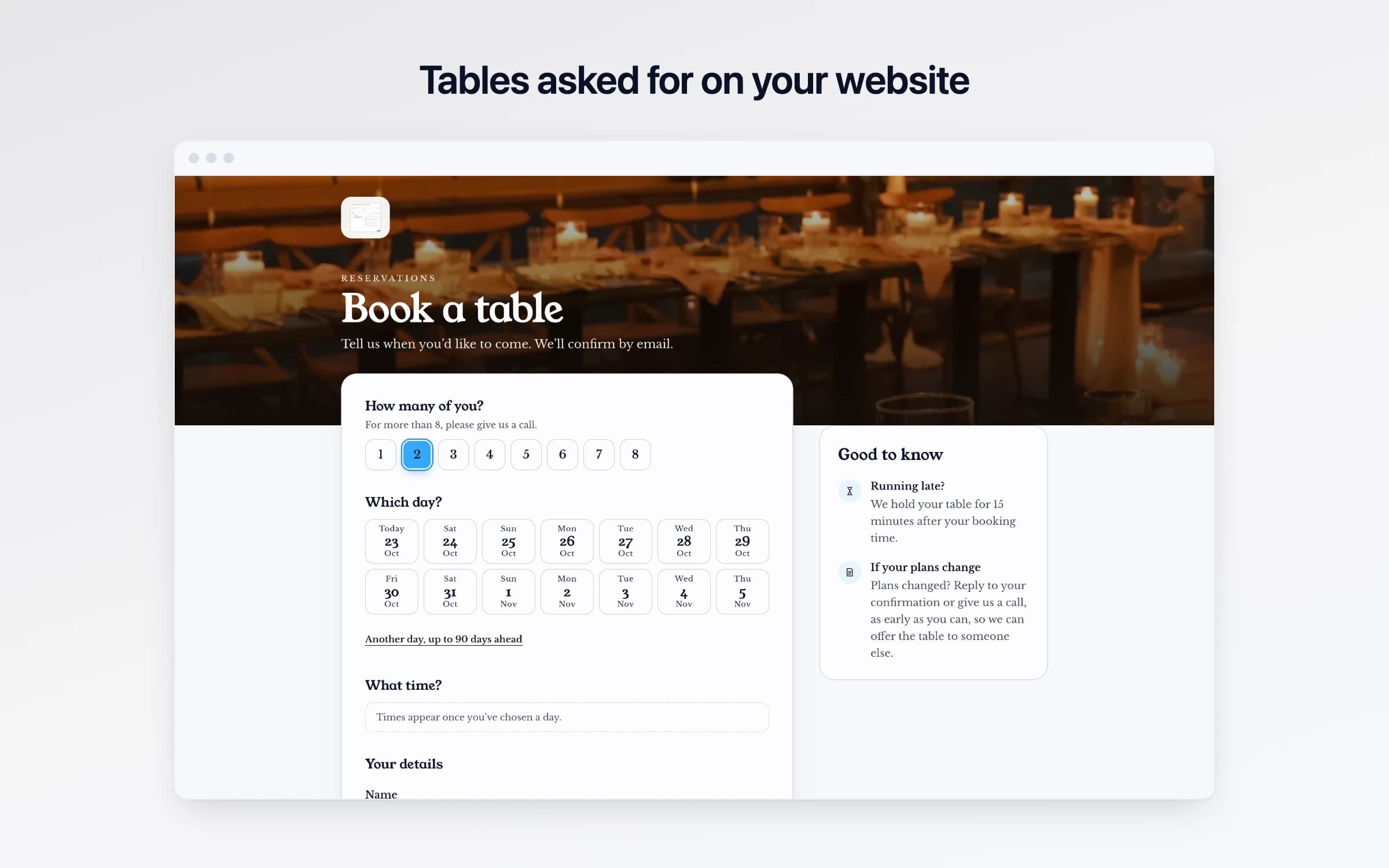
Your Book a table form goes on your website, your Instagram and your Google listing. Guests pick a day, one of the times you take bookings and how many they are, never a day you're closed, and tell you about any allergies. Each request lands in the book as Requested, and Cheqq tells you how it fits: the covers already booked that service, and whether this guest has booked before or not turned up. Their confirmation is drafted with your address and how long you hold a table, and it goes out only once you approve it.
Each afternoon at 2, every confirmed guest booked for tomorrow gets a short email reminder of their table, the one message that goes without your yes. When a guest replies, what they said goes on their booking and you hear about it; a cancellation frees the table, and the reply thanking them waits for your approval. Forward a review to your restaurant's Cheqq address and it's filed with a reply drafted for you to post, and a negative one alerts you at once.
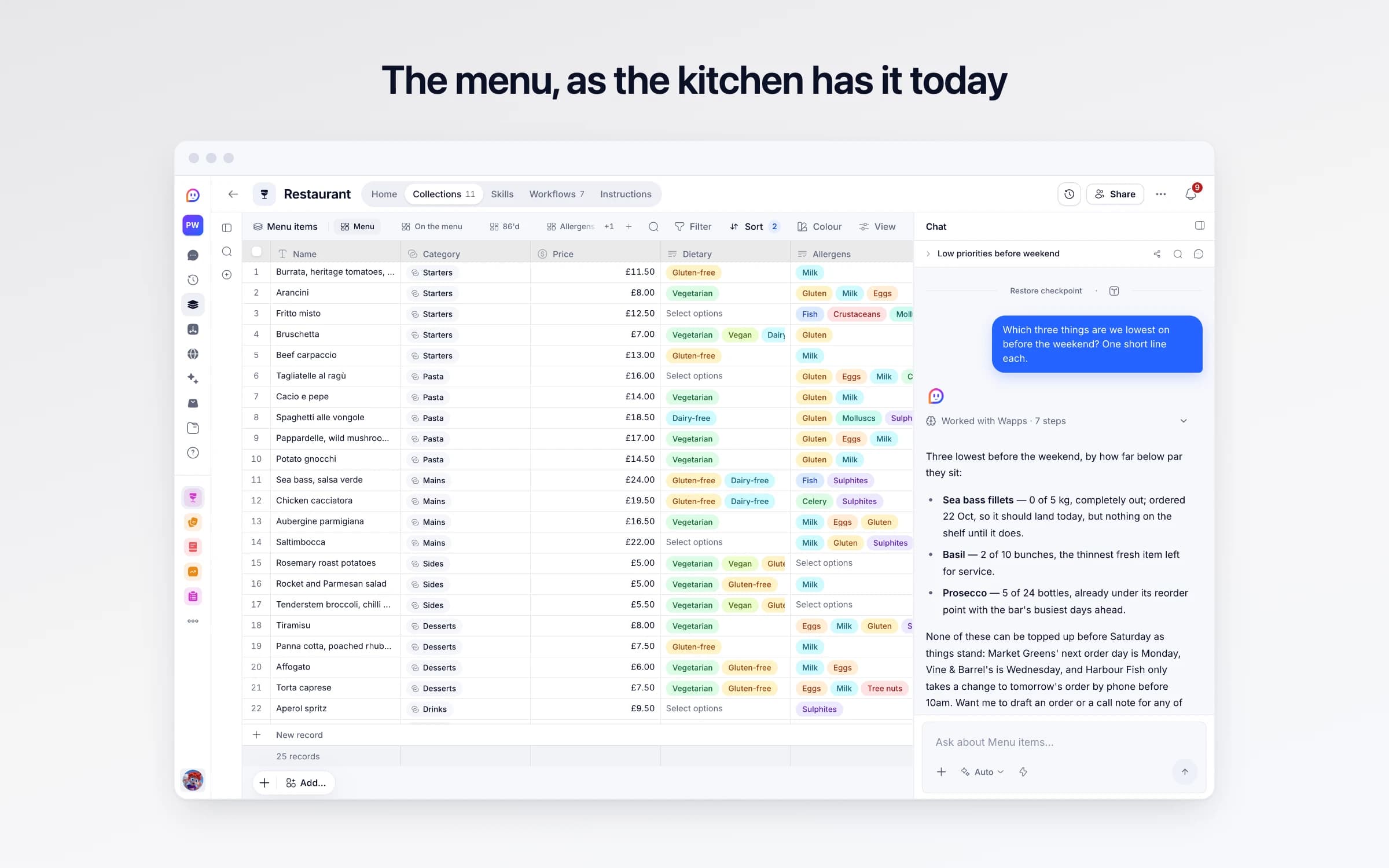
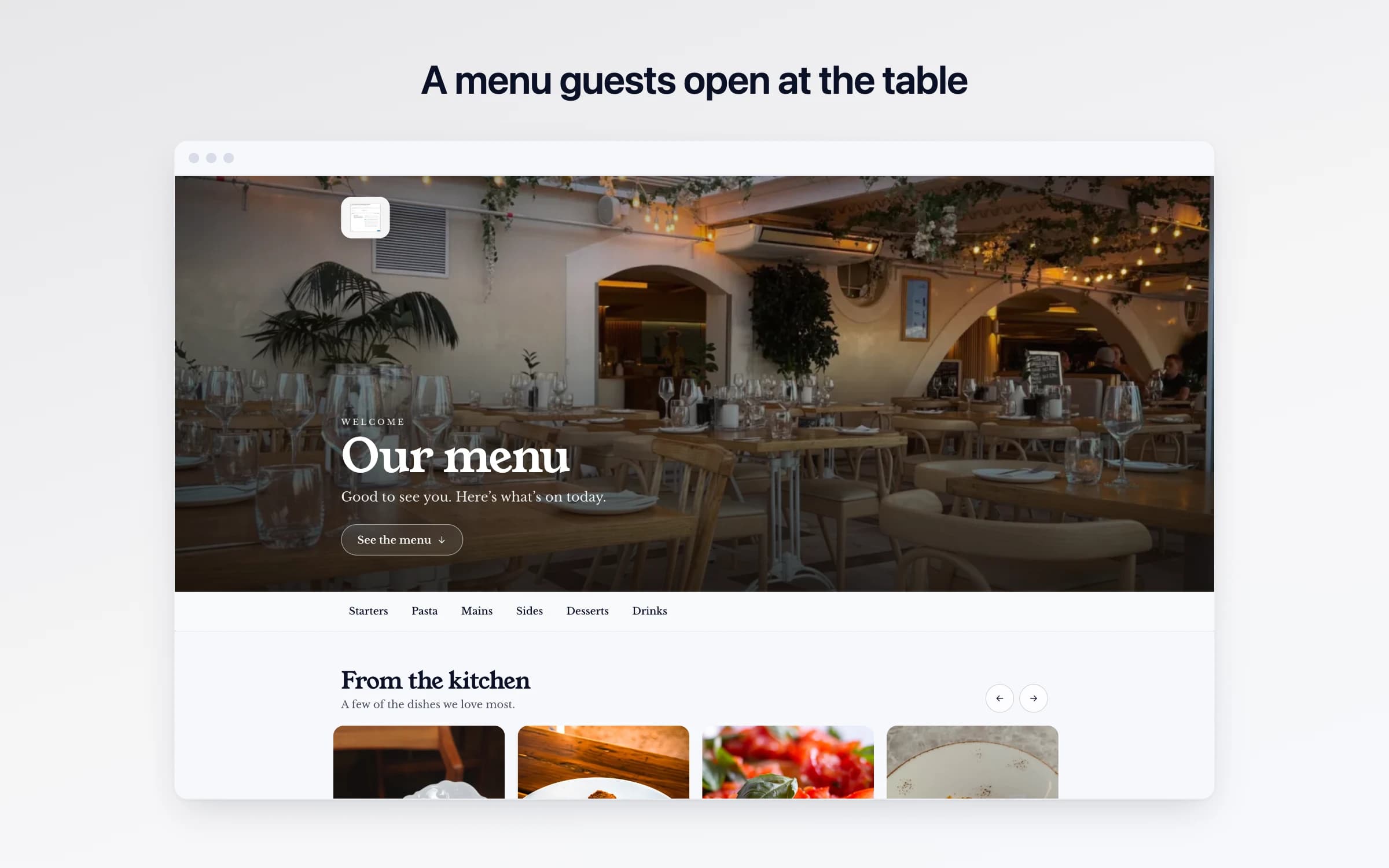
Send a photo of your menu and every dish goes in with its section and price, with allergens and dietary tags only where the menu prints them. Your menu site, in your own logo and colours, lists what's on by section, and guests can show only the dishes that are vegetarian, vegan, gluten-free or dairy-free. Tell Cheqq to 86 a dish and it's gone from the site at once. Print an A4 menu that matches the live one whenever it changes, and the QR cards for the tables just once.
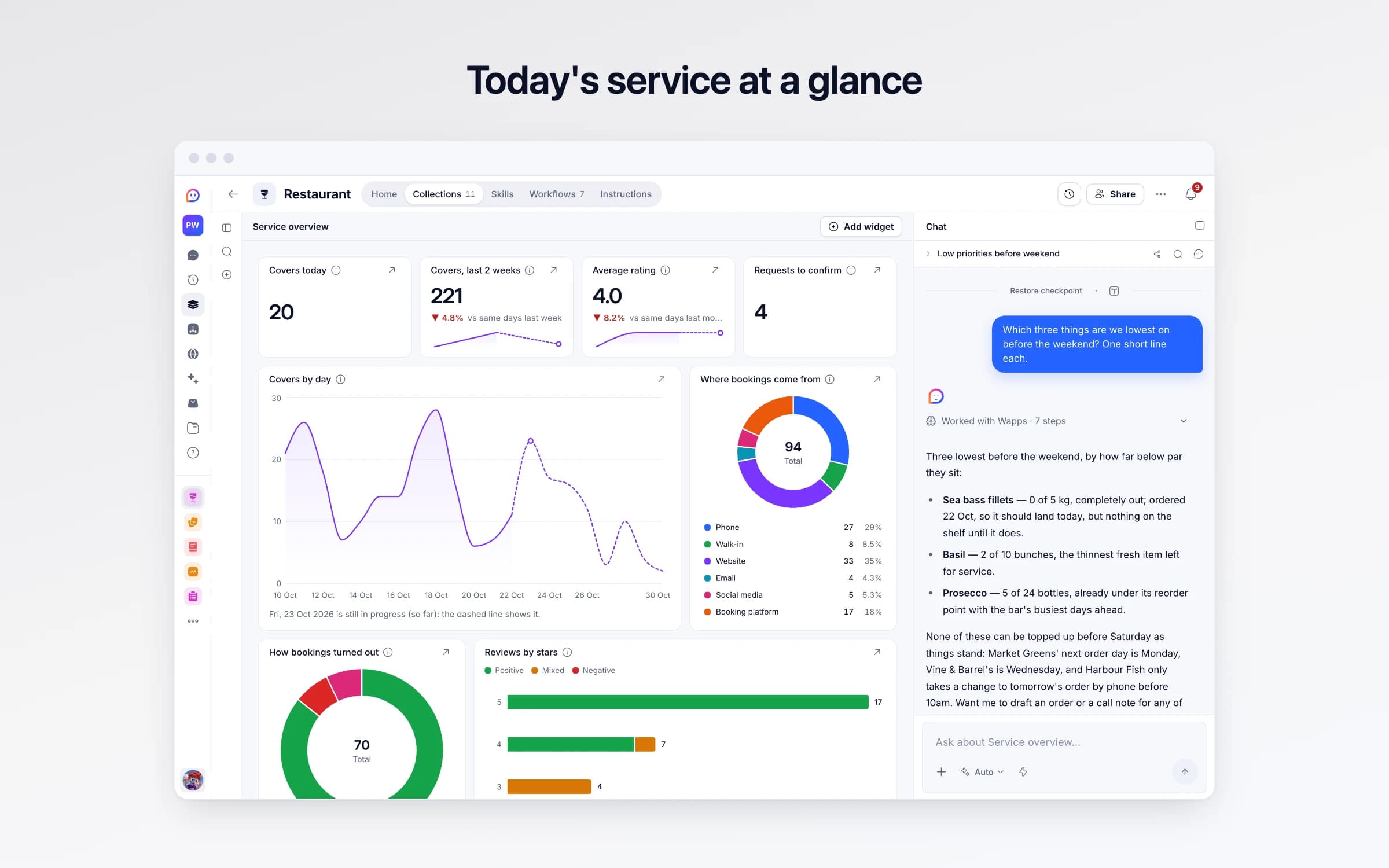
At 9 each morning, stock is brought up to date from your latest counts, and anything at its reorder point becomes an order for its supplier on their order day, sent once you approve it. At 10, everyone who can edit gets the briefing: today's covers, each booking's allergies, who's on, what's 86'd and what's low. On Friday, next week's rota is checked for shifts nobody has confirmed and days with nobody on. The Service overview puts today's covers, requests to confirm, low stock and negative reviews side by side.
A guest asks for a table, a confirmation is drafted
A guest picks a day, a time and how many they are on your Book a table form. Cheqq checks it against the book and drafts their confirmation, which goes once you approve it, and the afternoon before their booking, they get a short reminder.
The menu keeps up with the kitchen
Send a photo or PDF of your menu and every dish goes in with its section and price. Guests scan the QR code on their table to see what's on, and a dish you 86 leaves the menu at once.
Orders and the briefing arrive before service
At 9, anything running low becomes an order for its supplier on their order day, sent once you say yes. At 10, you get the briefing: today's covers, each booking's allergies, who's on and what's 86'd.
The booking diary or platform
Phone bookings and requests from your own form go in one book with each table's covers, allergies and status, instead of a paper diary or a booking platform's dashboard.
The menu PDF
Your menu site is read from your dishes, so a new price or a dish you 86 shows the moment you change it, instead of a PDF someone redoes and uploads again.
The rota app
Each shift sits beside the person working it, with its hours and labour cost worked out from the times and their rate, and Friday's check lists what's still unconfirmed.
The stock clipboard
Counts go in by message or photo, and anything at its reorder point becomes an order for its supplier on their order day, instead of a list written from memory after close.
Review reply tools
Forwarded reviews are filed with how the guest felt and a reply drafted in your voice, and a negative one alerts you at once. You post the reply where the review is.
7 automations, 2 apps, 11 lists of records and 3 documents. Your apps and automations all work from one set of records, so a change made once shows up everywhere.
Each one works from the same records as everything else here.
Your menu at its own address, made for the QR code on each table, with a printable menu and the QR cards to print. It changes the moment a dish does.
A booking form for your website and socials, with a floor plan where guests choose where they'd like to sit. Each request lands in Bookings, and the guest's confirmation goes once you approve it.
Everything it reads and writes is yours to open: each list as your copy starts it, with sample records you can clear in one go.
| Name | Display Order |
|---|---|
Starters | 10 |
Pasta | 20 |
Mains | 30 |
Sides | 40 |
Desserts | 50 |
Drinks | 60 |
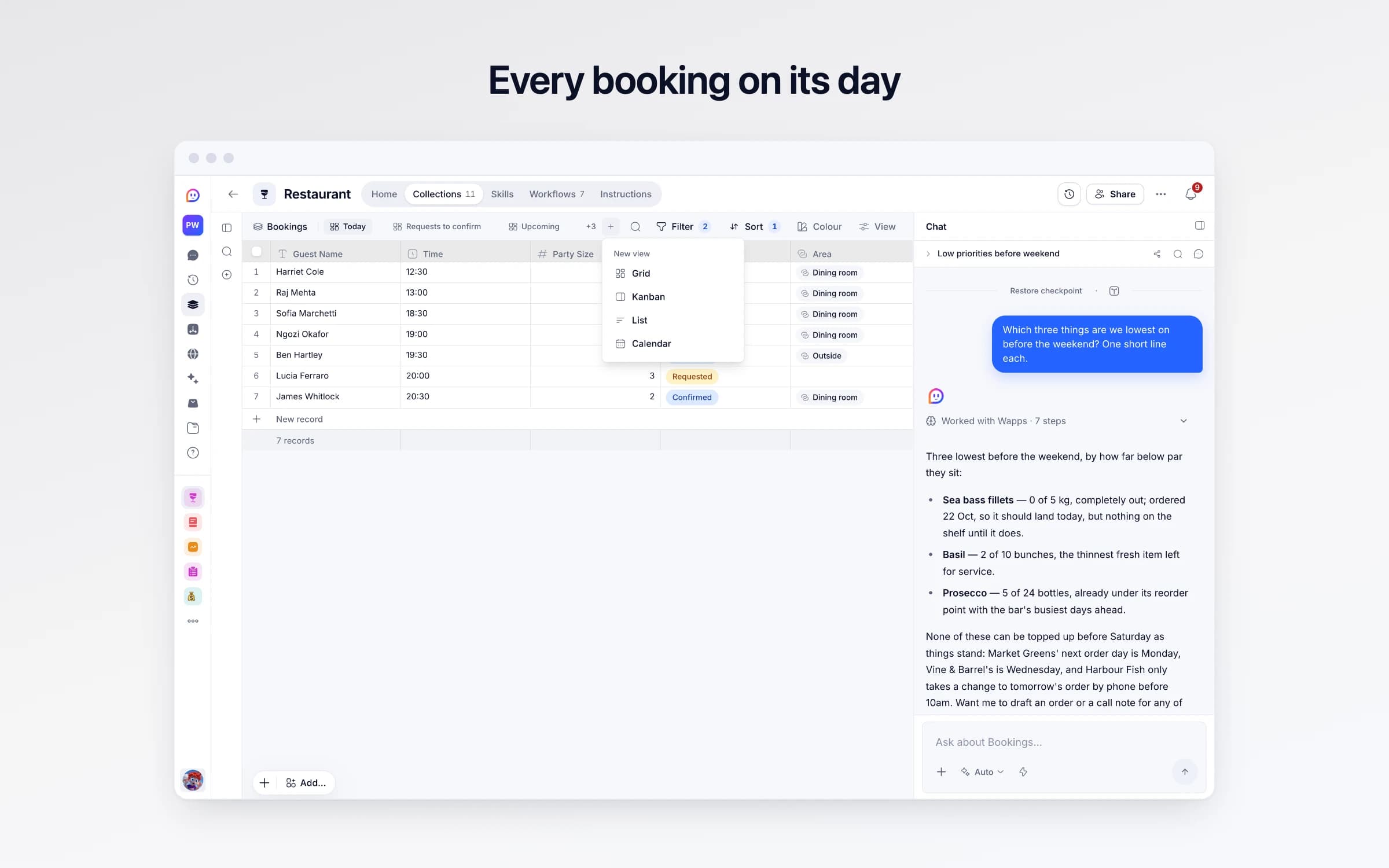
| Guest Name | Date | Time | Party Size | Status |
|---|---|---|---|---|
Harriet Cole | Today | 12:30 | 2 | Confirmed |
Raj Mehta | Today | 13:00 | 4 | Confirmed |
Sofia Marchetti | Today | 18:30 | 2 | Confirmed |
Ngozi Okafor | Today | 19:00 | 6 | Confirmed |
Ben Hartley | Today | 19:30 | 4 | Confirmed |
Lucia Ferraro | Today | 20:00 | 3 | Requested |
| Name | Kind | Seats | Bookable Online | Display Order |
|---|---|---|---|---|
Dining room | Dining room | 32 | Yes | 10 |
Outside | Outside | 16 | Empty | 20 |
Bar | Bar | 8 | Empty | 30 |
Private room | Private room | 12 | Empty | 40 |
| Reviewer | Source | Rating | Sentiment | Status |
|---|---|---|---|---|
Charlotte B. | Google | 5.0 | Positive | Replied |
Mike T. | Tripadvisor | 2.0 | Negative | New |
Daniel K. | Google | 1.0 | Negative | New |
Rachel Adams | Email | 3.0 | Mixed | New |
Tom H. | Google | 4.0 | Positive | New |
Laura M. | OpenTable | 5.0 | Positive | No reply needed |
| Name | Role | Team | Hourly Rate | Active |
|---|---|---|---|---|
Giulia Rinaldi | Manager | Front of house | £18.50 | Yes |
Marta Rinaldi | Head chef | Back of house | £19.00 | Yes |
Aisha Bello | Sous chef | Back of house | £15.50 | Yes |
Tom Wade | Chef | Back of house | £13.75 | Yes |
Dev Patel | Kitchen porter | Back of house | £12.75 | Yes |
Leo Marsh | Supervisor | Front of house | £14.25 | Yes |
| Date | Staff | Start | End | Status |
|---|---|---|---|---|
Yesterday | Marta Rinaldi | 10:00 | 15:00 | Confirmed |
Yesterday | Aisha Bello | 16:00 | 23:00 | Confirmed |
Yesterday | Giulia Rinaldi | 17:00 | 23:00 | Confirmed |
Yesterday | Ruby Kim | 17:30 | 23:00 | Confirmed |
Yesterday | Dev Patel | 17:00 | 23:30 | Confirmed |
Today | Marta Rinaldi | 10:00 | 15:00 | Confirmed |
| Name | Category | On Hand | Unit | Par Level |
|---|---|---|---|---|
Heritage tomatoes | Produce | 3.00 | kg | 8.00 |
Basil | Produce | 2.00 | bunch | 10.00 |
Lemons | Produce | 30.00 | each | 40.00 |
Wild mushrooms | Produce | 1.50 | kg | 3.00 |
Burrata | Dairy & eggs | 4.00 | each | 16.00 |
Double cream | Dairy & eggs | 5.00 | litre | 6.00 |
| Counted On | Item | Quantity | Counted By |
|---|---|---|---|
Yesterday | Heritage tomatoes | 3.00 | You |
Yesterday | Basil | 2.00 | You |
Yesterday | Burrata | 4.00 | You |
Yesterday | San Marzano tomatoes | 6.00 | You |
Yesterday | Pecorino Romano | 1.20 | You |
Yesterday | Palourde clams | 2.00 | You |
| Name | Contact Name | Phone | Order Days | |
|---|---|---|---|---|
Market Greens | Sam Ortiz | orders@marketgreens.example | 020 7946 0311 | MondayWednesdayFriday |
Lombardi Imports | Franco Lombardi | orders@lombardi.example | 020 7946 0428 | Tuesday |
Harbour Fish Co. | Nell Price | orders@harbourfish.example | 020 7946 0577 | TuesdayThursdaySaturday |
Northfield Dairy | Owen Hale | orders@northfielddairy.example | Empty | MondayThursday |
Vine & Barrel | Imogen Shaw | trade@vineandbarrel.example | 020 7946 0693 | Wednesday |
| Booking Times | Largest Online Party | Hold Minutes | Booking Policy | Currency |
|---|---|---|---|---|
12:00-14:30, 18:00-21:30 | 8 | 15 | Plans changed? Reply to your confirmation or give us a call, as early as you can, so we can offer the table to someone else. | GBP |
How Restaurant runs your restaurant
What's in Restaurant, what runs for you and when, your menu site and booking form, and a routine for your first week.
Opening and closing checklist
Before the doors open and after the last table leaves: front and back of house, the pre-service briefing, and the end of the day in Cheqq.
Allergen and dietary policy
The 14 major allergens, how every dish's allergens are recorded and confirmed, what the dietary tags promise, and what the team does with an allergy order.
Restaurant runs your menu, bookings, rota, stock and reviews in one place. It arrives with a sample trattoria so you can see it working. These steps make it yours: send Cheqq a photo of your menu and your menu site is ready to publish, with a printable menu and a QR code for the tables.
Learn how it works
What's in Restaurant, what runs for you and when, and a routine for your first week.
Apply your branding
Your logo, colours and font on your menu site, your booking form and your printed menu. Your font sets their text, and headings keep the menu's own serif.
Add your menu
Send a photo or PDF of your menu and Cheqq adds every dish with its section and price.
Publish your menu site
Your menu at its own address, for a QR code on every table. Swap the sample photos in Restaurant settings for your own first. It changes the moment a dish does.
Publish your booking form
Guests ask for a table, and you confirm each one. Swap its sample photo in Restaurant settings for yours, then save its address there as the booking link: your menu site shows Book a table.
Add your team
The people who work front and back of house, with their roles and rates, and next week's rota.
Add suppliers and stock
What you count, what's par for each, and who you order it from, so low stock becomes a ready order.
Turn on bookings and reminders
Booking confirmations, day-before reminders, guests' replies, review alerts and your morning briefing.
Only the reminder the afternoon before a booking, which repeats what the guest booked. Confirmations, replies to cancellations and supplier orders are drafted, then ask you first: approve one and it's sent, or decline it and handle it yourself. Once you trust one, let it run on its own. The briefing, the rota check and review alerts come to your team, never to guests. It all starts switched off, so nothing runs on the sample trattoria until you turn it on.
Your restaurant gets its own Cheqq email address, with no mail account to connect. Once the automations are on, send it any email, a forwarded review will do, and it becomes your sending address: confirmations, reminders and supplier orders go from it, and guests' replies come back to Cheqq. Until then, each request and order comes to you to deal with yourself.
It offers only the times you take bookings, every 15 minutes, never a day you're closed, and parties up to the largest you take online; bigger groups are asked to call. There's no floor plan: Cheqq tells you how many covers that service already has, and you decide. Guests are told their table isn't booked until you confirm it.
Each dish shows the allergens your kitchen has recorded, and guests can filter by your dietary tags. Cheqq never guesses an allergen from a dish's name: reading your menu, it records only what's printed. Until your kitchen ticks a dish's allergens as checked, the site asks guests to check with you. Keeping the menu right stays with you and your kitchen.
Yes. Send a photo or a PDF of your menu and Cheqq adds every dish with its section and price, then tells you anything it couldn't read. Attach your staff list, rota or stock list as a spreadsheet, or send a photo of it, and Cheqq brings it in. It asks one question at a time and tells you what it added.
No. Guests read your menu and ask for a table, and the order and the bill stay with your team and your till. It doesn't take deposits either: when a guest has paid one, note it on their booking.
It's built for restaurants, cafés and bars: anywhere that serves from a menu, runs a rota and orders stock. A café that doesn't take bookings uses the menu site, the rota and the stock, and leaves the booking form unpublished.
10 of its 88 automation steps use AI, and draw AI credits each time they run: how many depends on the model you pick for the step. The other steps are fixed and draw none.
Every enquiry answered, every client updated, every invoice chased
Rent chased, repairs filed, renewals flagged before they're late
Bookings confirmed, clients reminded and invited back after six weeks
You get your own copy: your own records, your own apps. Change any part of it. Or we'll set it up with you.
Free to start